CONNECTIONS AND INSTALLATION
MAESTRO kit is composed by an interface unit (A), an iPod connection cable (B), an ANTENNA
DIN (D) / DIN PLUG (C) connection cable, a power feeding/steering wheel commands connector
with JACK AUX IN input and VIDEO output (F), an USB extension cable (E).
MAESTRO can be installed following the steps below described:
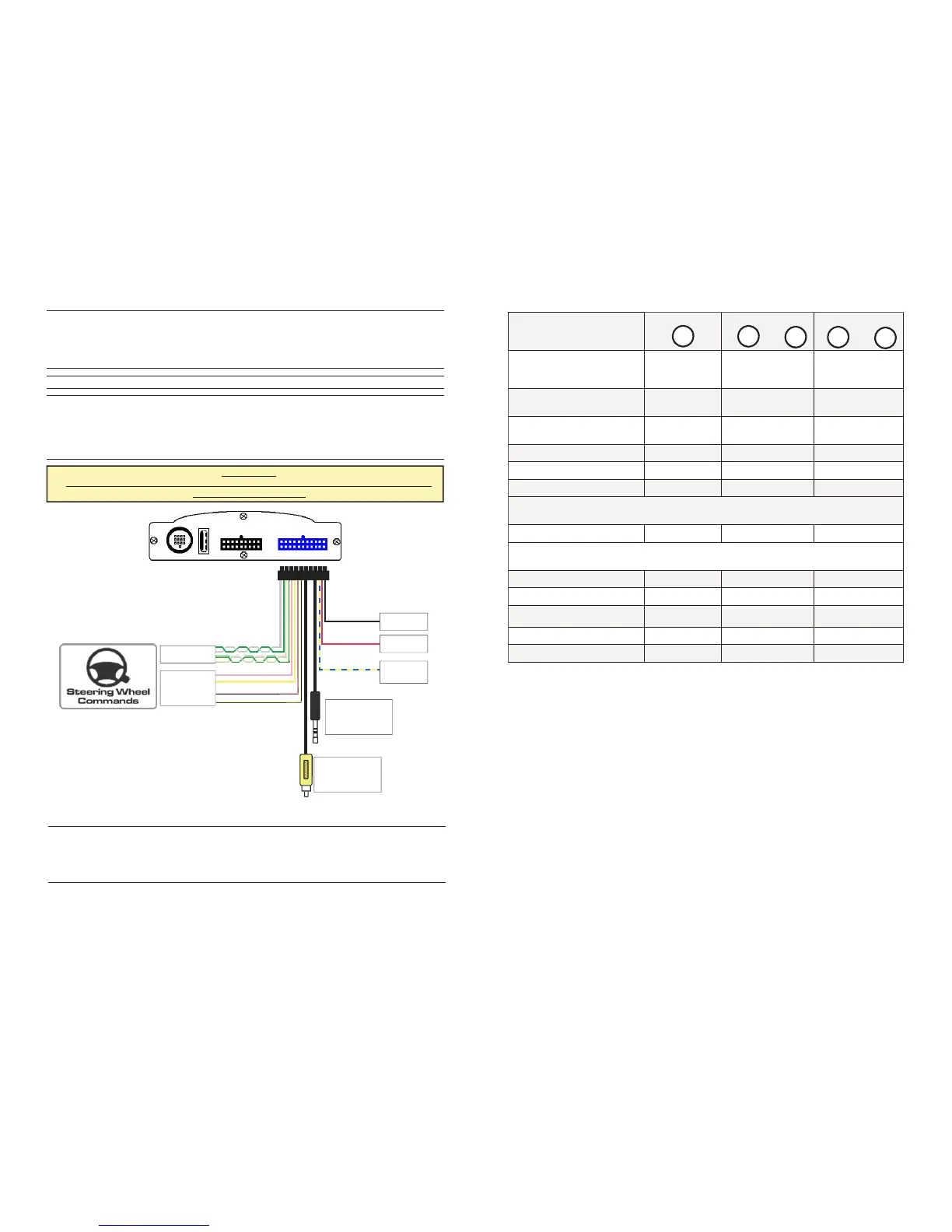
After the car radio has been removed, please connect MAESTRO power feeding cables by using
the 22 poles-connector as below shown.
Connect MAESTRO RED cable to the car radio 12VDC positive.
Connect MAESTRO BLACK cable to the ground.
Connect MAESTRO BLUE-YELLOW cable to a positive ignition output.
Once the power feeding cables have been connected, in the same connector the user can find
the cables to connect MAESTRO to the vehicle steering wheel commands. If the vehicle is
provided with steering wheel commands, please go to STEERING WHEEL COMMANDS
CONNECTION section. If the vehicle is not provided with steering wheel commands, please
follows the next step.
STEERING WHEEL COMMANDS POWER FEEDING CONNECTION
ATTENTION:
FOR THE CAN BUS CARS IT IS NOT NECESSARY TO CONNECT THE BLUE-YELLOW
POWER IGNITION CABLE.
Page 2
A
GND
12 VDC
POWER
IGNITION
F
JACK
AUX IN
VIDEO
OUTPUT
CANBUS
RESISTIVE
MODE B*
Mode with
SRC present and pressed
SRC button Volume buttons
SEEK buttons
ON/OFF Maestro SEQUENCE
VOL+ / VOL — /
VOL+ / VOL —
Volume + VOLUME +
Volume - VOLUME —
MP3 next Track Seek +
MP3 previous Track Seek —
Playlist/next folder Seek + (long)
After the first long press to scroll the other playlist quickly it’s needed to press fast
button SEEK + . After 3 second the system restore the managing of the tracks
Playlist/back folder Seek— (long)
MENU selection SRC (long)
Menu UP Seek + (short)
Menu DOWN Seek + (short)
MENU confirmation SRC (short)
MP3 Play/pause SRC (short)
After the first long press to scroll the other playlist quickly it’s needed to press fast
button SEEK — . After 3 second the system restore the managing of the tracks
+
—
<
>
SRC
Page 11
*Attention on some cars the long pression buttons are not available.



 To Next Page
 Loading...