Pag 6
MENU
MAESTRO has a user-menu that is displayed on the radio display trough the RDS; the same
menu is pronounced by the vocal synthesis.
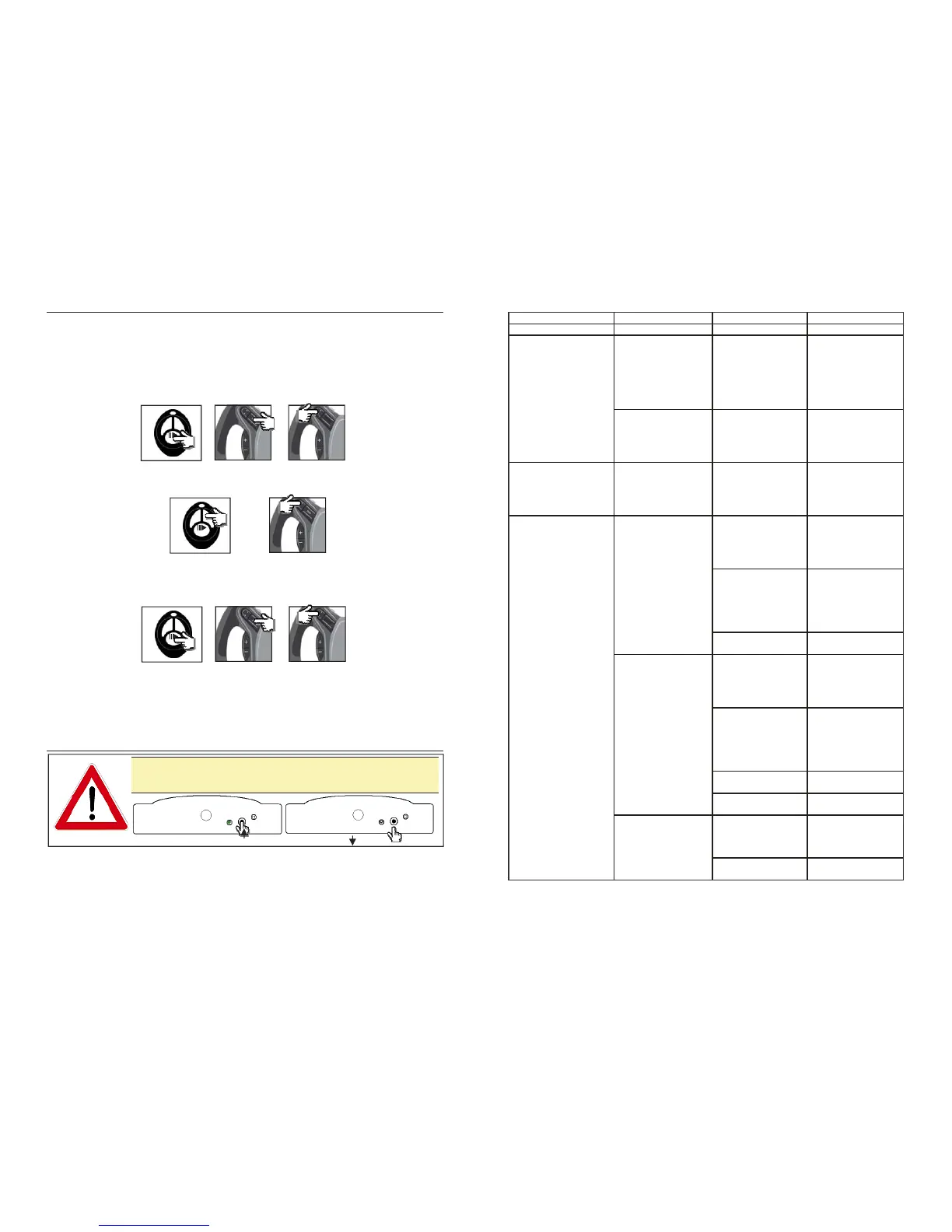
The menu can be run down by the remote control or by the steering wheel commands (for the
compatible versions).
To enter the menu with the remote control, please press for long the central SRC button. With
the steering wheel commands, the user can enter the menu by pressing for a long the source
button or, if this button it is not available, by doing the sequence long SEEK+ /long SEEK — .
To scroll down the menu headings, the user can use the remote control indicators buttons or the
steering wheel commands, by pressing the seek buttons.
To entry into the sub-menus or to confirm a choice, please do a short pressure on the remote
control on the central button or, through the steering wheel commands, please do a short
pressure on the source button. If this button is not available, please do the sequence SEEK+ /
SEEK —.
The menu managing allows to do all desired settings.
All possible handlings are displayed on the radio display and pronounced by the vocal synthesis
too.
The menu includes various sub-menus.
Menu organization is tree-shaped and it’s handled as described in the following table.
<< >>
ROOT
RDM
SRC
<< >>
ROOT
RDM
SRC
<<
>>
ROOT
RDM
SRC
In case of an incorrect working of the steering wheel commands
functions, please make a RESET of Maestro, as described below, by
pressing the button of the unit till the LED of the module switch OFF.
Page 7
PRINCIPAL MENU SUB-MENU 1 SUB-MENU 2 SUB-MENU 3
OFF
MUSIC IPOD
FIRST
ROOT
PLAYLISTALBUM
ARTIST
GENRE
BACK
EXIT
USB
FIRST
ROOT
FOLDER
BACK
EXIT
SOURCE IPOD
USB
AUXIN
BACK
EXIT
IPOD RANDOM OFF
TRACK
ALBUM
BACK
EXIT
REPEAT OFF
ONE
ALL
TRACK
BACK
EXIT
BACK
EXIT
USB RANDOM OFF
TRACK
ALBUM
BACK
EXIT
REPEAT OFF
ONE
ALL
TRACK
BACK
EXIT
UPGRADE USB BACK
EXIT
BACK
EXIT
AUX IN MODE NAVI
PLAYER
BACK
EXIT
BACK
EXIT
SETUP


 To Previous Page
 Loading...