APPENDIX A: SETTING UP FORGE/OS
INSTALLING FORGE/OS
(%%(0-!,,-),-("',-%%(+ N'," '"'-(-!&"'+(%@',-%%-"('-$,(.-96&"'.-,A
)'"' ('-!+,(.+,(-!@
("',-%%(+ NA(%%(0-!,,.,-),@(.'(+ N"',-%%-"('%,!+"/@('--2(.+
((-",",-+".-(+(+'"',-%%-"('+"/@
Important: Installing Forge/OS will erase all data on the target hard drive.
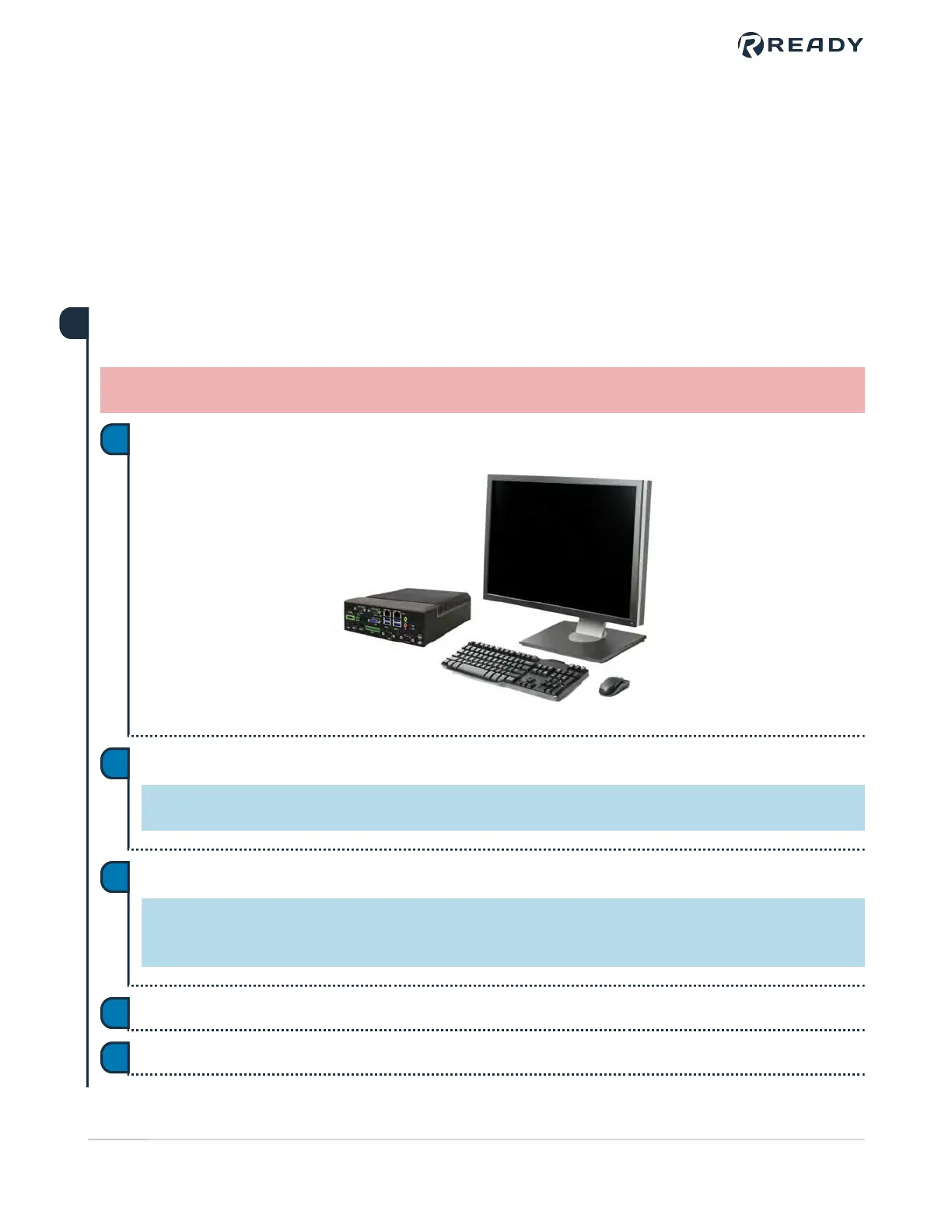
(''-&('"-(+A$2(+A'&(.,-(-! 0!+2(.0'--("',-%%(+ N@
a
%. -!(+ N"',-%%-"('%,!+"/"'-(-! @
Tip: If you need more USB ports, use a USB 3.0 hub.
b
,-+--! @!"%-! ",)(0+"' ('A)+,,-!$2(+!(-$2-!--$,2(.-(-!((-'.@
Tip: The key that opens the Boot Menu depends on the IPC model. The most common keys that do this
are ESC, F10, F11, or F12. Refer to your computer's documentation for boot options.
c
+(&-!((-()-"(',A,%- Install Forge/OS -(((-+(&-!"',-%%-"('%,!+"/@
d
!"',-%%+&2-$,/+%&"'.-,-(%(@"-.'-"%-!"',-%%-"('0"3+()',@
e
1
VERSION 5.1.0
P8688((-",
32


 To Next Page