EasyManua.ls Logo

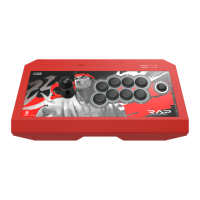
Real Arcade Pro.V HAYABUSA User Manual

Real Arcade Pro.V HAYABUSA
7 pages
To Next Page IconTo Next Page
Page #1 background imageLoading...
Page #1 background image
REAL ARCADE Pro.V HAYABUSA
for Nintendo Switch
TM
Thank you for purchasing this product. Before using this product please read the instructions carefully.
After reading the instruction sheet, please keep it with you for reference.
Instruction Manual
Make sure that your Nintendo Switch
TM
is updated with the latest system software.
Caution
Included
Platform
Layout
How to connect
How to carry
How to extract the cable
Stick Control Toggle Switch
Nintendo Switch
TM
/ PC System Toggle Switch
How to use the Turbo Functions
How to change Turbo Speed
Assign Mode
Warranty
1
2
2
2
3
4
5
6
6
7
3
3
4
4
Question and Answer IconNeed help?

Do you have a question about the Real Arcade Pro.V HAYABUSA and is the answer not in the manual?

Real Arcade Pro.V HAYABUSA Specifications

General IconGeneral
BrandReal Arcade Pro.V
ModelHAYABUSA
CategoryVideo Game Controller
LanguageEnglish

Summary

Caution

Included

Platform

Layout and Usage

How to connect

Instructions for connecting the controller to the Nintendo Switch™ Dock.

How to carry

Guidance on the proper method for carrying the controller.

Cable Management

Stick Control Toggle Switch

System Toggle Switch

How to use the Turbo Functions

How to change Turbo Speed

Assign Mode

Warranty Information