Step 1
Look for this icon. It means a
video assembly tip is available at
www.sauder.com/service/tips
å
Assemble your unit on a carpeted fl oor or on the empty
carton to avoid scratching your unit or the fl oor.
å
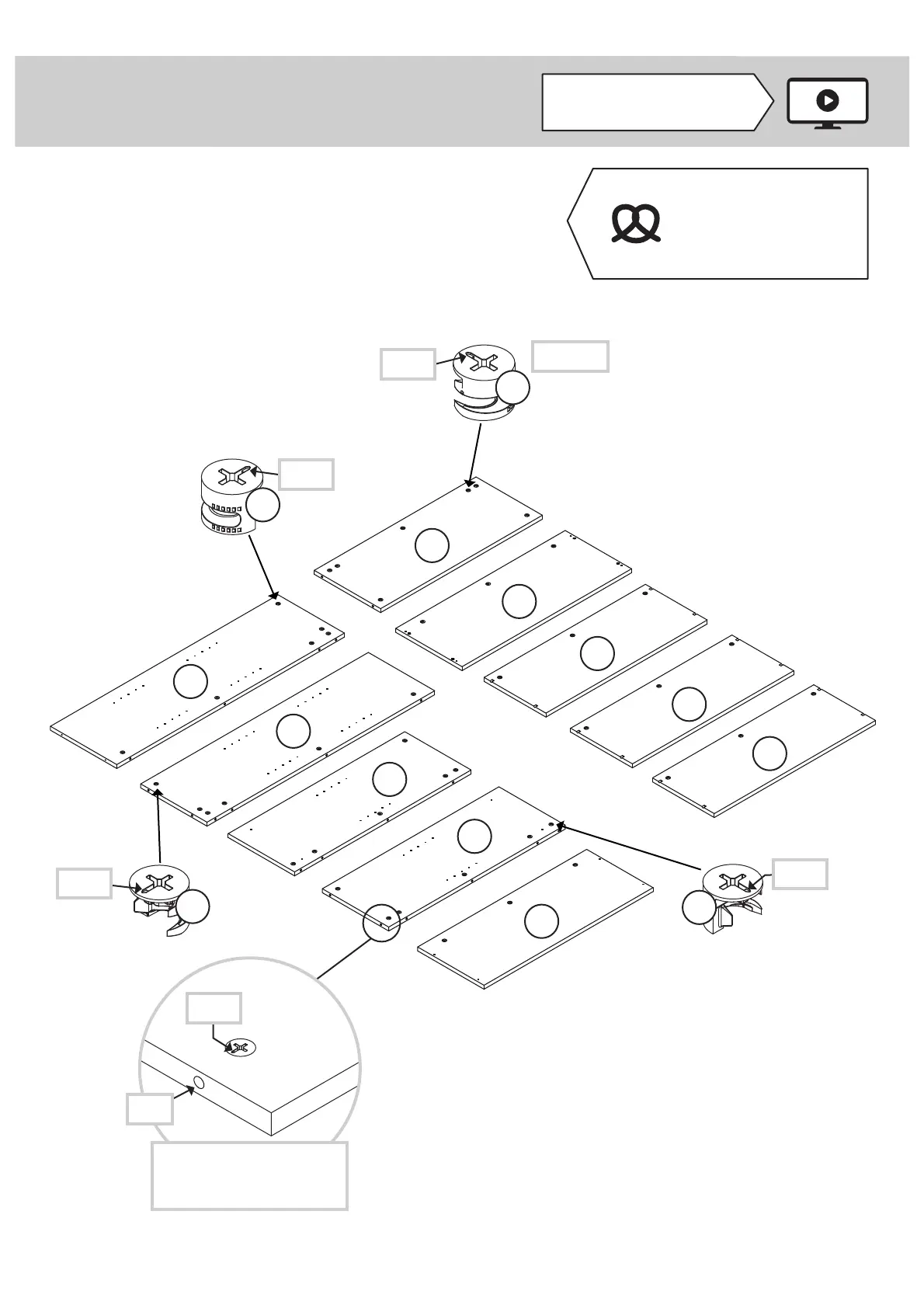
Push forty-six HIDDEN CAMS (1) into the ENDS (A, B, C,
and D), TOP (E), BOTTOM (F), SHELF (G), and
ADJUSTABLE SHELVES (J).
Page 4 www.sauder.com/service 425810
A
B
C
D
E
F
G
J
J
J
Arrow
The arrow in the HIDDEN
CAM must point toward the
hole in the edge of the board.
Hole
1
Arrow
1
Arrow
(46 used)
Arrow
1
Arrow
1
Some assembly
(and snacks) required.



 To Next Page