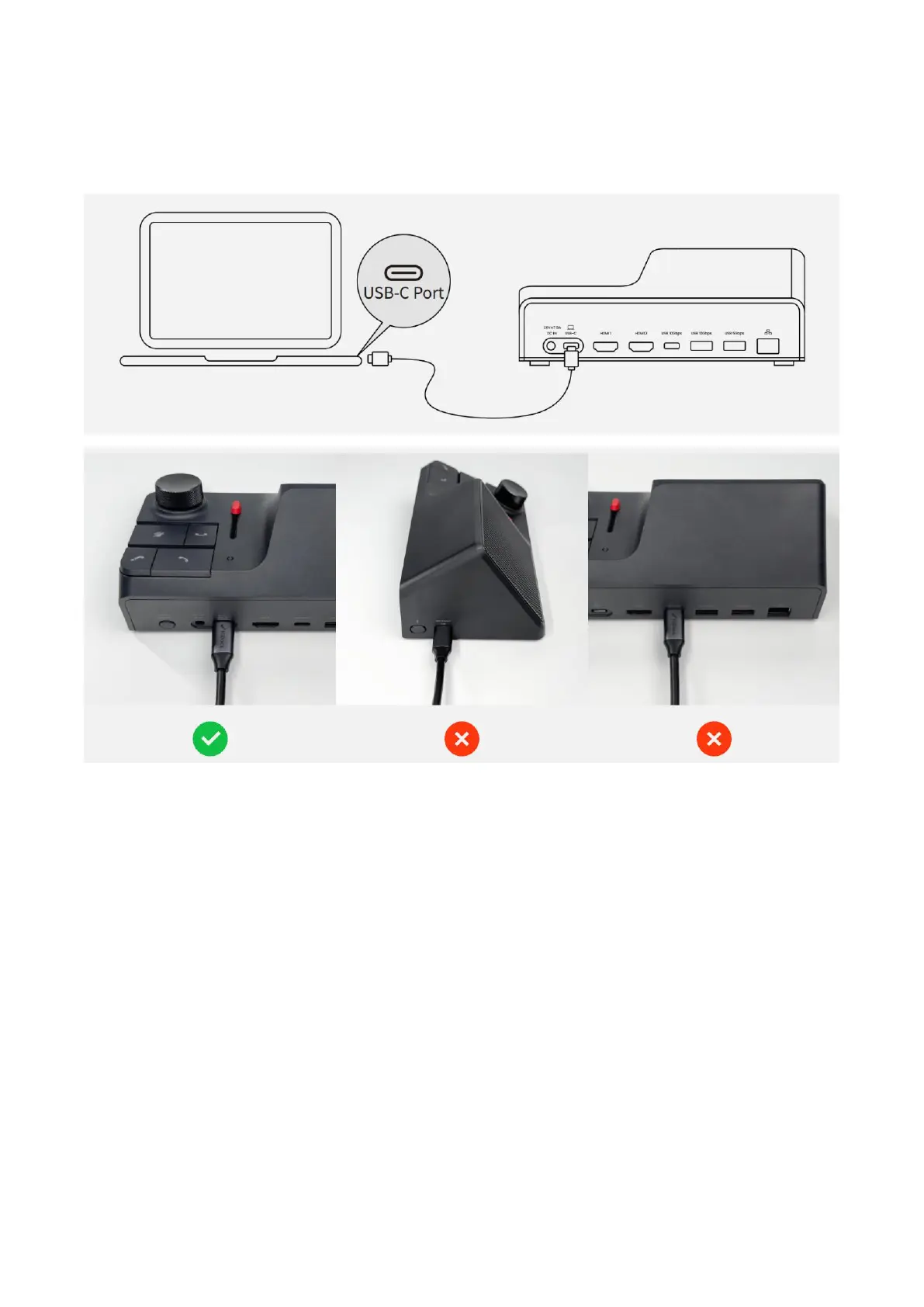
#3 If you are using a laptop computer, please use the HiDock USB C-C cable to connect (as
illustrated below).
#4 Please make sure to unplug your laptop's original power adaptor. HiDock can output max
100W power.
Note:
If it still doesn't work, please identify the USB C port on your laptop that supports USB 3.x with DP
(display port) and PD (power delivery).
If you are using Lenovo computers or other laptops with AMD CPUs, we recommend you to
update its BIOS and its mainboard drivers, for better compatibility.
#5 You should be able to detect "HiDock H1" as speaker and microphone on your computer. We
recommend you to set HiDock H1 as the default audio device.
If you have other issues, please scroll down to the "Appendix" part of this document.


 To Next Page
 Loading...