Un-installing the Wireless SDIO module Software
If you install Realtek11n Single Chip SDIO WLAN NIC Mass production kit into your laptop computer after
installing the software program from the CD.
When you install Realtek11n Single Chip WLAN SDIO MINICARD Adapter,
the following dialog will be shown.
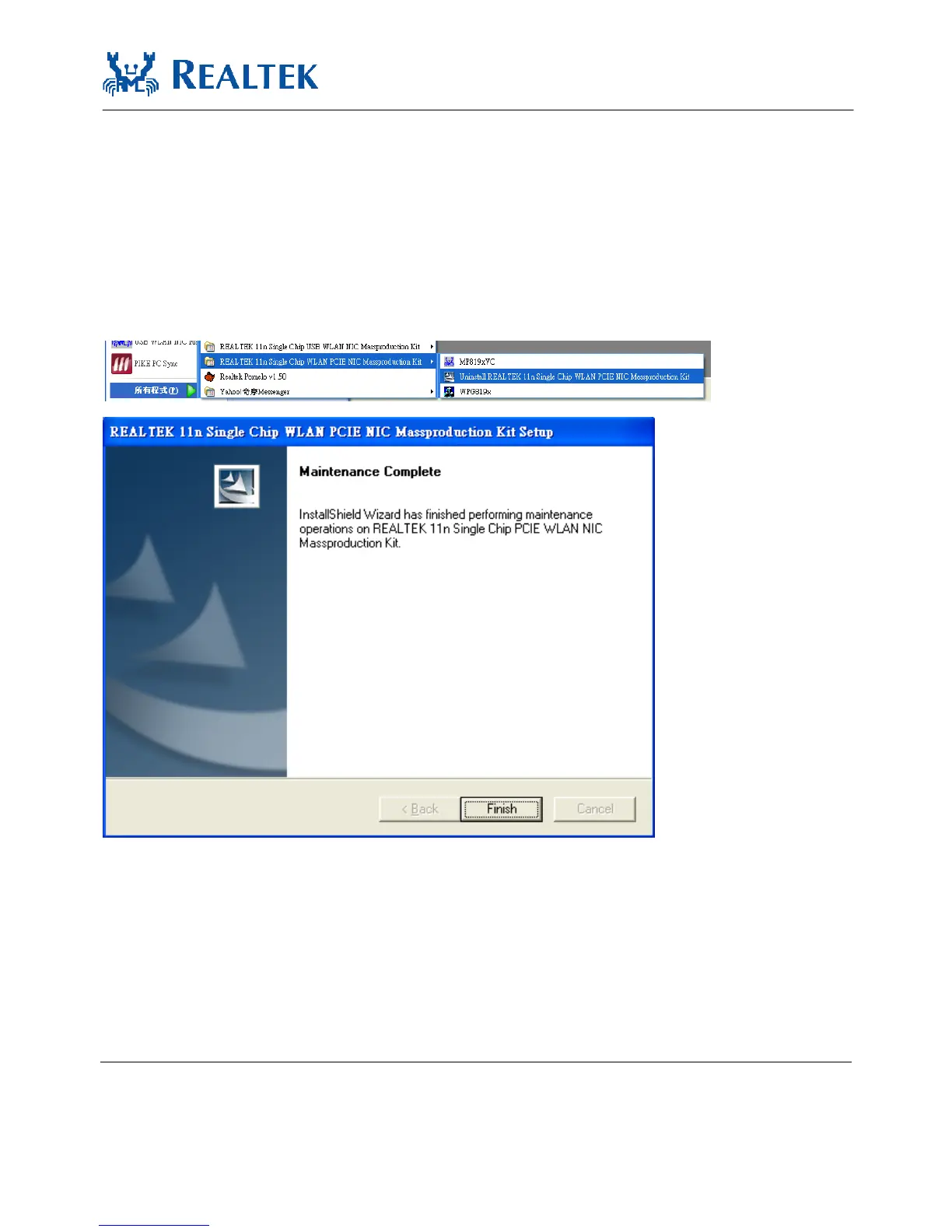
A. Uninstall the RTL8723BS WLAN Driver from “Start”→ “All Programs”→
“Realtek11n Single Chip WLAN SDIO NIC Mass production kit” or “Control
Panel”“”→“Change or Remove Programs”.
Please click “Un-install” (or “Change/Remove”) to remove RTL8723BS
WLAN driver.
B. Please click “Finish” to complete the un-installation


 To Next Page