20 21
EN EN
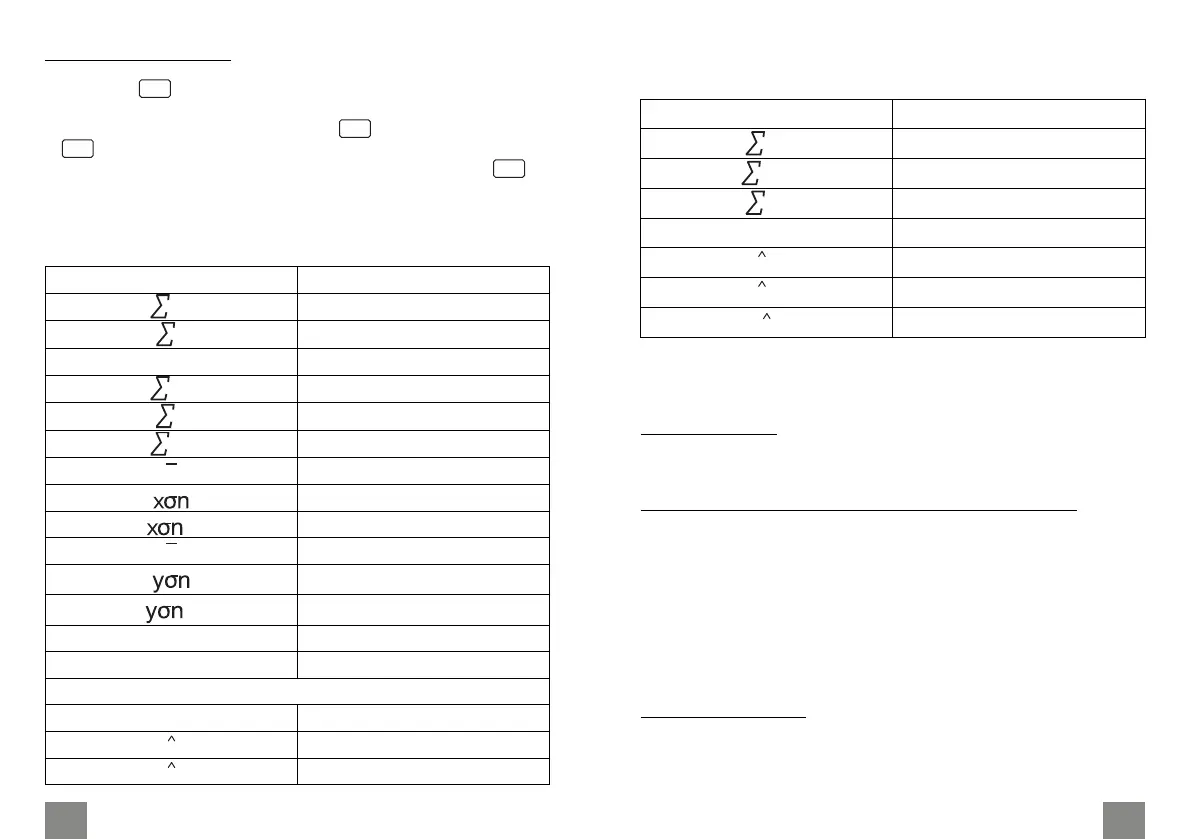
• The following shows they key operation to recall results in the
case of quadratic regression.
Recalled value Perform this button operation
SHIFT S-SUM ►► 1
SHIFT S-SUM ►► 2
SHIFT S-SUM ►► 3
Regression coecient C
SHIFT S-VAR ►► 3
SHIFT S-VAR ►►► 1
SHIFT S-VAR ►►► 2
SHIFT S-VAR ►►► 3
x
x y
x
x
x
y
The values above can be used inside of expressions the same
way you use variables.
Linear regression
• The regression formula: y=A+Bx
Logarithmic, exponential, power and inverse regression
• Use the same key operations as linear regression to recall
results for these types of regression.
• The following shows the regression formulas for each type of
regression.
◦ Logarithmic regression: y=A+B*lnx
◦ Exponential regression: y=A*eB*x(ln y=lnA+B)
◦ Power regression: y=A*xB(ln y=lnA+B ln)
• Inverse regression: y=A+B*1x
Quadratic regression
• Quadratic regression formula: y=A + Bx + Cx²
Regression calculations
• Press the button, then the 3 button to go to the regression
calculation.
• In the SD Mode and REG Mode, the button operates as the
button.
• Input data using the key sequence: <x-data> ' <y-data> .
• Values of regression calculations may depend on input values
and can be recalled with combinations below:
MODE
M+
DT
DT
Recalled value Perform this button operation
SHIFT S-SUM 1
SHIFT S-SUM 2
n SHIFT S-SUM 3
SHIFT S-SUM ► 1
SHIFT S-SUM ► 2
SHIFT S-SUM ► 3
SHIFT S-VAR 1
SHIFT S-VAR 2
SHIFT S-VAR 3
SHIFT S-VAR ► 1
SHIFT S-VAR ► 2
SHIFT S-VAR ► 3
Regression coecient A
SHIFT S-VAR ►► 1
Regression coecient B
SHIFT S-VAR ►► 2
Regression calculation other that quadratic regression
Correlation coecient r
SHIFT S-VAR ►► 3
SHIFT S-VAR ►►► 1
SHIFT S-VAR ►►► 2
x
y
y
-1
x
-1
x
y


 To Next Page
 Loading...