18 19
EN EN
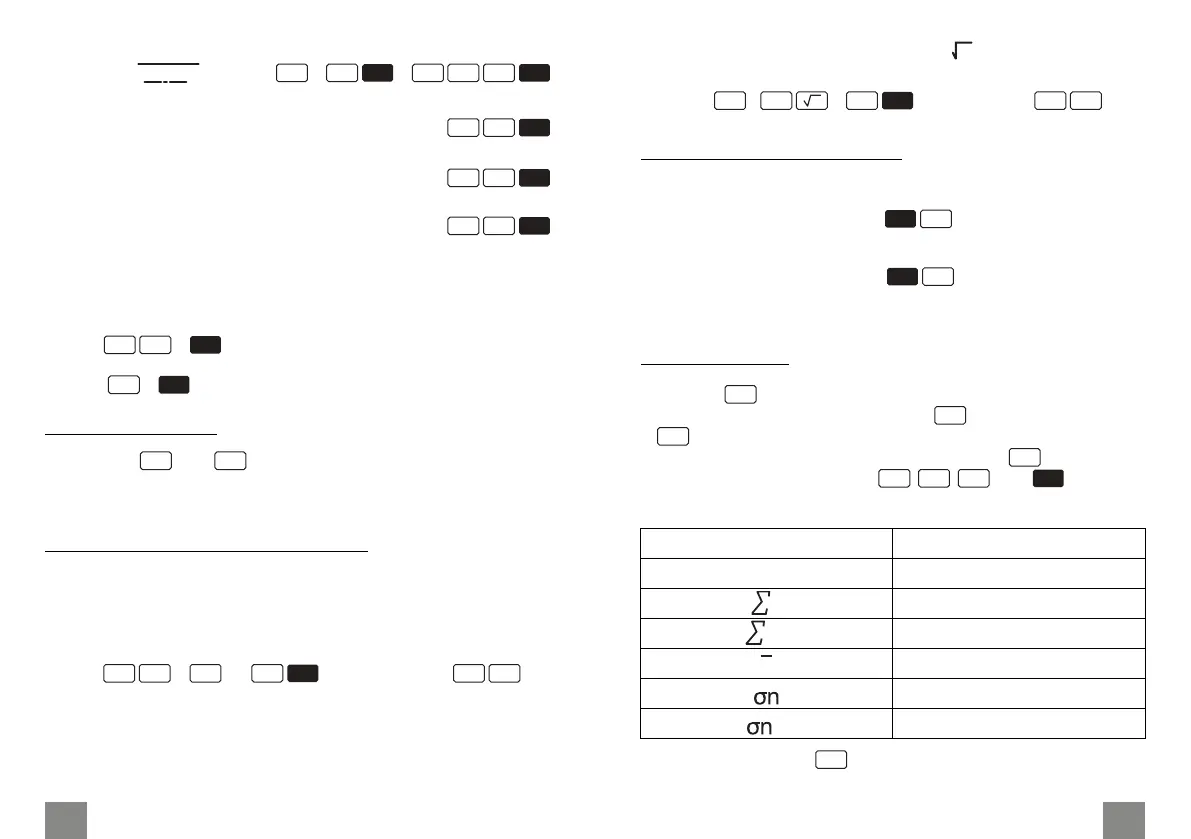
• To convert rectangular coordinates (1, 3 ) to polar coordinates:
r=2 1 3 θ=1.047197551
Pol(
,
) =
F
RCL
Engineering notation calculations
Example 1: To convert 56,088 meters to kilometers:
56088
= ENG
0.08125
= ENG
Example 2: To convert 0,08125 grams to milligrams:
Statistical calculations
Standard deviation
• Pressthe ,then the2buttonto go tothestandard deviationmode.
• In the SD Mode and REG Mode, the button operates as the
button.
• Input data using the key sequence: <x-data>
• To clear statistical memory: , , (scl), .
• Values for n, Σx, Σx2, x-, σn, σn-1 can be recalled with:
MODE
M+
DT
DT
MODE CLR
1 =
Value Perform this button operation
n SHIFT S-SUM 1 =
SHIFT S-SUM 2 =
SHIFT S-SUM 3 =
SHIFT S-VAR 1 =
SHIFT S-VAR 2 =
SHIFT S-VAR 3 =
x
x
-1
• Each time you press button to register an input, the number
of data input up to that point is indicated on the display (n value).
DT
Example 7: 8! = 40320
8
SHIFT
x! =
3
SHIFT
=
π
SHIFT
=Ran#
Example 6: = 12
1
1 1
3 4
3 4
( x-¹
-
x-¹ ) x-¹ =
Example 8: Random numbers
Example 9: 3Π = 9.424777961
Example 10: To determine how many dierent 4-digit values can
be produced using the numbers 10 through 7.
(840) 7 4
SHIFT
nPr =
(210) 10 4
=nCr
Angle unit conversion
• Press the and buttons to display angle unit menu.
• Press the 1, 2 or 3 to select the angle unit.
DRG>
SHIFT
Coordinate conversion (Pol (x,y) Rec (r, θ))
• Calculation results are automatically assigned to variables E
and F.
• To convert polar coordinates (r=2, θ=60°) to rectangular
coordinates (x, y):
x=1 2 60 y=1.732050808
SHIFT
Rec(
,
) = RCL
F


 To Next Page