User Manual for Mobile DVR
7
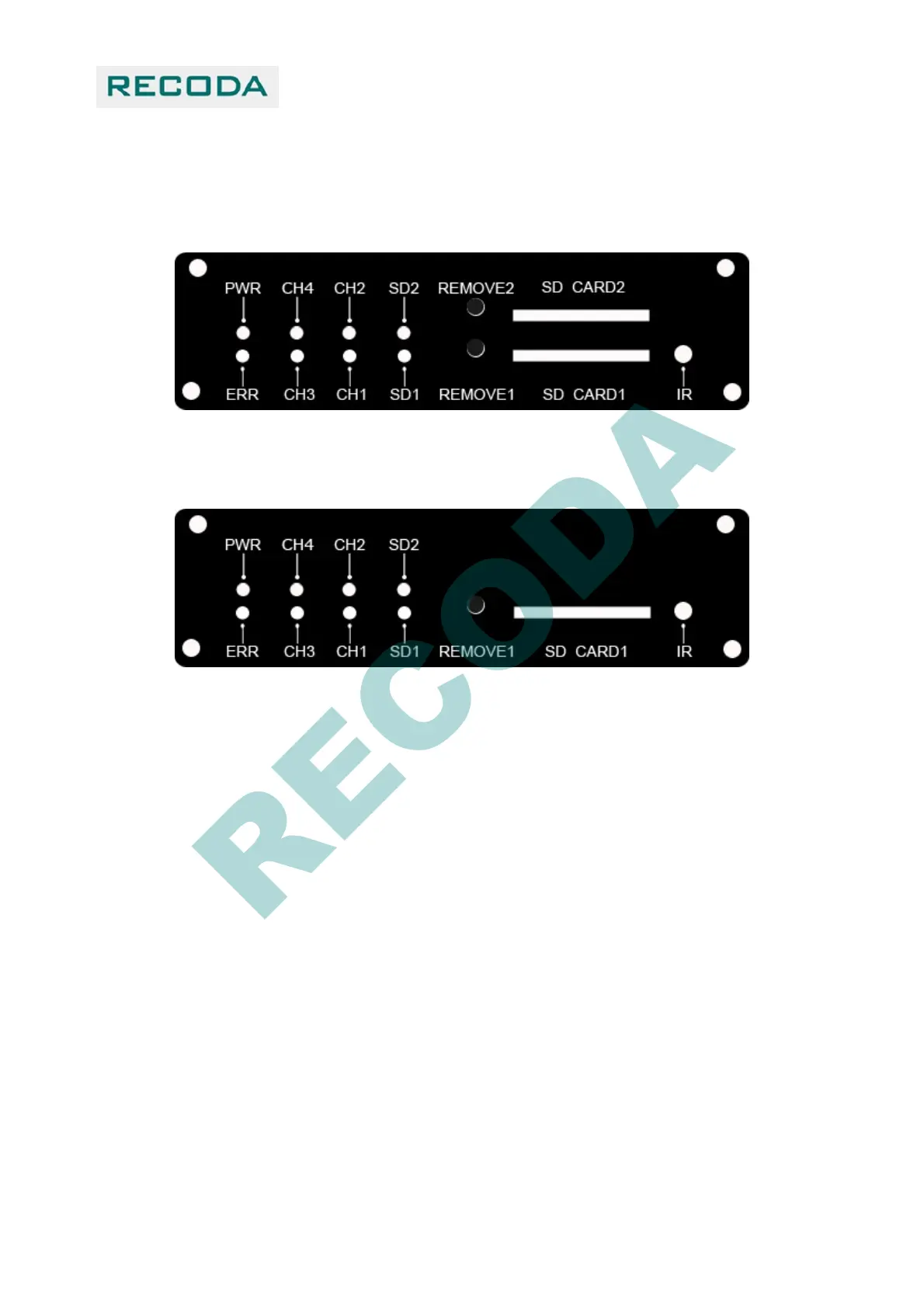
1.4 Front panel
The front panel for the device which supports two SD card:
The front panel for the device which supports one SD card:
1.4.1 LED indicators:
【PWR】Power indicator.
【ERR】Error indicator: LED on-No SD cards
【CH1-CH4】Video input indicators
【CH1】LED blinks indicating that the system firmware is being upgraded.
【SD1,SD2】SD card status Indicator:
LED on-SD card works;
LED off-no SD card or SD card doesn’t work;
LED blinks-recording.
1.4.2 SD card:
User must format new SD Card before use.
【REMOVE1,REMOVE2】when the device is working, press the RMOVE key for 3 seconds until the
LED was off, then the SD cards can be moved safely. SD cards will resume work if they were not removed
in 15 seconds..



 To Next Page