7
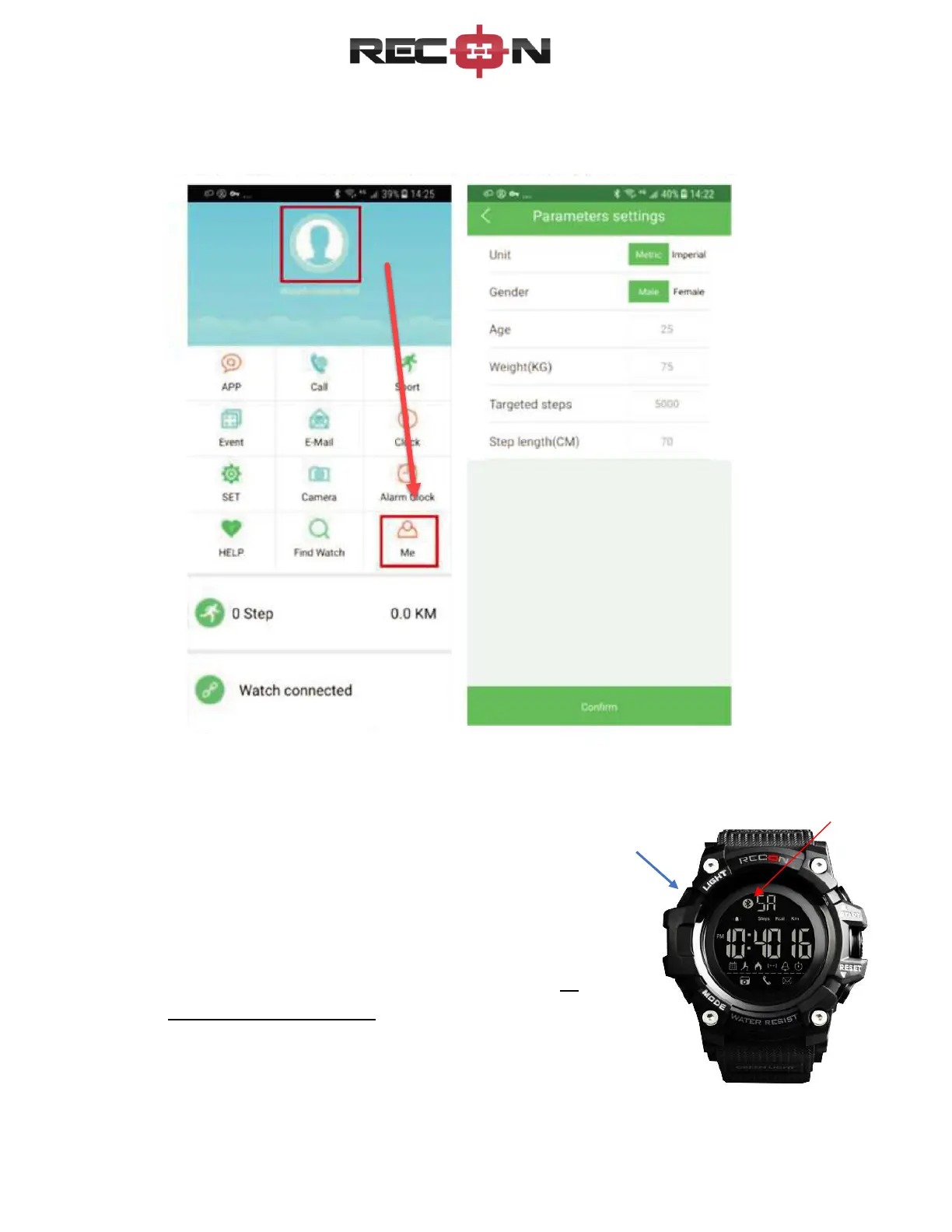
3. Now you can personalize the app – click ME at the bottom and enter age, gender, clock,
email addresses and other details you want stored:
Now you can start the connection from your phone to your watch:
a. To turn Bluetooth on, press and hold Top Left button
for 3 seconds (see blue arrow)
b. Watch will chime and the Bluetooth logo will display
at the top, next to the day of the week (see red
arrow)
c. Bluetooth logo will flash until you turn it off or
connect to your phone.


 To Next Page