14
8. Operation
Changing the Filters
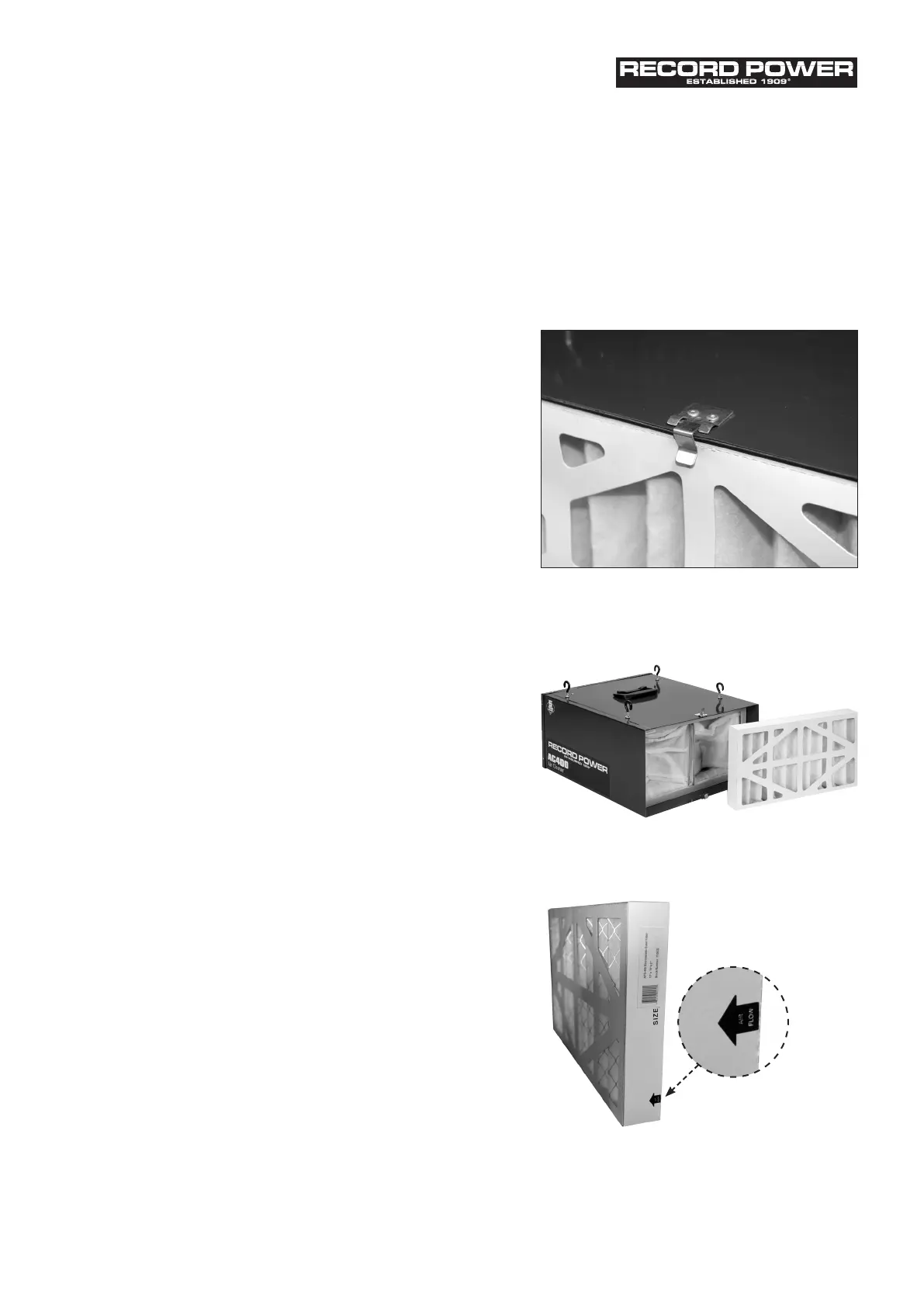
• There are two filters that need to be cleaned and /
or changed. The outer filter can easily be removed by
disengaging the two clips (Fig 5).
• Once the outer filter is removed the inner filter can now
be pulled out of the unit (Fig 6). The inner filter can be
blown out with air or washed out. The filter should be
completely dry before reinstalling into the machine.
• The filters should be replaced and / or cleaned depending
on the amount of usage and the environment of your
workshop. Clogged filters will reduce the amount of
air circulation. There is an arrow indicating the air flow
direction on the outer filter (Fig 7). Make sure the filter is
inserted facing the proper direction.
Replacement Filters
SAC400-26 Inner Pocket Filter – Pos. No. 26
SAC400-27 Electrostatic Outer Filter – Pos. No. 27
Fig 5
Fig 6
Fig 7
Original Instruction Manual | AC400 Air Cleaner | Version 3.0 | November 2012


 To Next Page