Basic Operations
11
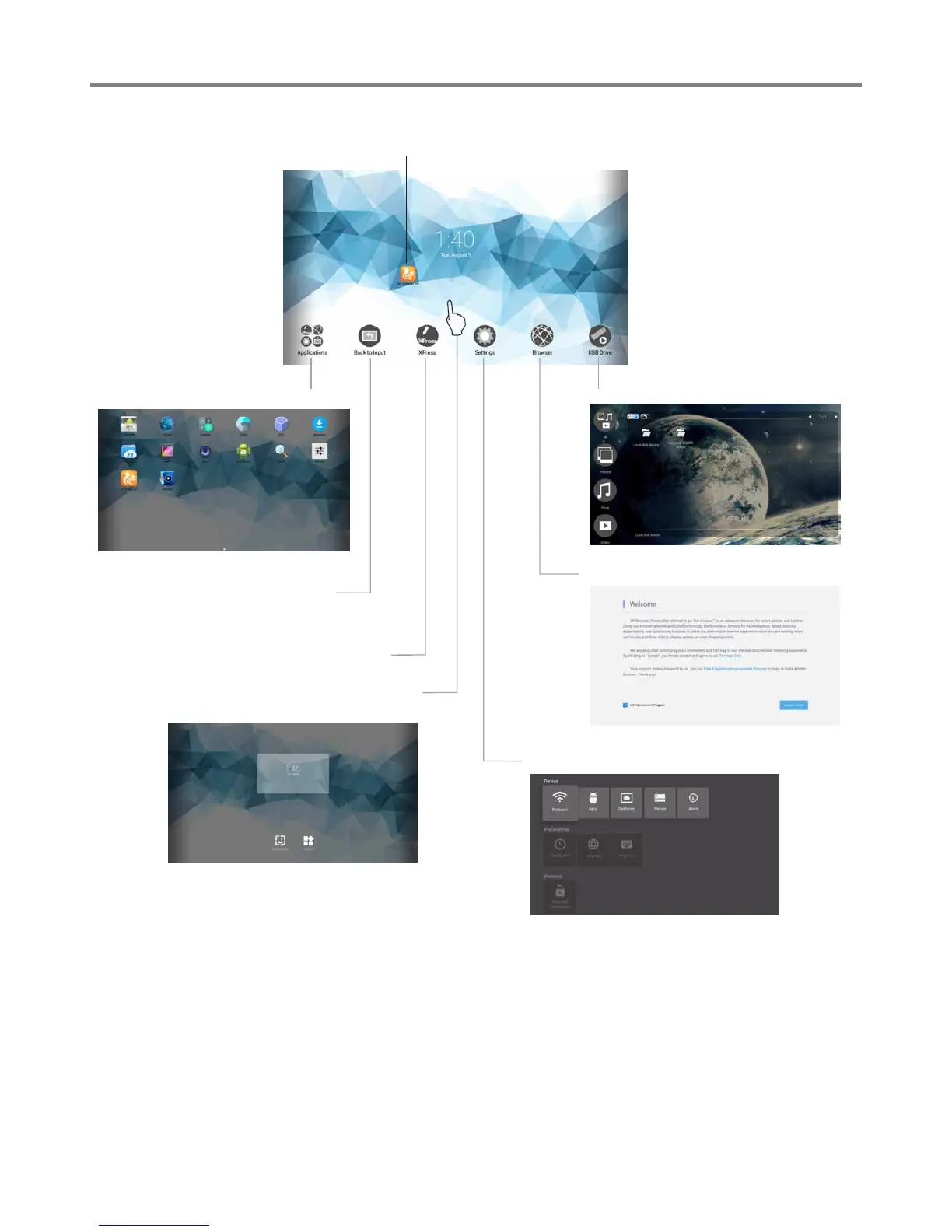
Home Menu Overview
Go to your USB multi-media player.
Note: The layout of menu may vary upon different models you purchased.
In all applications, press
and drag the icon to on
Home page for shortcut
created, press and drag
the shortcut to X
REMOVE for shortcut
deleted.
Go to UC Browser.
Call the device Settings menu.
Call applications list
Shortcuts you created on Home page
Exit the Home page (Android
Interface) and back to current
channel.
Call the annotation.
Long press on the screen will call the
wallpapers and widgets menu.


 To Next Page