EasyManua.ls Logo

Recordio 591 - Page 2

Default Icon
15 pages
Print Icon
To Next Page IconTo Next Page
To Previous Page IconTo Previous Page
Loading...
?_:o
3J1
\,/
\,/
-
sPfE0-
i".,--l
exr.lpgAK{g
IT'PUT
l.{ tl.
tiilRl,.tAL
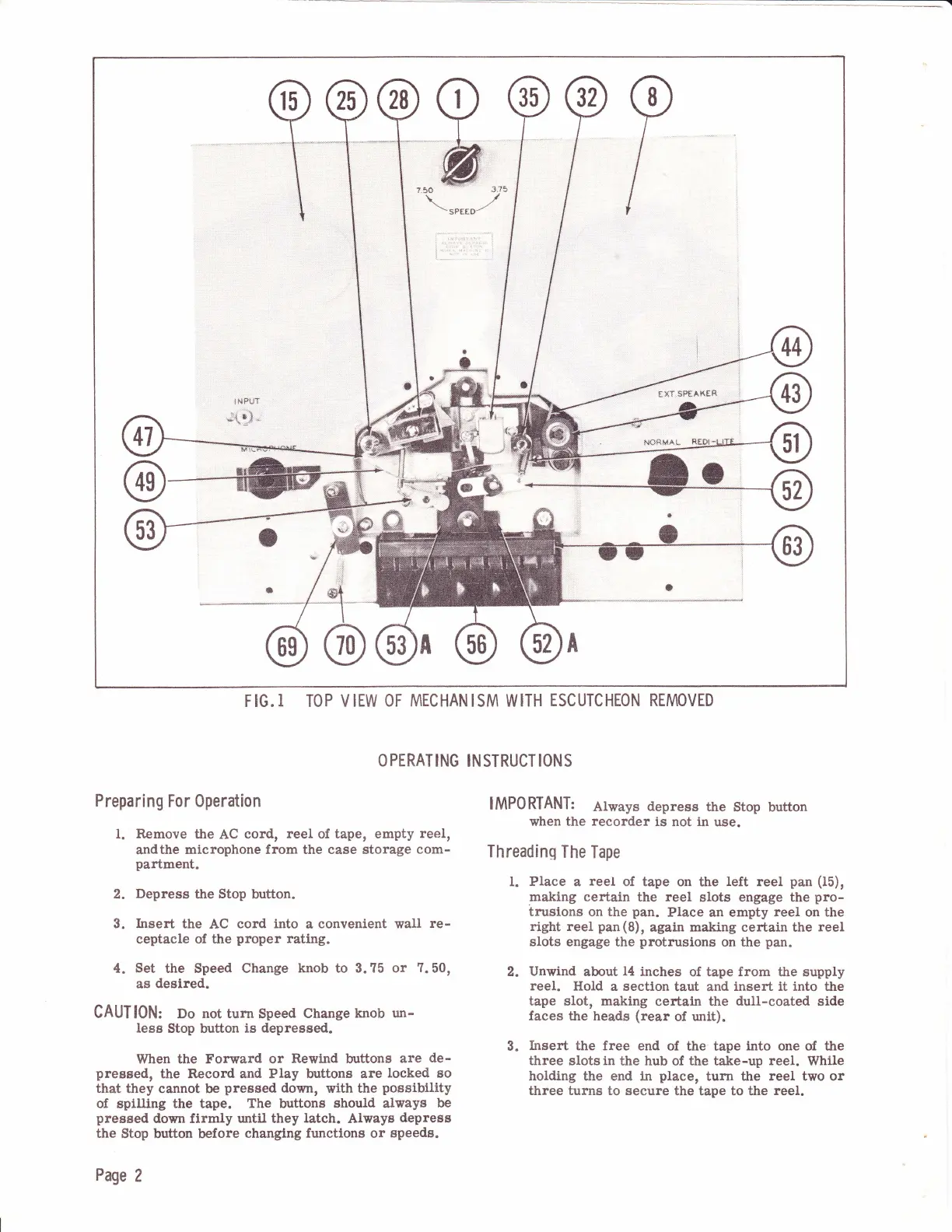
F IG.
I
TO
P
V IEW OF
MEC
HAN I SM W
ITH
ESC UTC
HEON
REMOVED
O
PERATING
INSTRUCT
IONS
Preparing
For Operation
1. Remove
the
AC
cord,
reel
of tape, empty
reel,
andthe
microphone from the case storage
com-
partment.
2.
Depress
the
Stop
button.
3. Insert
the
AC
cord
into
a
convenient
wall
re-
ceptacle
of the
proper
rating.
4.
Set
the Speed Change
knob to 3. ?5 or
7.50,
as
degired.
CAUT
l0N: Do
not turn
Speed
Change
knob un-
less
Stop button
is depressed.
When
the Forward or
Rewlnd buttons
are
de-
preesed,
the Record and Play buttons are
locked so
that
they cannot be
pressed
down,
with
the
possibility
of spilling the tape.
The buttons should always
be
preased
down firmly
until
they
latch.
Alwaya
depress
the
Stop button before
changtng
functlons
or
speeds.
Page
2
IMPORTANT:
Always
depress
the
stop button
when the
recorder
is not
in
use.
Threading
The
Tape
t.
Place
a
reel
of tape
on the
left reel
pan (I5),
making certain
the reel
slots engage the
pro-
trusions on the
pan.
Place
an
empty reel on the
right reel
pan(8),
again making
certain the
reel
slots engage the
protrusions
on the
pan.
2.
Unwind
about
14
inches
of tape frorn the supply
reel.
HoId
a sectlon
taut and
insert lt into the
tape slot, making
certain
the
dull-coated
side
faces the heads
(rear
of unit).
3.
Insert
the free
end of
the
tape into one of the
three slots
in
the hub
of
the take-up
reel.
While
holding the end in
place,
turn the
reel two or
three turns to
secure the tape to the
reel.