EasyManua.ls Logo

Recordio 591 - Page 4

Default Icon
15 pages
Print Icon
To Next Page IconTo Next Page
To Previous Page IconTo Previous Page
Loading...
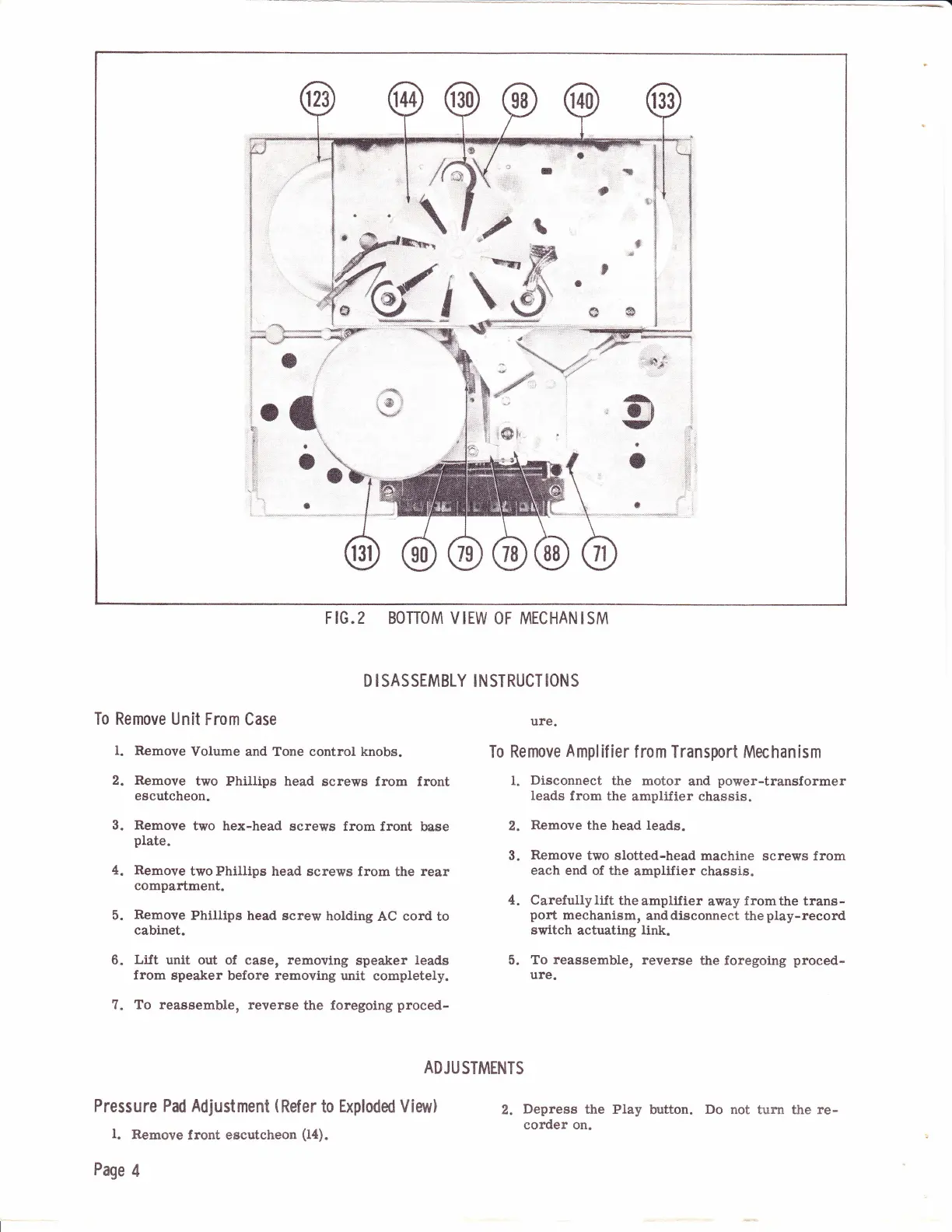
F
IG.2
BOTTOM V IEW OF MECHAN ISM
D I
SASSEMBLY INSTRUCT
IONS
To Remove
Unit
From Case
ure.
l. Remove
volume and rone control knobs.
To
Remove
Amplif
ier
f rom Transport Mechanism
2. Remove
two Phillips head
screws from front
1.
Disconnect
the motor
and
power-transformer
escutcheon.
leads
from
the
amplifier chassis.
3. Remove
two hex-head
screws from front
base
2.
Remove
the
head leads.
plate.
3.
Remove
two slotted-head
machine
screws from
4. Remove
two Phillips head
screnrs from the rear
each
end of the
amplifier chassis.
compartment.
4.
Carefullylift
theamplifier
away
fromthe
trans-
5.
Remove
Philtips
head
screw holding
AC
cord to
port
mechanism,
anddisconnect
the
play-record
cabinet.
switch
actuating
llnk.
6.
Lift
unit out of
case,
removing
speaker
leads
5.
To reassemble,
reverse
the foregoing
proced-
from
speaker
before
removing
unit
completely.
ure.
7. To reassemble, reverse
the
foregoing
proced-
ADJU
STMENTS
PfeSSufe Pad Adjustment
(Refer
to
Exploded
Vie$r)
z.
Depress
the
play
button.
Do
not
turn the
re-
l.
Remove
front
eecutcheon
(la).
corder
on'
Page
4