EasyManua.ls Logo

Recordio 591 - Page 6

Default Icon
15 pages
Print Icon
To Next Page IconTo Next Page
To Previous Page IconTo Previous Page
Loading...
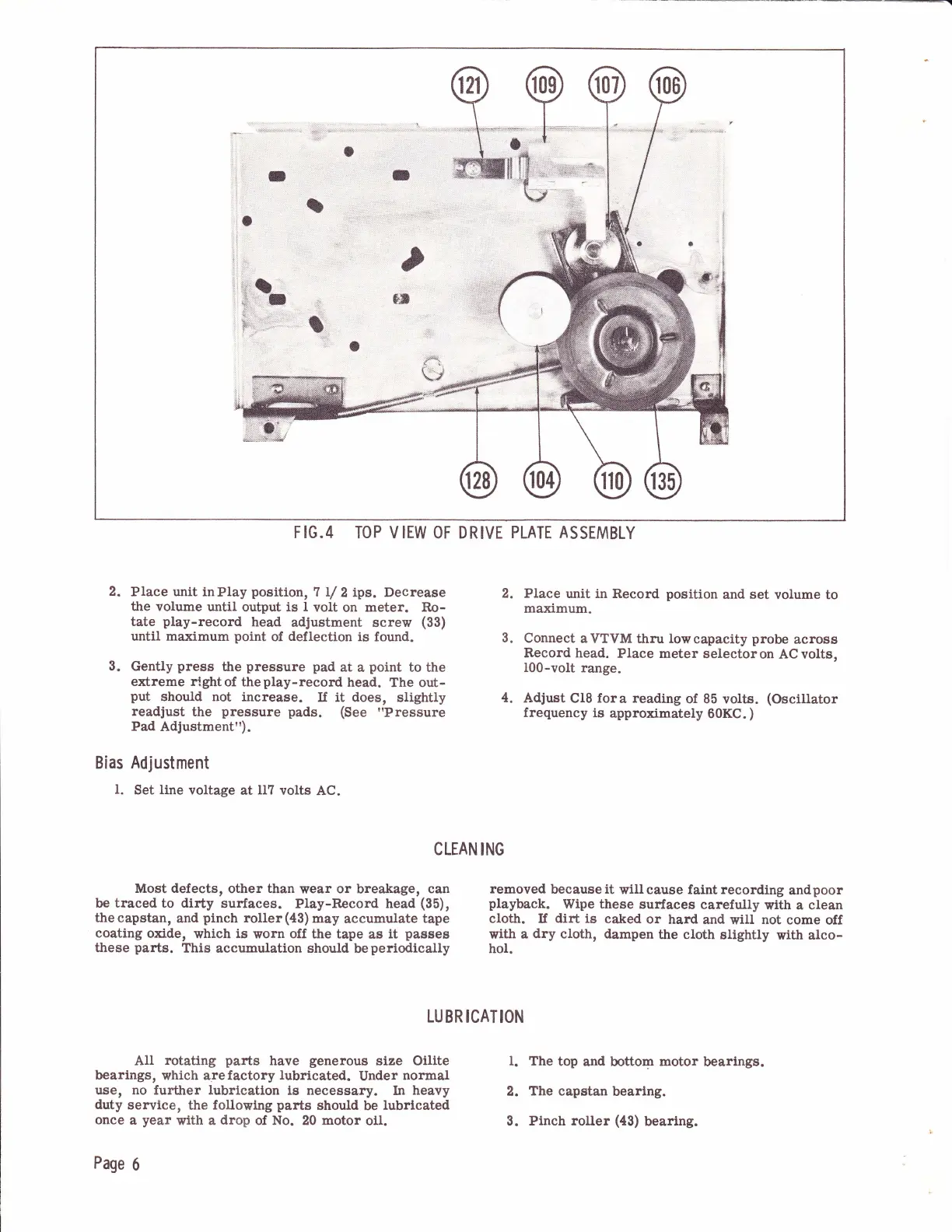
FIG.4
TOP
VIEW
OF DRIVE
PLATE ASSEMBLY
2.
Place unit inPIay
position,
7 lrl
2
ips. Decrease
the volume
until
output is
I
volt
on meter.
Ro-
tate
play-record
head
adtustment
screw
(33)
until maximum
point
of
deflection
is
found.
Gently
press
tlre
pressure
pad
at a
point
to
the
extreme rlghtof
theplay-record
head.
The out-
put
should not increase.
If it does,
slightly
readjust
the
pressure pads.
(See
"Pressure
Pad
Adjustment").
2. Place
unit in Record
position
and set
volume to
maximum.
Connect
aVTVM
thru
lowcapacity
probe
across
Record head.
Place
meter
selectoron
ACvolts,
I00-volt
range.
Adjust
Cl8 fora
reading
of 85
volts.
(Oscillator
frequency
is
approximately
60KC.
)
Bias
Adjustment
l.
Set
line
voltage
at
II7 volts
AC.
3.
4.
3.
l.
2.
3.
Most defects,
other than
wear or breakage,
can
be
traced
to dirty
surfaces.
Play-Record head
(35),
the
capstan,
and
pinch
roller
(43)
may
accumulate
tape
coating
oxide,
which is
worn
off
the tape
as
it
passes
these
parts.
This
accumulation should
beperiodlcally
removed
because
it
will cause faint recording
andpoor
playback.
Wipe these
surfaces
carefully
with a clean
cloth. If dirt is
caked
or
hard
and will
not
come off
with a
dry
cloth, dampen
the cloth
slightly
wit}r alco-
hol.
CLEAN
ING
LU
BR ICAT
ION
AII
rotating
parts
have
generous
size Oilite
bearings,
which arefactory
lubricated.
Under
normal
use, no
further
lubrlcatlon
is necessary.
In
heavy
duty
service, the followtng
parts
should
be
lubrlcated
once
a
year
with a
drop
of
No.
20
motor
o11.
Page
6
The
top and
bottom
motor
bearlngs.
The capstan
bearlng.
Pinch roller
(43)
bearlng.