10
The Security Code determines the programming mode and the accessibility
of programming parameters. This code can be used along with the Program
Mode Lock-out (Pro Loc) in the User Input Function parameter (Module 1).
Two programming modes are available. Full Programming mode allows all
parameters to be viewed and modified. Quick Programming mode permits only
the setpoint output time-out and counter load values (when applicable) to be
modified, but allows direct access to these values without having to enter Full
Programming mode.
Programming a Security Code other than 0, requires this code to be entered
at the Pro CodE prompt in order to access Full Programming mode. Depending
on the code value, Quick Programming may be accessible before the Pro CodE
prompt appears (see chart).
PROGRAMMING SECURITY CODE
The yES selection will return the meter to the factory default settings. The
meter will display rESEt and then return to Pro, at which time all settings have
been changed.
LOAD FACTORY DEFAULT SETTINGS
0 to 999
yESNO
"
#
000
Pro CodE
"
#
MO
FACt SEt
* Entering Code 222 allows access regardless of security code.
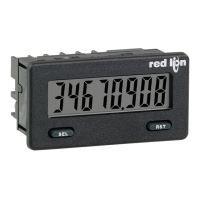
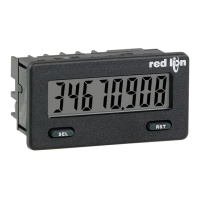
The yES selection allows the SEL button to toggle through the enabled
displays.
FRONT PANEL DISPLAY SELECT ENABLE (SEL)
The yES selection allows the RST button to reset the selected counter(s). The
shaded selections are only active when Counter B is enabled (Dual Count mode
or batch counter).
FRONT PANEL COUNTER RESET ENABLE (RST)
The yES selection allows the display to automatically scroll through the
enabled displays. Each display is shown for 4 seconds.
DISPLAY SCROLL ENABLE
NOyES
Count b
both A-b
dSPLAy
yES
NO
NO
Count A
NOyES
"
#
yES
SEL Enb
"
#
YES
RSt Enb
"
#
NO
d-ScroLL
Enter the desired display color, red or green. This parameter is active for
backlight units only.
DISPLAY COLOR (BACKLIGHT UNIT ONLY)
6rnrEd
"
#
rEd
d-COLOr
Enter the desired Display Intensity Level (1-5). The display will actively dim
or brighten as levels are changed. This parameter is active for backlight units only.
DISPLAY INTENSITY LEVEL (BACKLIGHT UNIT ONLY)
"
#
5
d-LEVEL
1 to 5
Select YES to momentarily display the meter software version before advancing
to the next parameter. The software version is also displayed at power-up.
SOFTWARE VERSION DISPLAY
"
#
NO
CodE UEr
6.3 MODULE 3 - DISPLAY AND F
RONT PANEL K
EY
PARAMETERS (3-dSPLAY)
PARAMETER MENU
NO yES
Immediate AccessFull Programming0-999Not Active
With correct code entry
at
Pro CodE prompt *
Pro CodE prompt
100-999
Pro Loc
No Access
Quick
Programming
1-99
Active
No Access
Programming
Lock
0
With correct code entry
at
Pro CodE prompt *
Pro CodE prompt
100-999
After Quick Programming
with correct code entry
at
Pro CodE prompt *
Quick
Programming
1-99
______
not Pro Loc
Immediate AccessFull Programming0
FULL PROGRAMMING
MODE ACCESS
MODE WHEN “SEL”
KEY IS PRESSED
SECURITY
CODE
USER INPUT
STATE
USER INPUT
FUNCTION


 To Next Page
 Loading...