powerheads, while the main pump keeps running the water through
the life support systems.
As in nature the water currents become weaker during the night,
the Wavemaster Pro is able to imitate this period with its 8 hour
night program, that switches automatically to a calmer wave motion.
Different parts of the reef are characterised by differences in water
circulation, which is also reflected in the species composition of a
specific area. Depending on whether you wish to simulate a gentle
or more turbulent section of the reef or even a varying water
motion, the Wavemaster Pro enables you to select from its 4
different wave programs for both the marine and the reef aquarium.
2. Set-up Options
2.1Pump options
The Wavemaster Pro provides 4 power outlets. Outlets P1, P2 & P3
are dedicated powerheads to provide random water circulation.
Outlet P4 can be set as either a 4th powerhead (P4) or as a dedicated
main filtration system pump (MP).
Using the selector switch located on the back panel set this outlet
either to MP or P4. When set as MP the P4/MP light on the front
panel will be red and constantly on. When set as P4 the P4/MP light
will be green and will switch on and off according to the
chosen wave program.
NOTE: The P4/MP selector switch must be set before turning on
the Wavemaster Pro. Changing the setting after switching the unit
on will disrupt the correct operation of the unit.
2.2Wave program options
2
4. Installation Instructions
4.1 Ensure that your powerheads (and main pump) are positioned
correctly in the Aquarium and Sump.
4.2 Locate the Wavemaster Pro in a safe position either next to or
under the aquarium.
4.3 Connect the power cables of your powerheads and main pump
to the 4 power outlets on the back panel of the Wavemaster
Pro, using drip loops as directed below.
4.4 Connect the main pump (if applicable) to the outlet marked
P4/MP and set the selector switch to MP.
NOTE: The Wavemaster Pro is suitable for powerheads/pumps up
to a maximum total of 720 W, 110 V units (680 W, 220 V units),
including a main pump of up to 360 W, 110 V units (350 W, 220
V units).
4.5 Connect the power cable to a wall mounted receptacle. Switch
the Wavemaster Pro on using the power switch located on the
back panel.
4.6 On start up the Wavemaster Pro will perform a self-test of all
of its functions, indicated by the sequential lighting up of the
indicator lights located on the front panel.
4.7 Select the Wave program of your choice in either Marine or
Reef Mode as panel.
5. Important safety instructions
WARNING - To guard against injury, basic safety precautions should
be observed, including the following.
READ AND FOLLOW ALL SAFETY INSTRUCTIONS.
DANGER - To avoid possible electric shock, special care should be
taken since water is employed in the use of aquarium equipment.
For each of the following situations, do not attempt repairs yourself;
return the appliance to an authorized service facility for service or
discard the appliance.
a.If the appliance falls into the water, DON'T reach for it! First
unplug it and then retrieve it. If electrical components of the
appliance get wet, unplug the appliance immediately.
b.Do not operate any appliance if it has a damaged cord or plug,
or if it is malfunctioning or if it is dropped or damaged in any
manner.
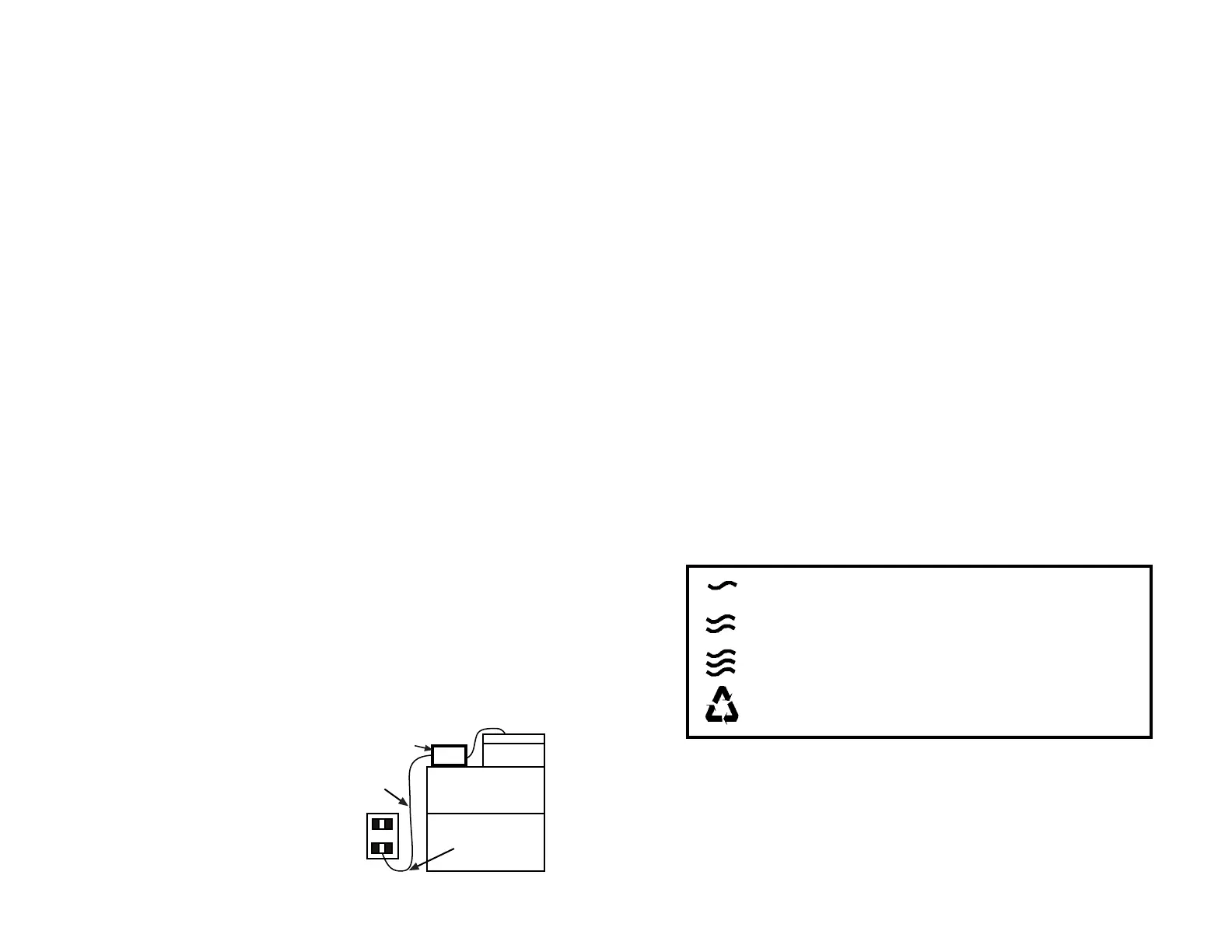
c.To avoid the possibility of the
appliance plug or receptacle
getting wet, position aquarium
stand and tank to one side of a
wall mounted receptacle to
prevent water from dripping onto
the receptacle or plug.
A "drip loop" shown in the figure,
should be
5
Gentle - Slow random waves: Powerheads P1 & P2
alternating, P3 & P4 slow random action sequence .
Rolling - Short periodic waves: gradually increasing
to maximum and decreasing to minimum.
Turbulent - Fast random waves: Powerheads P1 &
P2 alternating, P3 & P4 fast random action sequence.
Alternating - Sequential 4 hour periods of Gentle,
Rolling and Turbulent wave programs
Drip Loop
Aquarium
Appliance
Power Supply
Chord



 To Next Page
 Loading...