Do not use the robot whilst it is charging. Charge time and operating time are both 2
hours. The indicator light will light up when the battery is fully charged. There is a low
battery warning voice alert when the battery is running low.
Power ON and the robot will speak to you, dance and play music.
After a few seconds with no action, the robot will speak again.
Eventually, if there is no user action the robot will power OFF.
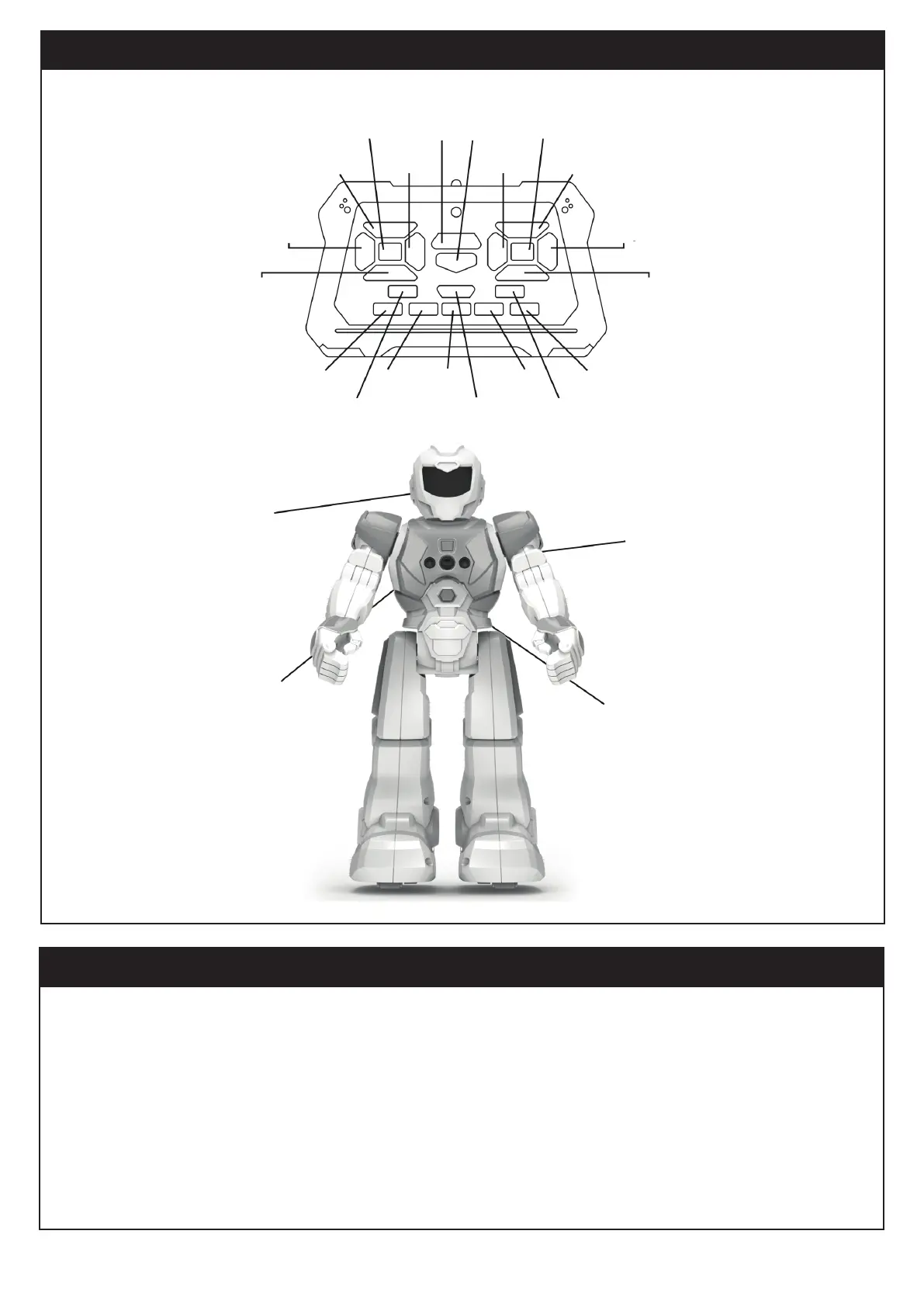
Mode switch
Turn right
Demo
mode
Programming
button
Mode switch
Turn left
Slide forward Forward
Turn left Turn right
Slide backwards Backwards
Science facts
Volume + Stop Volume -
Life
lessons
Music
Robot
voice
Sing
18 LED eyes
Gesture sensor
Reset key
ON/OFF
-1-
FUNCTIONS
CONTROLS



 To Next Page