FOXBOX
owner’s manual
FOXBOX
owner’s manual
• Volumeup/down–holddownthe“+”and“-“keys
• Answerphonecalls–whenyouphoneisconnectedviaBluetoothcallswill
automaticallytransfertoyourFOXBOX.YourFOXBOXisnowahandsfreephone.
WhenyoureceiveacalltheLEDlightwillrapidlyflashblueandthevoicepromptwill
announcethenumbercallingin.Youcanquicklypressthe“call”buttontoanswerthe
call,orlongpressthe“call”buttontoignorethecall.Yourmusicwillautomatically
pauseduringthecall,andresumewhenthecallisended.
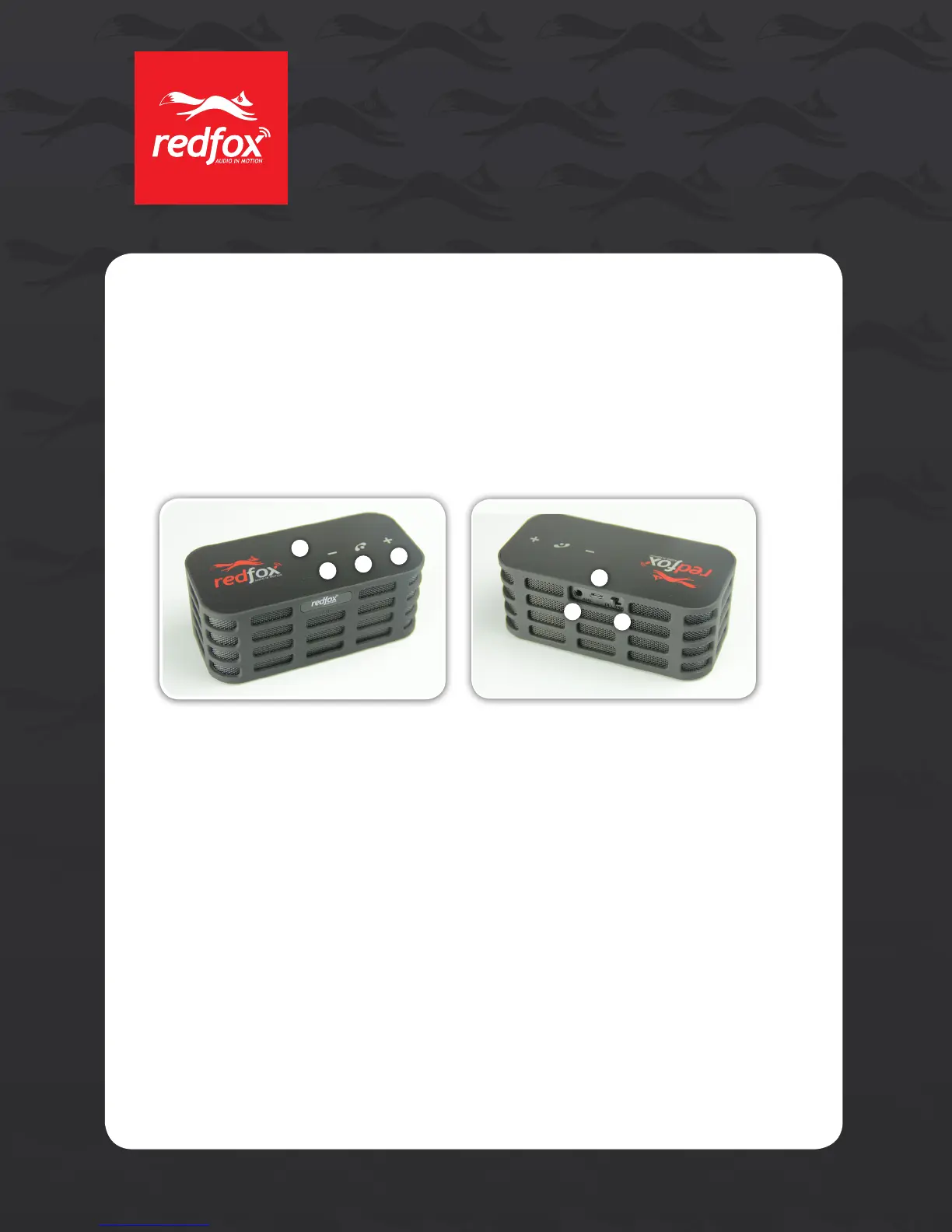
Operating Instructions:
1.(Minusbutton)Holddowntoturnvolumedown,quicklypressfortrackback.
2.(Phonebutton)Answer/EndphonecallsorPlay/Pausewhenthephoneisnotinuse.
3.(Plusbutton)Holddowntoturnvolumeup,quicklypressfortrackforward.
4.USBPortforcharging
5.3.5mmAudioJack
6.Poweron/off
7.LEDIndicatorlight
USB charging cable and 3.5mm audio cable included
Power On Your FOXBOX Speaker:
• Slidethepowerswitch(6)totheright.
Charging Your FOXBOX Speaker:
• UsingtheUSBchargingcableprovided,plugthecableintoeitheraUSBchargingport
onyourcomputeroraUSBchargingportonacarorwallchargerlikeourRedFoxSPLIT
orJUICE.TheLEDindicatorlightwillberedwhilecharging.Theredlightwillturnoff
aftercharging.Chargingtimeis6–8hours.
2
1
7
4
5
6
3
2


 To Next Page
 Loading...