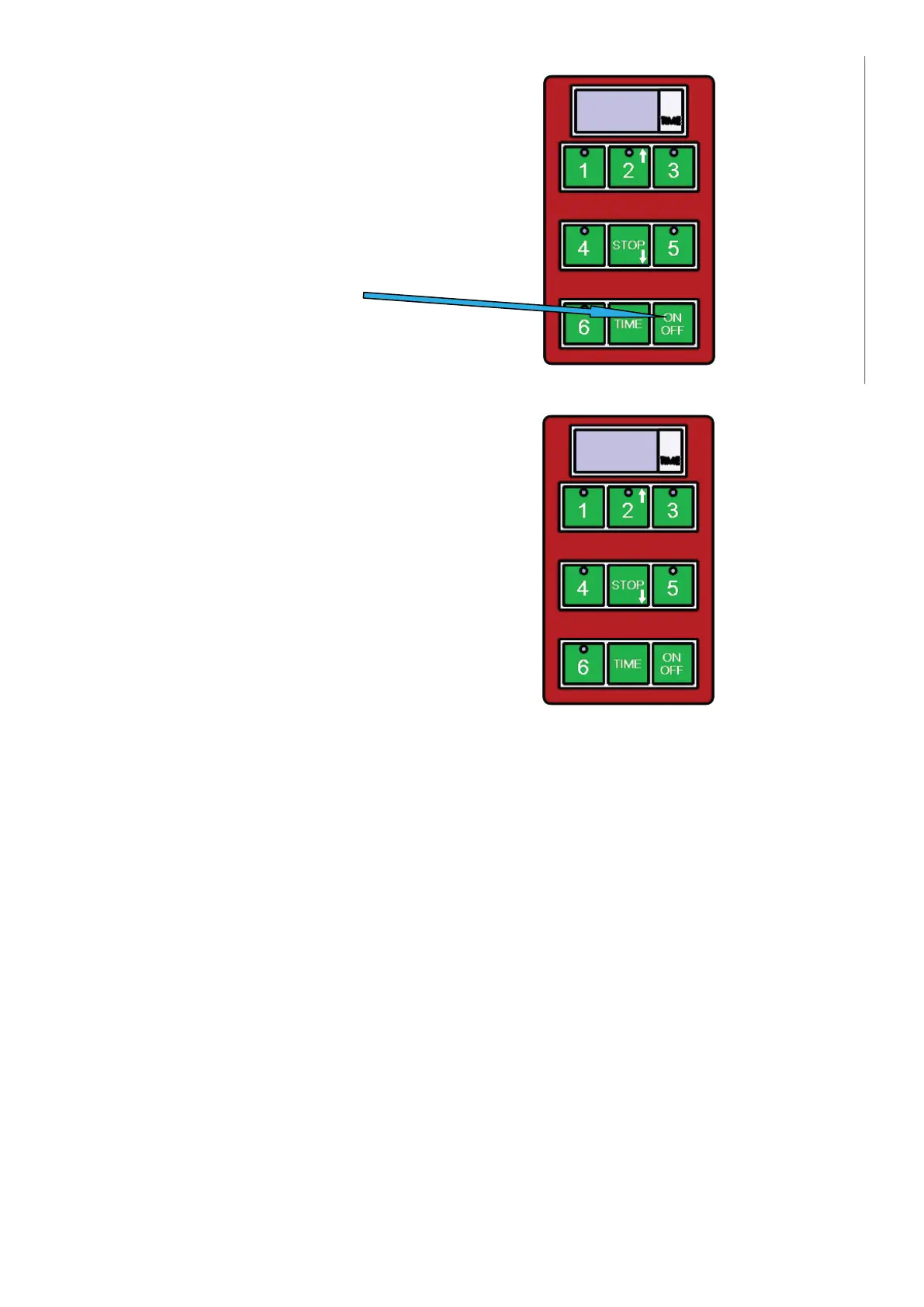
1) switch on/switch off
Use this button
2) For starting a pre-set cooking cycle
The timer has fi ve pre-set cycle times.
Start these cycles by pressing button
1-5, where button:
Manufacturer’s settings
PROGRAM NUMBER TIME
Program 1 (Button 1)
1:00
Program 2 (Button 2) 1:30
Program 3 (Button 3) 2:00
Program 4 (Button 4) 2:30
Program 5 (Button 5) 3:00
Program 6 (Button 6) user programmable
The following instructions must be followed for programing a cycle in option 6 (button
6):
1. Check that the display on the control panel shows three hyphens “---“
2. Press the button marked “TIME”
3. Use the arrow-up button (button 2) and the arrow-down button (STOP button) to
change the time shown on the display (at 30 second intervals)
4. The selected time will fl ash on the timer.
5. Press and hold the button marked “TIME” to save the selected time.
6. Press button “6” to start the grilling cycle.
If you use programmable option 6 to repeat a user-defi ned cycle, you must proceed
according to steps 5 and 6
The timer will notify yu that the pre-set time has elapsed by sounding a warning signal.
This signal will switch off automatically after one minute, or the operator can switch it
off manually by pressing the STOP button.
The red button for interrupting the pre-set program will be fl ashing on the key-board as
the timer sounds the warning signal at the end of the cycle.
You can interrupt a program under way by pressing the STOP button.
7
Instruction for use for digital timer
The timer does not control the power, it is provides a visual countdown and alarm when a set
cooking time has elapsed.
1) Switching on/off
Use button ON/OFF
2) To start a pre-set time
The timer has 5 basic pre-set times.
These can be started by
pressing buttons 1-5, where:
1- For example time for hamburgers
2- For example time for fish
3- For example time for rare steak
4- For example time for medium rare steak
5- For example time for well done steak
At the end of the set time, the timer alerts with a loud tone.
This tone stops by timer itself after approximately 1 minute,
or it can be stopped by the operator by pressing the STOP button.
Whilst the timer is beeping a small red light flashes in the keyboard.
Interrupting the program
You can interrupt running pre-set program anytime you need by pressing the button STOP.
7
Instruction for use for digital timer
The timer does not control the power, it is provides a visual countdown and alarm when a set
cooking time has elapsed.
1) Switching on/off
Use button ON/OFF
2) To start a pre-set time
The timer has 5 basic pre-set times.
These can be started by
pressing buttons 1-5, where:
1- For example time for hamburgers
2- For example time for fish
3- For example time for rare steak
4- For example time for medium rare steak
5- For example time for well done steak
At the end of the set time, the timer alerts with a loud tone.
This tone stops by timer itself after approximately 1 minute,
or it can be stopped by the operator by pressing the STOP button.
Whilst the timer is beeping a small red light flashes in the keyboard.
Interrupting the program
You can interrupt running pre-set program anytime you need by pressing the button STOP.
11


 To Next Page
 Loading...