7
Instruction for use for digital timer
The timer does not control the power, it is provides a visual countdown and alarm when a set
cooking time has elapsed.
1) Switching on/off
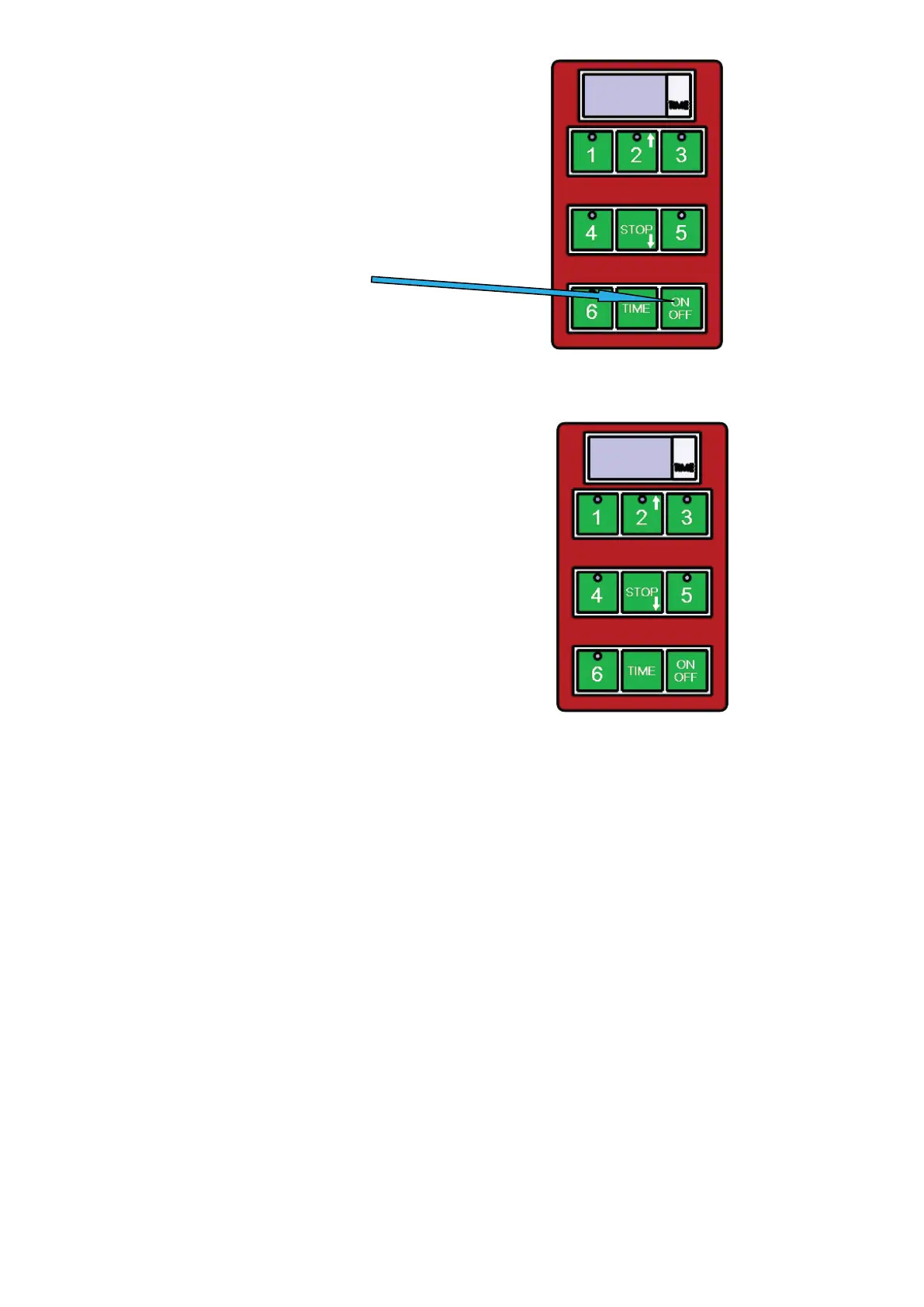
Use button ON/OFF
2) To start a pre-set time
The timer has 5 basic pre-set times.
These can be started by
pressing buttons 1-5, where:
1- For example time for hamburgers
2- For example time for fish
3- For example time for rare steak
4- For example time for medium rare steak
5- For example time for well done steak
At the end of the set time, the timer alerts with a loud tone.
This tone stops by timer itself after approximately 1 minute,
or it can be stopped by the operator by pressing the STOP button.
Whilst the timer is beeping a small red light flashes in the keyboard.
Interrupting the program
You can interrupt running pre-set program anytime you need by pressing the button STOP.
Časovač neslouží k nastavení teploty, ale pouze k odpočtu času a jako alarm,
když je proces vaření u konce.
1) zapnutí/vypnutí
Použijte toto tlačítko
2) Pro start přednastaveného času
Časovač má 5 přednastavených časových inter-
valů. Tyto intervaly spustíte zmáčknutím tlačít-
ka 1-5, kde tlačítko:
7
Instruction for use for digital timer
The timer does not control the power, it is provides a visual countdown and alarm when a set
cooking time has elapsed.
1) Switching on/off
Use button ON/OFF
2) To start a pre-set time
The timer has 5 basic pre-set times.
These can be started by
pressing buttons 1-5, where:
1- For example time for hamburgers
2- For example time for fish
3- For example time for rare steak
4- For example time for medium rare steak
5- For example time for well done steak
At the end of the set time, the timer alerts with a loud tone.
This tone stops by timer itself after approximately 1 minute,
or it can be stopped by the operator by pressing the STOP button.
Whilst the timer is beeping a small red light flashes in the keyboard.
Interrupting the program
You can interrupt running pre-set program anytime you need by pressing the button STOP.
Na konci přednastaveného času, časovač upozorní zvukovým signálem.
Tento tón se sám vypne po jedné minutě, nebo může být vypnut obsluhou stisk-
nutím tlačítka STOP.
Zatímco časovač upozorňuje na konec procesu na klávesnici bliká červené tla-
čítko
přerušení přednastaveného programu
Můžete přerušit právě probíhající program stisknutím tlačítka STOP.
Nastavení z výroby
ČÍSLO PROGRAMU ČAS
Program 1 (Tlačítko 1) 1 min.
Program 2 (Tlačítko 2) 1:30 min.
Program 3 (Tlačítko 3) 2 min.
Program 4 (Tlačítko 4) 2:30 min.
Program 5 (Tlačítko 5) 3 min.
Program 6 (Tlačítko 6) Uživatelsky programovatelné
K programování cyklu v možnosti 6 (tlačítko 6) je nutné dodržovat následující pokyny
1. Zkontrolujte, zda displej ovládacího panelu zobrazuje 3 pomlčky „---”
2. Stiskněte tlačítko označené „TIME”
3. Pomocí tlačítka s šipkou nahoru (tlačítko 2) a tlačítka s šipkou dolů (tlačítko STOP) měňte čas
zobrazený na displeji (po 30 vteřinách).
4. Zvolená doba na časovači bude blikat.
5. Stiskněte a podržte tlačítko označené „TIME”, aby se zvolená doba uložila.
6. Stiskněte tlačítko „6”, čímž zahájíte cyklus grilování.
Programovatelné tlačítko funguje cyklickým způsobem - tzn. když jednou nastavíte požadovaný čas a
spustíte program 6, pro další spuštění tohoto programu stačí zavřít clam a čas se automaticky spustí.
49


 To Next Page
 Loading...