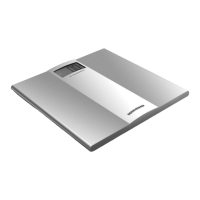
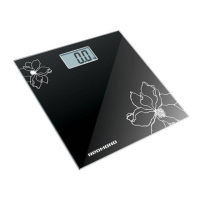
REDMOND RS-713 Electronic Personal Scales
The REDMOND RS-713 electronic personal scales are high-accuracy appliances designed for individuals who lead a healthy lifestyle and carefully monitor their weight and body composition. These scales offer both simple weighing and advanced analytical modes to provide comprehensive insights into your physical constitution.
Function Description
The RS-713 scales feature a sophisticated system that goes beyond basic weight measurement. They are equipped with highly sensitive sensors and electronic sensor control to ensure precise readings. The primary function is to measure body weight, which is displayed on an illuminated LCD. In addition to weight, the scales can analyze and display several constitution parameters, including:
- Fat tissue percentage (FAT): Indicates the proportion of fat in your body.
- Moisture percentage (TBW): Shows the total body water content.
- Muscular tissue percentage (MUS): Reflects the amount of muscle mass.
- Bone tissue percentage (BONE): Provides an indication of bone density.
The scales also offer an interpretation of your constitution condition, categorizing it as Thin, Normal, Plump, or Very Plump, based on the analyzed parameters. This comprehensive feedback helps users understand their body composition and track changes over time.
The device includes an automatic turn-on function, activating simply by stepping onto the platform, and an automatic turn-off function to conserve battery life after use. An overload indicator is present to warn if the weight exceeds the maximum capacity of 150 kg. Users can select their preferred unit of measure for weight (kilograms, stones, or pounds) and height (centimeters). The scales also feature 8 memory cells, allowing multiple users to store their personal data and track their progress individually.
Usage Features
Prior to First Use:
Before using the scales, carefully unpack the appliance, removing all packing materials and advertising stickers. Wipe the case with a moist cloth and then dry it thoroughly. Ensure the battery compartment lid is removed and that the CR2032 battery is inserted correctly, observing polarity. If the battery is not present, insert it, making sure your hands and the appliance are dry during this process. Once the battery is connected, close the compartment lid.
Simple Weighing Mode:
- Select Unit of Measurement: Press the
kg/st/lb button to cycle through the available units: st (stones), lb (pounds), or kg (kilograms).
- Placement: Place the scales on a level, solid horizontal surface. This is crucial for obtaining accurate results. Avoid soft or uneven surfaces.
- Weighing: Step onto the scales platform smoothly. The scales will automatically turn on. Stand still, without transferring your center of gravity from one foot to another, and avoid sharp movements or rocking.
- Display: Your weight will be displayed on the LCD.
- Turn-off: After weighing, step off the platform. The scales will automatically disconnect. If the weight exceeds 150 kg, an overload message will be displayed.
Weighing Mode with Constitution Parameters Indication:
This mode requires inputting personal data to provide an accurate analysis of body composition.
- Select Unit of Measurement: As in simple weighing mode, select your desired unit of measure (
kg/st/lb).
- Placement: Place the scales on a level, solid horizontal surface.
- Select Memory Cell: Press the
SET button. Then, use the ▲ (UP) and ▼ (DOWN) buttons to select a memory cell (P1 to P8) where your personal data will be stored. Press SET to confirm.
- Select Analytical Mode (Gender/Activity): Use the
▲ and ▼ buttons to choose your analytical mode:
- Men mode
- Women mode
- Men mode who are regularly going in for sports
- Women mode who are regularly going in for sports
Press
SET to confirm.
- Enter Height: Use the
▲ and ▼ buttons to enter your height in centimeters. Press SET to confirm.
- Enter Age: Use the
▲ and ▼ buttons to enter your age. Press SET to confirm.
- Wait for Zero: After entering all personal data, wait for the display to show "00".
- Weighing: Step onto the scales. Your weight will be displayed.
- Analysis: Once your weight is fixed on the display, the analytical process will begin to define your constitution parameters.
- Display of Parameters: The display will show your fat tissue percentage (FAT), moisture percentage (TBW), muscular tissue percentage (MUS), and bone tissue percentage (BONE), along with an indication of your constitution condition (Thin, Normal, Plump, Very Plump).
- Automatic Turn-off: After displaying the constitution parameters, the scales will automatically turn off.
Safety Measures:
- The appliance is intended for domestic use only, not industrial.
- Children should not use the appliance without proper instruction and supervision. The appliance and packaging materials are not toys.
- Do not attempt independent repairs or modifications. All service and repair work must be performed by an authorized service center.
- Use only the appropriate battery type (CR2032).
- Never immerse the appliance in water or any other liquids.
- Avoid using the scales in premises with increased humidity (e.g., bathrooms) or outdoors, as this can lead to malfunction.
- Keep turned-on mobile phones at a distance of at least 2 meters from the scales or turn them off, as they can cause interference and inaccurate results.
- Do not use the appliance if it malfunctions. The manufacturer is not responsible for damage resulting from non-observance of safety requirements and operating rules.
Maintenance Features
Cleaning and Maintenance:
- Cleaning Agents: Never use abrasive cleaning agents, metallic brushes, or spirit-based cleaning agents to clean the appliance.
- Water Immersion: It is strictly prohibited to immerse the appliance in water or wash it under running water.
- Platform Cleaning: Clean the platform of the scales with a damp, soft fabric, then wipe it dry to prevent water spots or residue.
Troubleshooting (Before Consulting Service Center):
- Appliance not operating:
- Probable Cause: The appliance has not been switched ON or the power elements (battery) are depleted.
- Remedy: Switch ON the appliance by stepping onto the platform. Replace the battery according to the "Prior to First Use" instructions.
- Display readings do not correspond to true weight:
- Probable Cause: Incorrect unit of measure selected for weight, or mandatory weighing conditions were not observed.
- Remedy: Choose the necessary unit of weight measure using the switcher. Ensure the scales are placed on a flat, hard horizontal surface. Step onto the platform smoothly, do not transfer the center of gravity from one foot to another, and avoid sharp movements or rocking during weighing.
- Appliance turns off automatically:
- Probable Cause: The automatic turning-off system is activated.
- Remedy: This is normal. The scales are designed to turn off automatically upon completion of operation to save battery life.

 Need help?
 General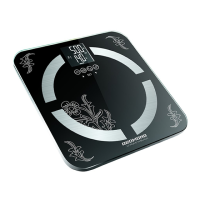

 To Next Page