
 Need help?
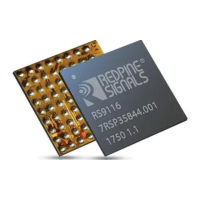
Do you have a question about the Redpine Signals RS9116 and is the answer not in the manual?
Lists necessary hardware components for RS9116 module installation.
Lists software prerequisites, kernel versions, and libraries for RS9116.
Details the contents of the OneBox-Mobile software package and its naming convention.
Explains loading generated driver modules and their order of installation.
Details commands to enable Wi-Fi, Bluetooth, or both protocols.
Provides commands to disable specific protocols like WLAN or Bluetooth.
Steps to start Wi-Fi only mode in Client, Access Point, and Wi-Fi Direct modes.
Steps for installing software in Wi-Fi Client mode using BSD support.
Steps to install software in Access Point mode using BSD support.
Steps to install Wi-Fi client mode with NL80211 support.
Steps to install Wi-Fi AP mode with NL80211 support.
Steps for installing software in Wi-Fi Direct Mode using BSD support.
Steps for installing software in Wi-Fi Direct Mode using NL80211 support.
Steps for installing software in Autonomous GO mode.
Describes installation of Wi-Fi and Bluetooth LE modes for coexistence.
Commands to view Wi-Fi driver statistics.
Command to disable debug prints from the driver.
Explains using `iwconfig` for setting wireless parameters.
Command to create a virtual interface (VAP) in a specified operating mode.
Command to delete an existing virtual interface (VAP).
Command to print statistics of transmitted/received packets for a VAP.
Command to print statistics of packets exchanged between AP and Station.
Command to select one of the two RF ports for antennas.
Command to set SSID for Hidden Access Point during background scan.
Command to enable/disable power save modes and set parameters.
Command to enable UAPSD mode and set its parameters.
Command to reset the Client mode virtual interface.
Command to set the Beacon Interval in milliseconds for AP mode.
Command to set WMM parameters for specific queues.
Command to set the country code for module operation.
Command to program the gain of the external antenna.
Command to configure the antenna based on type and mounted path.
Command to set WoWLAN parameters for client mode.
Command to program the RF power mode to High, Medium, and Low.
Command to select the band for performing scans.
Command to enable beacon filtering in firmware for AP mode.
Command to get current transmit power from firmware.
Command to set supported rates in AP mode.
Steps for configuring WPS and setting up a connection.
Steps for configuring WPS in Access Point mode.
Steps for configuring WPS in Client mode.
Explains using the `iw` tool for CFG80211 mode configuration.
Command to get the connection status of the device.
Command to get information about the device interface.
Command to get station statistic information.
Command to set power save mode on/off in station mode.
Command to get power save mode status in station mode.
Steps for installing and configuring the FreeRADIUS server.
Steps to configure AP and RADIUS server for EAP methods.
Steps to enable WPS component in hostapd build configuration.
Configuration settings for WPS in hostapd_wps.conf file.
Details on WPS configuration for AP and Client modes.
Steps for WPS in AP mode using the push button method.
Steps for WPS in AP mode using the enter-pin method.
Steps for WPS in AP mode using the generate-pin method.
Command to disable AP PIN.
Command to fetch the current AP PIN.
Command to set the AP PIN.
Command to display the current AP mode configuration.
Introduction to antenna diversity feature.
Steps to start antenna diversity feature in Client mode.
Steps to create VAPs in client and AP modes for concurrent operation.
Command to check the current state of the station.
Describes Low Power (LP) and Ultra-Low Power (ULP) modes.
Details Deep Sleep, Connected PSP, and Fast PSP profiles.
Explains wakeup procedures and data retrieval for power save modes.
Explains parameters for the `set_ps_params` command.
Steps to enable power save for USB interface.
FCC compliance statement and rules for the device.
Industry Canada/ISED compliance statement.
Instructions for integrating the module according to regulatory rules.
Explains how to perform Wi-Fi transmit tests.
Explains how to perform Wi-Fi receive tests.
Explains how to use the Continuous Wave (CW) mode for transmission.
Steps to configure WoWLAN using the `onebox_util` command.
Verifying WoWLAN using Linux power states (S3).
Introduction to Physical Unclonable Functions (PUF) technology.
Steps to enable the PUF feature by compiling the driver.
Explains PUF operations like Enroll, Start, Set Key, Get Key.
Steps to enable/disable GTK Offload feature.
Steps to configure and compile driver for PMF in client mode.
Steps to configure and compile driver for PMF in AP mode.
Command to issue a soft reset to the Bluetooth module.
Command to read local version information of the Bluetooth module.
Command to read local controller supported HCI commands.
Command to get the local Bluetooth Device Address.
Command to start the Bluetooth device inquiry process.
Command to set the local Bluetooth device name.
Vendor-specific HCI commands for Bluetooth power save modes.
Using applications to test Bluetooth Transmit and Receive performance.
Explains configuration and usage of BLE/BLR transmit utility.
Introduction to BLE/BLR transmit utility.
Explains the IOCTL command for BLE/BLR transmission.
Detailed description of BLE/BLR transmit parameters.
Frequencies and channel numbers for Bluetooth LE Mode.
Explains configuration and usage of BLE/BLR receive utility.
Introduction to BLE/BLR receive utility.
Explains the IOCTL command for BLE/BLR reception.
Detailed description of BLE/BLR receive parameters.
Frequencies and channel numbers for Bluetooth LE Mode.
Explains configuration of random hopping feature.
Introduction to configuring random hopping feature.
Explains the IOCTL command for channel hopping.
Detailed description of hopping parameters.
Note on configuration for random hopping.
Steps to enable SDIO support in the kernel.
Information on enabling wireless extensions like `iwconfig` and `iwpriv`.
Steps to enable Bluetooth support in the kernel.
Steps for compiling the Linux kernel.
Lists common hardware requirements for embedded platforms.
Hardware and software requirements for Freescale i.MX6.
Hardware and software requirements for Freescale i.MX53.
Hardware and software requirements for Atmel AT91SAM9G45/M10.
Sets RF power mode for WLAN and Bluetooth protocols.
Sets the specific country code for module operation.
Selects the antenna to be used for operation.
Selects the Coexistence mode for module operation.
Enables or disables LED functionality for Wi-Fi activity.
Selects the BT RF Type for module operation.
Selects the BLE Transmit Power Index value.
Selects the BLE Power Save Options mode value.
Enables background scanning and roaming by configuring `bgscan` module.
Lists parameters updated via `hostapd.conf` instead of `onebox_util` ioctls.
Information about Taoglas Antenna, including part number.
Information about SMARTEQ Antenna, including part number.
Information about InsideWLAN Antenna, including part number.
Information about PCB Antenna, including part number.
 General
| Brand | Redpine Signals |
|---|---|
| Model | RS9116 |
| Category | Wireless modules |
| Language | English |

 To Next Page