The RPC-80 is a playback unit designed to configure and retrieve data from Redpost PU (Pasteurisation Unit) monitors. It allows users to tailor the operation of the RPC-80 playback unit to their exact requirements through a dedicated configuration section. Once settings are made, the unit returns to its normal operating mode. The RPC-80 is supplied with a default configuration, but its extra features, when correctly set up, can significantly enhance the usefulness of the entire monitoring system.
Function Description:
The primary function of the RPC-80 is to act as an interface for Redpost PU monitors, enabling configuration, data retrieval, and printing of results. It supports various types of PU monitors, including 100, 200, and 300 series. The unit can be connected to an external computer for data transfer and firmware updates.
Configuration Section:
The configuration section is password-protected (password: 1991) to prevent inadvertent changes. To access it, the user must first enter the setting section (as described in Manual-1), choose "SET CLOCK," then "RESET DATE AND TIME," and change the year number to the password.
The main menu of the configuration section groups various settings under the following headings:
- GENERAL FORMAT SETUP: Controls the general format of printed text, graphs, and displays.
- PU CALCULATION SETUP: Manages PU calculation constants and the PU Cut-off temperature.
- MONITOR SETUP: Configures 200 or 300 series PU monitors.
- RPC-80 SETUP: Adjusts display contrast, cal-check settings, and back-up battery information for the RPC-80 itself.
- FULL LIST SETUP: Controls the printing of detailed data lists.
- PRINTER SETUP: Manages printer type and paper size settings.
- EXTERNAL LINK SETUP: Configures serial format settings for the external link.
- "DIALOG" LANGUAGE: Describes the data logger control language.
- DATA TRANSFER TO PERSONAL COMPUTER: Explains data transfer options.
- FIRMWARE UPDATE: Details the process for updating the unit's internal software.
- FINISHED SETUP: EXIT: Exits the configuration section and returns to normal operation.
The RPC-80 features a two-line display. The top line shows information or questions, while the bottom line labels the buttons. Unlabelled buttons have no effect. A short beep confirms each button press. Some displays alternate between two top-line messages, with the main display shown first and for longer. If information exceeds two lines, both lines are used for the main display, and two right-pointing arrows indicate more content on the secondary display, where buttons may be labelled.
The unit uses menus to present lists of options. The centre and right-hand buttons, labelled "MORE" with arrows, allow navigation through the list. Holding these buttons down repeats their action for faster scrolling. The list loops from the last to the first item when moving forward, and vice-versa when moving backward. The left-hand button, labelled "OK," selects the currently displayed option. When a menu is first shown, the current setting of that parameter is displayed.
Setting Numbers:
Numbers can be changed using "OK" and "CHANGE" buttons. If "CHANGE" is selected, a flashing cursor appears under the first digit. The centre and right-hand buttons become "-" (minus) and "+" (plus) to adjust the digit. Holding these buttons repeats their action. The left-hand button, "DIGIT OK," moves the cursor to the next digit. Only sensible numbers for the context are allowed (e.g., no 38th day of the month). After all digits are adjusted, the "OK" and "CHANGE" options reappear, allowing for review before final confirmation.
Setting Letters:
Names (e.g., channel names) can be changed similarly to numbers. Initially, "OK" and "CHANGE" buttons are available. If "CHANGE" is chosen, a flashing cursor appears under the first character. The centre and right-hand buttons become "-" and "+" to cycle through allowed characters (0-9, blank, full stop, oblique stroke, uppercase A-Z). Holding these buttons repeats their action. The left-hand button, "OK>," confirms a character and moves to the next. If a name is shorter than the maximum length, remaining characters should be left as spaces and confirmed. After all characters are adjusted, "OK" and "CHANGE" options reappear for review.
Important Technical Specifications & Usage Features:
- Language Selection: Allows choosing the display and text language, which applies to all monitors used with the RPC-80. Older 100 Series PU monitors will also display in the selected language.
- Decimal Point Format: Offers a choice between dot (99.9) or comma (99,9) for separating integer and fractional parts. No thousands separators are used. This applies to all printed output, displays, and pre-processed data on the External Link.
- Graph Formats (PU User): Configures graph formats for PU monitors.
- Units: Temperature can be set to °C or °F. Pressure can be set to bar, lb/in², or kg/cm². These units apply to all printed output, displays, pre-processed data, and PU monitors used with the RPC-80.
- Graph Scales: Users can choose the starting point and major division steps for temperature and pressure graph scales. Starting points can be negative, but step sizes must be positive (e.g., 0, 1, 2, 5, 10, 20, 50).
- Graph Style: Inch or metric sizes (1 inch or 20 mm major divisions) can be selected. Inch sizes offer greater resolution but fewer divisions per page. The type of grid (standard with tenths or off) can also be chosen. Turning the grid off can speed up printing.
- Head Space Correction: For pressure monitors in cans/bottles, the RPC-80 can apply a first-order correction for the volume increase caused by the pressure sensor connection.
- HEAD SPACE CORRECTION? Allows enabling or disabling this correction.
- HEAD SPACE VOLUME: Sets the theoretical volume in millilitres (or cubic centimetres). This correction applies to printed output, displays, and pre-processed data from 200 & 300 series PU monitors. The head space volume is printed on the results page if the correction is enabled.
- Channel Names: Allows setting up names (up to 15 characters) for the three possible PU monitor channels. Channel 1 is typically for product temperature, Channel 2 for spray temperature, and Channel 3 for pressure. These names apply to all PU monitors and appear on printed results. Note: Channel 3's name is always used for the pressure channel. For older 100 Series RPT-122 monitors, Channel 2 is the pressure channel but uses the name set for Channel 3.
PU Calculation Setup:
- Pasteurisation Units:
- STANDARD PU CALCULATION: Sets Base Value to 60°C (140°F) and Z Value to 7°C (12.5°F), standard for beer production.
- CUSTOM PU CALCULATION: Allows setting custom Base Value and Z Value.
- The chosen PU calculation applies to all PU monitors used with the RPC-80.
- PU Cut-off Temperature: Sets a temperature below which PUs are not added to the total. Initially 50°C (122°F), it can be adjusted. Higher settings provide a more conservative PU total. This setting applies to all PU monitors used with the RPC-80.
- Dual Channel Monitors: Allows different PU Cut-off temperatures for Channel 1 and Channel 2. PU calculation can also be turned off for Channel 2. The PU calculation and Cut-off settings are printed on the Status Report.
- 100 & 300 Series PU Monitors: The RPC-80's PU calculation and Cut-off settings override the internal settings of 100 & 300 Series monitors, ensuring a common standard across all monitors in an installation.
- PU Cut-off and the Graph: The PU Cut-off temperature is shown as a dashed line on the graph, indicating where PUs are being added. If two different Cut-off levels are set for a multi-channel monitor, only Channel 1's Cut-off is shown if Channel 1 is active.
Monitor Setup (for 200 & 300 series PU monitors):
- Settings made here apply only to the connected monitor. The monitor must be switched on and connected before setup.
- Active Channel Setup: Allows selecting which input channels are active or inactive. Active channels are marked with a tick (✓), inactive with a cross (X). Inactive channels save memory and allow operation with damaged probes. All sockets must be occupied by a probe, test plug, or dummy plug, except for the pressure channel. All channels cannot be made inactive; Channel 1 will always be set active if attempted. This feature is not available for single-channel monitors.
- Monitor ID Setup: Allows assigning a custom identification (up to 15 characters) to each monitor, separate from the manufacturer's serial number. This ID appears on printed results and is useful for BS 5750 (ISO 9000) compliance. This is not available for older 100 Series PU monitors.
RPC-80 Setup:
- Display Contrast: Adjusts the contrast of the RPC-80 display using "LESS" and "MORE" buttons (non-repeating).
- Cal-check Setting: Configures the frequency of calibration checks for 200 & 300 series PU monitors (daily, weekly, monthly, or never). The cal-check tests the monitor input circuit and socket for temperature channels at a fixed 60°C input. Results (pass/fail) are shown for each channel. The RPC-80 tracks the last successful cal-check date. This does not apply to 100 Series PU monitors.
- RPC-80 ID Setup: Allows assigning a custom identification (up to 15 characters) to the RPC-80 playback unit itself, appearing on the status report.
- Back-up Battery: The internal back-up battery maintains clock and calendar functions when mains power is off. It has an approximate 10-year lifespan, with replacement recommended every seven years. The unit issues weekly warnings after seven years. When replacing, the new battery fitting date must be recorded to reset warnings. This is done by answering "No" to "FINISHED RPC-80 SETUP?" and then confirming the date.
Full List Setup:
- Controls the printing of a detailed list of all recorded data from a PU monitor, which appears after the main results page. This list shows data for all active channels in tabulated format with time elapsed. Long lists can generate many pages, and the operator is offered a chance to abandon printing if it exceeds 4 pages.
- Choices:
- NEVER PRINT FULL LIST: List is never printed or requested. (Default setting).
- ALWAYS PRINT FULL LIST: List is always printed without intervention.
- ALWAYS ASK: Operator is asked if the list is required after every printout.
- PRINT AFTER PROBLEMS: List is always printed after a run with a "problem" (off-scale reading or zero PU achieved on an active channel).
- ASK AFTER PROBLEMS: Operator is asked if the list is required after a run with a "problem."
Printer Setup:
- Printer Type: The "SELECT PRINTER TYPE" menu offers choices of printers. Only the PCL3 setting is available for this RPC-80 version, compatible with many Hewlett-Packard ink-jet and laser printers. An alternative PCL3 setting is available for printers that may crash with the standard version. The RPC-80 is despatched pre-set for the supplied printer. All printing is in black.
- Paper Size: The "SELECT PAPER SIZE" menu offers UK, USA, and European paper sizes by name and dimensions. The RPC-80 is despatched set for A4. Correct paper size must be set on the RPC-80 and the printer's paper guides adjusted. The RPC-80 sends signals to the printer for necessary changes, so printer switches should not be manually altered. US Legal paper size may be difficult with some printers due to its length.
External Link Setup:
- Configures the serial format for communications on the external link.
- Settings: Baud Rate (300 to 19200), Number of Data Bits (7 or 8), Number of Stop Bits (1 or 2), Parity (None, Odd or Even), and Handshake (Hard or Soft). These must match the external computer's serial format.
- External Link Socket: A female 25-way "D" connector in RS232 DTE format. Pin assignments include Transmit Data (TXD), Receive Data (RXD), Request to Send (RTS), Clear to Send (CTS), and Signal Ground.
- Serial Handshaking: Manages data flow to prevent loss when a party is temporarily unable to receive data.
- Hard Handshake: Uses RTS (output from RPC-80 to control external computer's transmitter) and CTS (input to RPC-80 from external computer's RTS/DTR output to control RPC-80's transmitter) signals. Soft Handshake characters should not be used.
- Soft Handshake: Uses "XOn" (ASCII DC1 / Hex 11 / Decimal 17) and "XOff" (ASCII DC3 / Hex 13 / Decimal 19) characters mixed with data. When unable to receive, a party sends XOff; when ready, XOn. Hard Handshake signals are ignored in Soft Handshake mode (RTS is always on, CTS input ignored).
- Serial Input Buffer: The RPC-80 has a 255-character buffer. A "Not Ready" signal/character is sent when the buffer is 75% full, and a "Ready" signal/character when it's 50% full.
"DIALOG" Language:
- A data logger control language developed for Redpost instruments, allowing external computers to control and interrogate 200 & 300 series PU monitors via the RPC-80. It provides access to all functions except factory test/setup procedures. Data output is in the monitor's units, number format, and language, without head space volume correction.
- External computers can also use DIALOG "Escape Scripts" to obtain pre-processed data from all monitor types (including 100 series) via the playback unit. In this case, data output is in the RPC-80's chosen units, number format, and language, with pressure reading correction applied.
- Knowledge of DIALOG is only necessary for connecting an external computer and writing special control software. A DIALOG manual is available on request.
Data Transfer to Personal Computer:
- The optional Redlink software facilitates transferring results from the RPC-80 to any compatible personal computer with a serial port. It includes an interface cable and instructions, automating DIALOG Escape Scripts for data transfer from all Redpost PU monitors in the RPC-80's chosen units, number format, and language.
Maintenance Features:
Firmware Update:
- The RPC-80's internal software (firmware) can be updated to add new features. This is done via a connection to a suitable IBM PC or compatible personal computer using a firmware update kit (computer disc, connecting lead, and instructions).
- The firmware version code letter (e.g., [S]) is displayed on startup and printed on the Status Report.
Back-up Battery Replacement:
- The back-up battery should be replaced approximately every seven years. The RPC-80 issues weekly warnings after seven years. The date of replacement must be recorded in the configuration section to cancel current warnings and enable future ones.
Cal-check:
- The cal-check feature helps ensure the accuracy of 200 & 300 series PU monitors by testing input circuits and sockets. While a failed cal-check doesn't prevent monitor use, it provides valuable diagnostic information.
All settings made in the configuration section are remembered even when mains power is removed from the RPC-80 and apply to subsequent printouts until changed again.

 Need help?
 General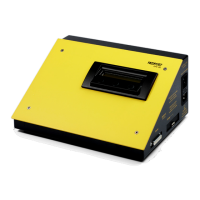

 To Next Page