Need help?
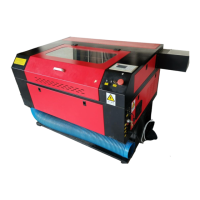
Do you have a question about the Redsail X900 and is the answer not in the manual?
Guidance on correctly soldering anode and cathode wires and connecting the laser tube.
Instructions for connecting essential cooling and air supply systems to the machine.
Instructions for installing software and initial setup before device use.
Detailed steps for aligning the laser beam through mirrors for optimal cutting and engraving.
Procedure for adjusting the focal length using a focusing plate for precise processing.
Initiating the laser processing operation by pressing the start key.
 General
| Type | Laser Engraver |
|---|---|
| Working/Engraving Area | 900 x 600 mm |
| Control Software | RDWorks |
| Connectivity | USB |
| Operating Temperature | 0-45°C |
| Driving System | Stepper Motor |
| Cooling Mode | Water Cooling |
| Engraving Speed | 0-60000mm/min |
| Power Supply | AC 220V±10% 50HZ or AC 110V±10% 60HZ |
| Operating Humidity | 5-95% (non-condensing) |
| Graphic Format Supported | BMP, PLT, DST, AI, DXF |
| Laser Type | CO2 Laser |


 To Next Page