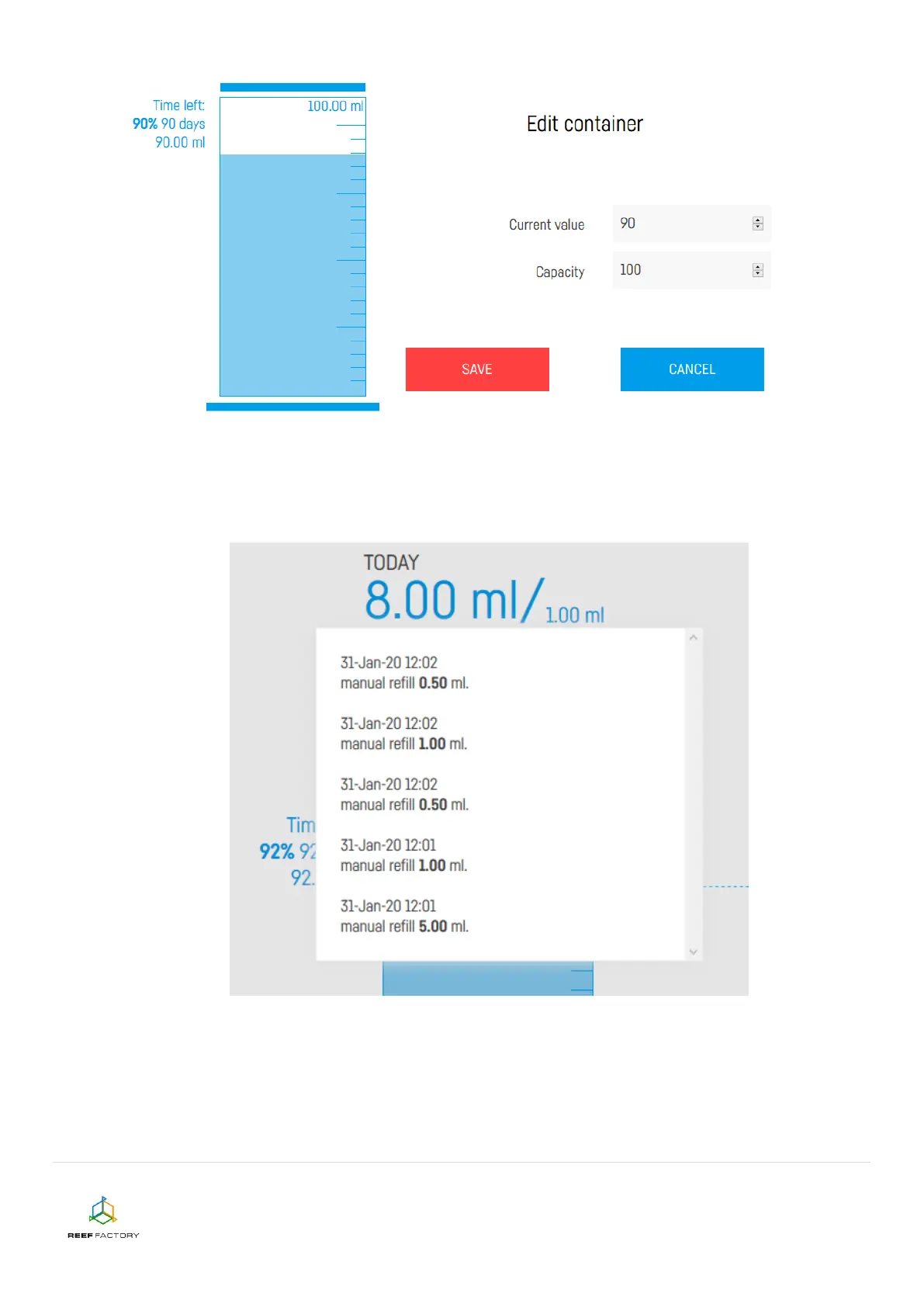
When the level of liquid in the tank drops down to 10%, the pump will inform you about that fact to
allow you to buy new liquid beforehand. You can display the dosing history by clicking the blue text
"Show more…". You will receive a reminder in the form of a Smart Reef system notification.
14. In the upper right corner of the screen you will find additional, advanced dosing functions (the
"Dosing" button) that will help you to specify the number of daily doses and the amount of
liquid dosed. The information you provide will be used by the pump to automatically calculate
and set the dosing hours and indicate a percentage share of each dose in relation to the
scheduled daily dose of the liquid.


 To Next Page