6
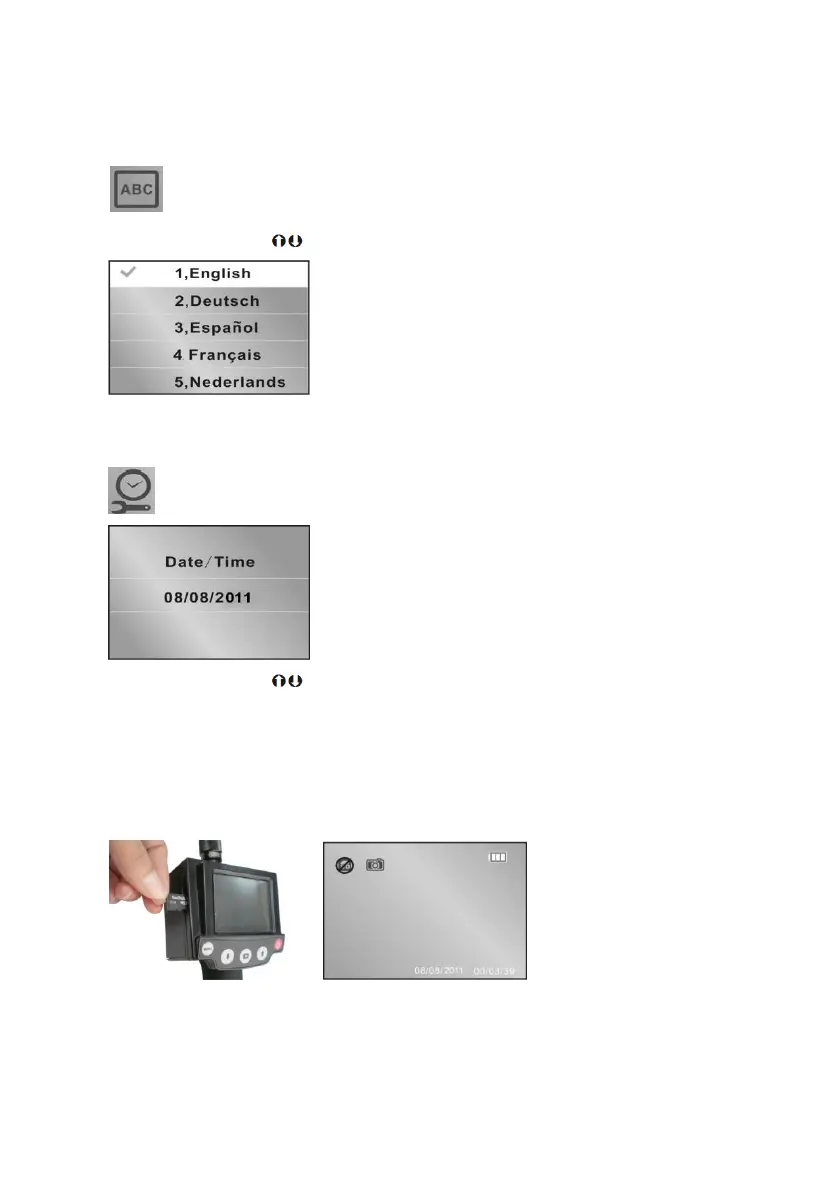
Language Selection
Allows the language to be set for the menu functions.
Use the navigation keys to select from the language available
Date / Time
Set Date / Time
Use the navigation keys to edit the and date
Camera & Video Operation
Inserting SD card
Before using the camera or video function an SD card must be inserted into the card slot
Note:- Card must be inserted with contacts facing upwards
Then screen will then show the SD card icon


 To Next Page