Super 8 scanner Quick guide
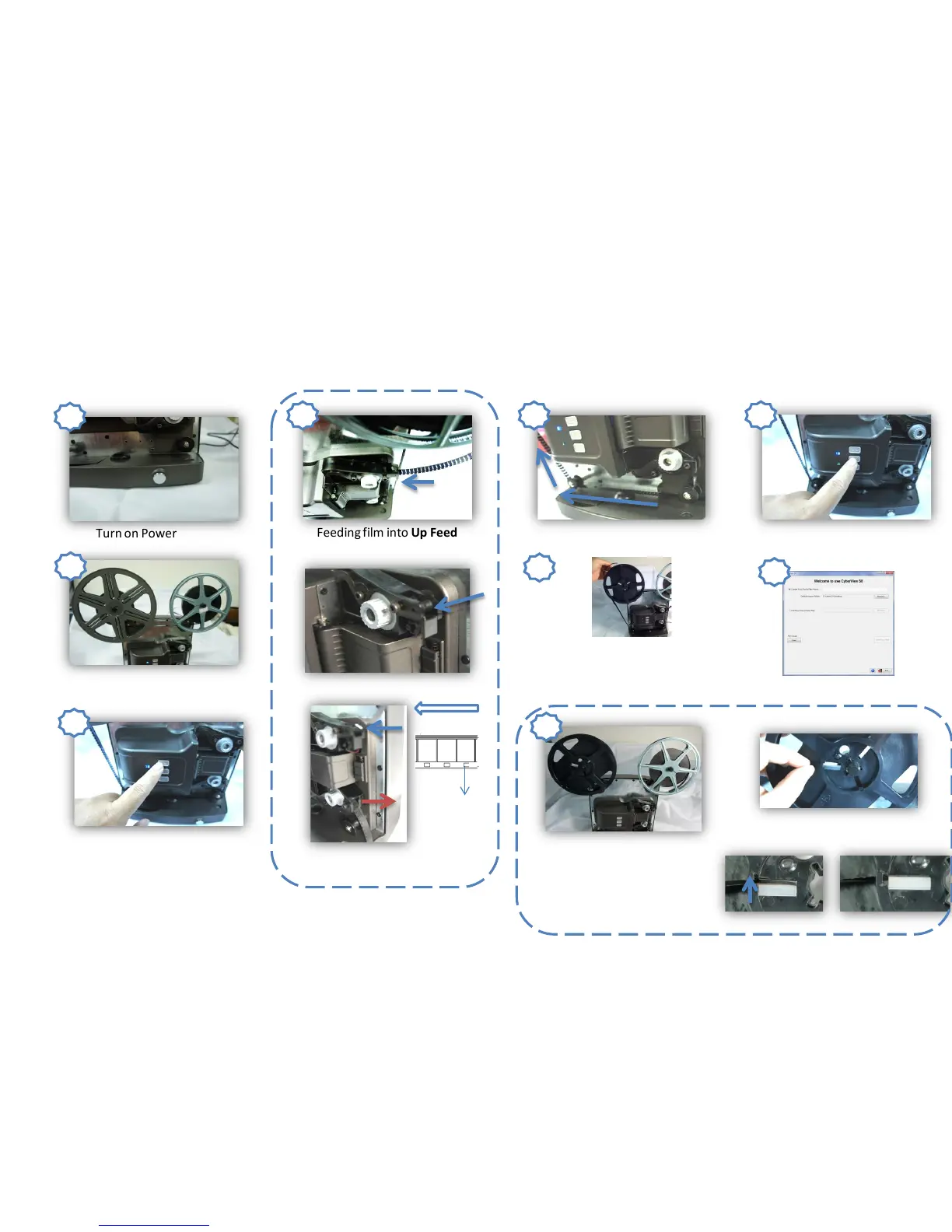
How to install film to Super 8 Scanner
Turn on Power
Install movie film reel to Supply Reel
Arm and Take-up Reel Arm
Press and hold Forward Button
Feeding film into Up Feed
Sprocket
Film auto feeds out from
Down Feed Sprocket
Feeding film into the Film Rollers
Feeding film into the Take-up
Reel
Click Stop Button
Start to Digitize Your
Super 8 Movie
1
2
3
4 5
6
7
8
Feed Direction
Film Hold
Lock your film onto the Take-up
Reel
Push
Locked
Press the Forward Button until film
is rolling tight then press Stop
Button
9
Scroll film until a sufficient length
to Take-up Reel then press Stop
Button



 To Next Page