Need help?
Do you have a question about the Reflex Fillcontrol Auto 2PS and is the answer not in the manual?
Details symbols and signal words used in the manual for hazard and information communication.
Specifies the qualifications and training required for personnel operating or installing the equipment.
Outlines the essential personal protective equipment to be worn during system operation and maintenance.
Defines the appropriate applications and water types for the Fillcontrol Auto devices.
Details the makeup and system separation functions of the Fillcontrol Auto 2P model.
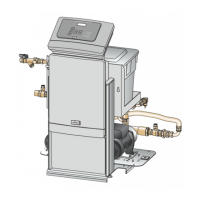
Describes the makeup and degassing functions of the Fillcontrol Auto 2PS model.
Covers ambient conditions, room requirements, and initial inspection procedures before installation.
Lists prerequisites for device commissioning, including full connection and system preparation.
Explains how to calculate and set the minimum operating pressure (Po) for the controller.
Step-by-step guide for filling the system separator tank and venting the pumps.
Guides through setting essential parameters like language, time, date, and pressures during initial setup.
Details procedures for performing vacuum and pump function tests for device verification.
Describes the process of using the device to fill the facility system and monitoring the process.
Explains the prerequisites and steps for initiating automatic operation after commissioning.
Details system-specific values that can be adjusted in the Customer menu during commissioning.
Lists error codes, their causes, remedies, and alarm reset procedures for troubleshooting.
 General
| Brand | Reflex |
|---|---|
| Model | Fillcontrol Auto 2PS |
| Category | Service Equipment |
| Language | English |


 To Next Page