EasyManua.ls Logo

Reflex Lexicon - Page 17

Default Icon
49 pages
Print Icon
To Next Page IconTo Next Page
To Previous Page IconTo Previous Page
Loading...
Performance
Verification
Lexicon
Front
Panel
Buttons
and
Footswitches
1 . Turn
the
REGISTER/PRESET
knob
to
select
14
CANYON.
The
display
should
read: 13.
2.
Press
the
REGISTER/PRESET
button
to
enter the
Button
Test.
3.
Verify
that the
display
reads:
0.
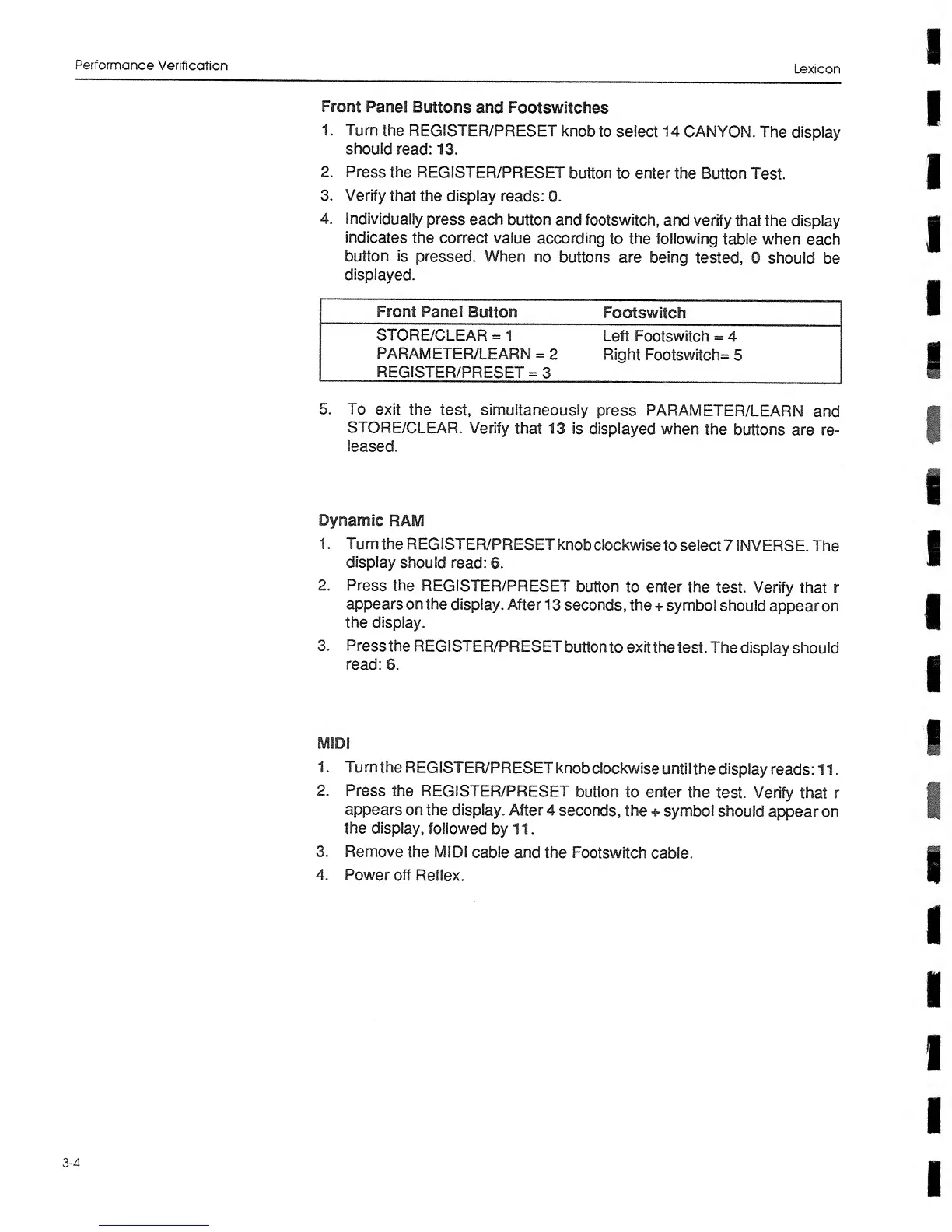
4.
Individually
press each
button
and
footswitch,
and verify
that
the display
indicates
the
correct value
according
to
the
following
table
when
each
button
is
pressed.
When
no buttons
are
being
tested,
0 should
be
displayed.
Front
Panel
Button
Footswitch
STORE/CLEAR
=
1
Left
Footswitch
=
4
PARAMETER/LEARN
=
2
REGISTER/PRESET
=
3
Right
Footswitch=
5
5.
To
exit
the
test,
simultaneously
press
PARAMETER/LEARN
and
STORE/CLEAR.
Verify
that 13 is
displayed
when
the
buttons
are re-
leased.
Dynamic
RAM
1
. Turn
the
REGISTER/PRESET
knob
clockwise
to
select
7
INVERSE.
The
display
should
read:
6.
2.
Press
the
REGISTER/PRESET
button
to
enter
the
test.
Verify
that
r
appears
on the
display.
After
1
3 seconds, the
+
symbol
should
appear on
the display.
3.
Pressthe
REGISTER/PRESET
button
to
exit
the
test.
The
display should
read:
6.
MIDI
1
. Turn
the
REGISTER/PRESET
knob
clockwise
until
the
display
reads: 1 1
.
2.
Press
the
REGISTER/PRESET
button
to
enter
the
test.
Verify
that r
appears
on
the
display. After
4
seconds,
the
+ symbol
should
appear
on
the display,
followed
by 11
.
3.
Remove
the
MIDI
cable
and the
Footswitch
cable.
4.
Power
off
Reflex.
3-4