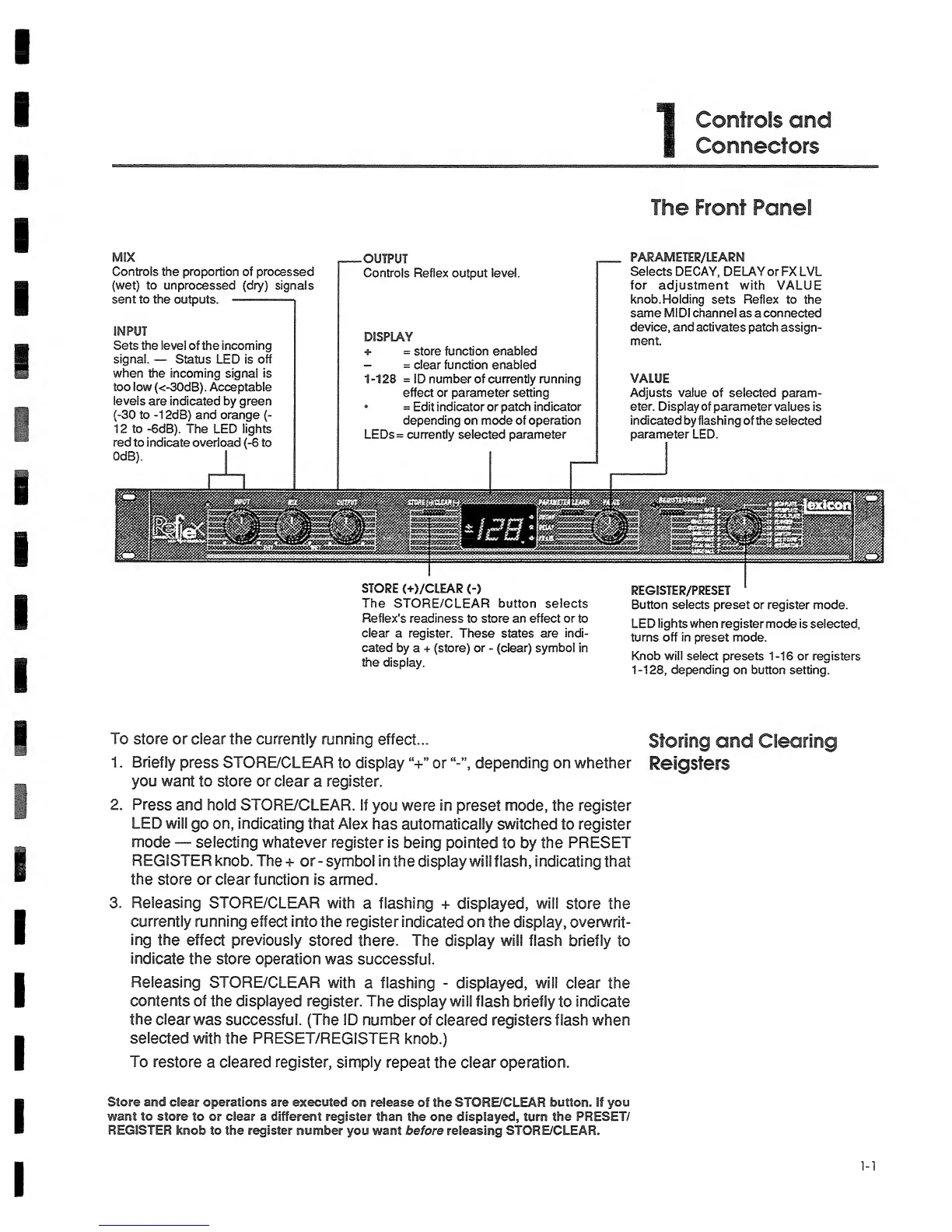
Controls the proportion of
processed
(wet) to
unprocessed
(dry) signals
sent
to the outputs.
INPUT
Sets the level of the incoming
signal.
—
Status LED is
off
when the incoming
signal is
too
low
(<~30dB).
Acceptable
levels
are indicated by
green
(-30
to
-1
2dB) and
orange
(-
1 2 to -6dB). The LED lights
red to
indicate overload (-6
to
OdB).
I
OUTPUT
Controls Reflex output level.
DISPLAY
+
=
store function
enabled
-
=
clear function enabled
1-128 =
ID number of currently
running
effect or parameter setting
•
=
Edit indicator or patch
Indicator
depending on mode
of operation
LEDs= currently selected parameter
The Front Panel
PARAMETEP/LEARN
Selects DECAY, DELAY or FX LVL
for
adjustment
with VALUE
knob. Holding
sets Reflex to
the
same
MIDI
channel as a connected
device, and activates
patch assign-
ment.
VALUE
Adjusts value
of
selected
param-
eter. Display of
parameter values
is
indicated
by
flashing of the selected
parameter
LED.
STORE
C+)/CLEAR
<-)
The
STORE/CLEAR button selects
Reflex's
readiness
to
store an effect
or
to
clear
a register. These states are indi-
cated by
a
+
(store)
or
-
(clear)
symbol in
the display.
REGISTER/PRESET
'
Button
selects
preset or register mode.
LED
lights when
register mode
is selected,
turns off in
preset mode.
Knob
will
select presets
1-16
or registers
1-128,
depending
on button setting.
To
store or clear the
currently running
effect...
1
.
Briefly
press STORE/CLEAR
to
display
“+”
or depending on whether
you want
to
store
or
clear
a register.
2.
Press and hold STORE/CLEAR.
If
you
were
in
preset mode, the register
LED will
go
on,
indicating
that
Alex
has automatically switched
to
register
mode
—
selecting
whatever
register
is
being
pointed
to by
the
PRESET
REGISTER
knob. The
+ or- symbol
in
the
display willflash,
indicating
that
the
store
or
clear function
is
armed.
3.
Releasing
STORE/CLEAR with
a flashing
+
displayed, will
store the
currently running
effect into the
register
indicated on the display, ovenwrit-
ing
the effect previously
stored there.
The display will flash briefly
to
indicate the store
operation
was
successful.
Releasing
STORE/CLEAR
with
a
flashing
-
displayed, will clear
the
contents
of the displayed
register. The
display will flash briefly
to
indicate
the clear
was
successful. (The ID
number of cleared registers flash when
selected
with the PRESET/REGISTER
knob.)
To
restore
a
cleared register,
simply
repeat
the clear operation.
Storing
and Clearing
Reigsters
Store and clear operations are
executed
on release
of
the STORE/CLEAR button.
If
you
want to
store
to
or
clear
a
different
register than the one displayed, turn the PRESET/
REGISTER
knob to the register number
you
want
before releasing
STORE/CLEAR.


 To Next Page
 Loading...