EasyManua.ls Logo

Reflex Lexicon - Page 9

Default Icon
49 pages
Print Icon
To Next Page IconTo Next Page
To Previous Page IconTo Previous Page
Loading...
Controls
and Connectors Lexicon
The
Rear Panel
Audio
connections
to
Reflex
are
unbalanced and should
be made
with
high
quality
shielded
cables with
1/4"
tip-sleeve
phone
jacks
at
the
Reflex end.
Reflex
produces stereo
effects from
either
mono
or stereo sources. With
mono
sou rces th
e
dry signal
appears
in
mono
at both
output connectors along
with
the
stereo
effects.
For
instruments
and
sources
with
stereo
outputs, use
both
inputs.
We recommend
using the
outputs
in
stereo whenever
possible,
but if
mono
output is required,
you can
use
either
output connector. The
left
and
right
signals
are
summed internally when
only
one
output is used.
Footswltches
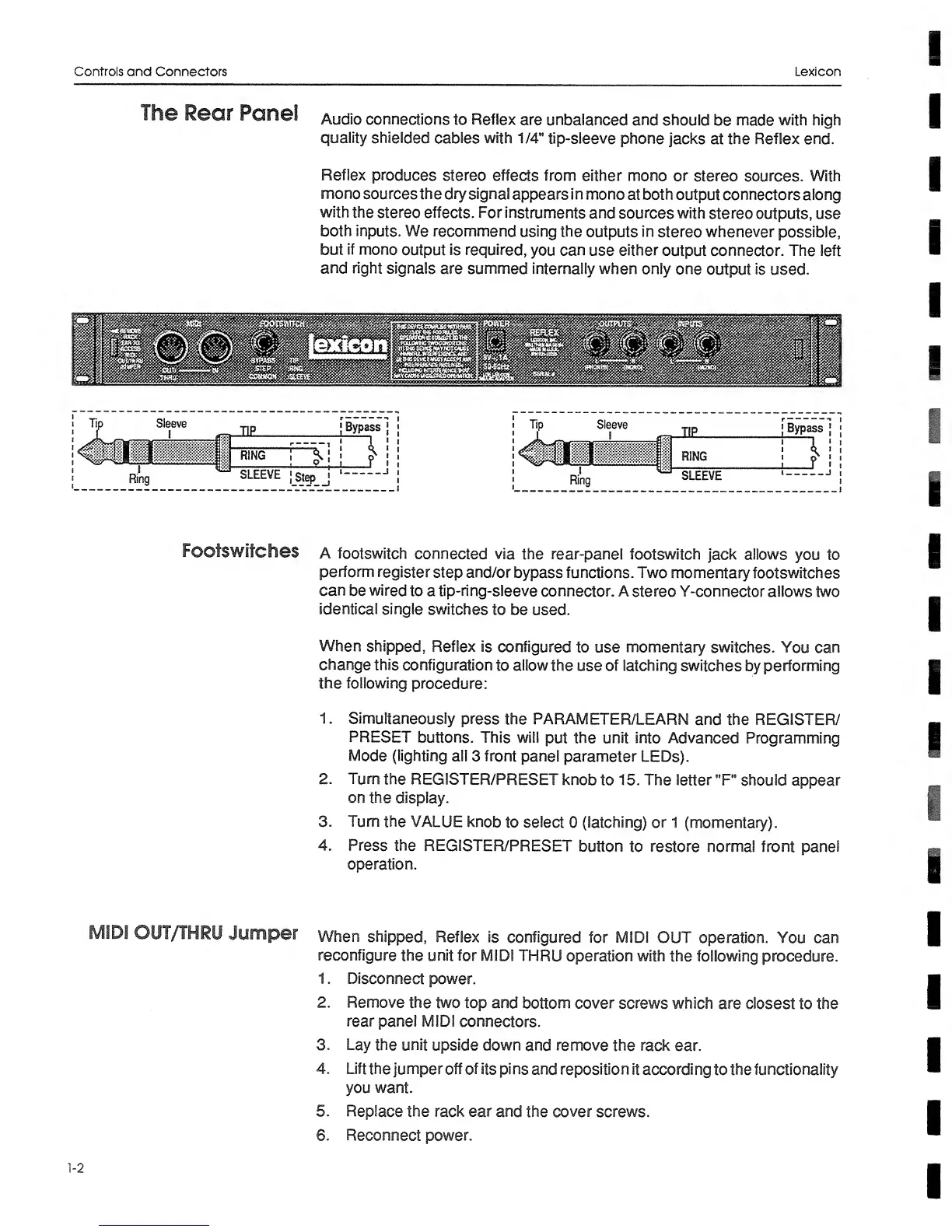
a
footswitch
connected
via
the rear-panel
footswitch
jack allows
you to
perform
register
step
and/or
bypass
functions. Two
momentary
footswitch
es
can
be
wired
to a
tip-ring-sleeve
connector.
A
stereo Y-connector allows two
identical
single
switches
to
be
used.
When
shipped.
Reflex
is
configured
to use
momentary
switches. You can
change
this
configuration
to
allow
the
use
of latching
switches
by
performing
the
following
procedure:
1.
Simultaneously
press
the
PARAMETER/LEARN
and the
REGISTER/
PRESET
buttons.
This
will
put
the unit into
Advanced Programming
Mode
(lighting
all
3
front
panel
parameter
LEDs).
2. Turn
the
REGISTER/PRESET
knob
to
15. The
letter
"F"
should
appear
on
the
display.
3. Turn
the VALUE
knob
to
select
0
(latching)
or
1
(momentary).
4.
Press the
REGISTER/PRESET
button
to
restore
normal front
panel
operation.
MIDI
OUT/THRU
Jumper
when
shipped. Reflex
is
configured
for
MIDI
OUT
operation.
You
can
reconfigure
the
unit
for MIDI
THRU
operation
with
the following
procedure.
1
. Disconnect
power.
2.
Remove
the
two
top and
bottom cover
screws which
are closest
to the
rear
panel MIDI
connectors.
3. Lay
the unit
upside down
and remove
the
rack ear.
4. Lift
the
jumper off of its pi
ns and reposition
it
accordi
ng
to
the
functionality
you want.
5.
Replace the rack ear
and
the cover screws.
6.
Reconnect power.
1-2