EasyManua.ls Logo

Reflex Lexicon - Page 10

Default Icon
49 pages
Print Icon
To Next Page IconTo Next Page
To Previous Page IconTo Previous Page
Loading...
Reflex Service
Manual
Controls and
Connectors
1. Turn
Reflex's INPUT
and OUTPUT controls
all
the way down
(fully
counter-clockwise).
2.
Connect Reflex inputs
to
an audio source, and Reflex
outputs to an
amplifier
or
mixer.
3.
Apply
an input
signal
at a
level
that
you
typically
use.
4.
While
sending
audio
to
Reflex,
gradually
turn upthe
INPUT
control
until
the
Input
Status
Indicator lights green. Continue
to advance
INPUT
until
the
LED
shows red on
only
the loudest peaks.
If
the
LED shows red continu-
ously, turn
the
INPUT
control down.
5. If
Reflex
is using
a
console’s sends
and
returns,
set the
MIX
control
fully
clockwise
(100%
wet).
If
you are
using
an
instrument
amplifier,
start
with
MIX
set
halfway
up.
6.
Gradually increase
the
setting
of the
OUTPUT control
until
the audio level
from
the
amplifier
or
mixer
is approximately
the
same
as
when Reflex
is
bypassed.
Under
normal conditions Reflex
requires
minimal
maintenance.
Use a soft,
lint-free
cloth slightly
dampened
with warm
water
and
a
mild
detergent
to
clean
the exterior
surfaces of the unit.
Do
not
use alcohol, benzene
or
acetone-based cleaners
or
any
strong
commercial
cleaners.
Avoid
using
abrasive materials
such
as
steel wool or metal
polish. If
the
unit
is exposed
to
a
dusty
environment,
a
vacuum or
tow-pressure blower may
be
used to
remove
dust
from
the unit's exterior.
When
ordering
parts,
identify
each part
by
type,
value
and
Lexicon Part
Number.
Replacement parts can
be
ordered
from:
Lexicon, Inc.
100
Beaver
Street
Waltham
MA
02154
Telephone:
617-736-0300
Fax
(Customer
Service):
617-788-0499
ATT
:
Customer Service
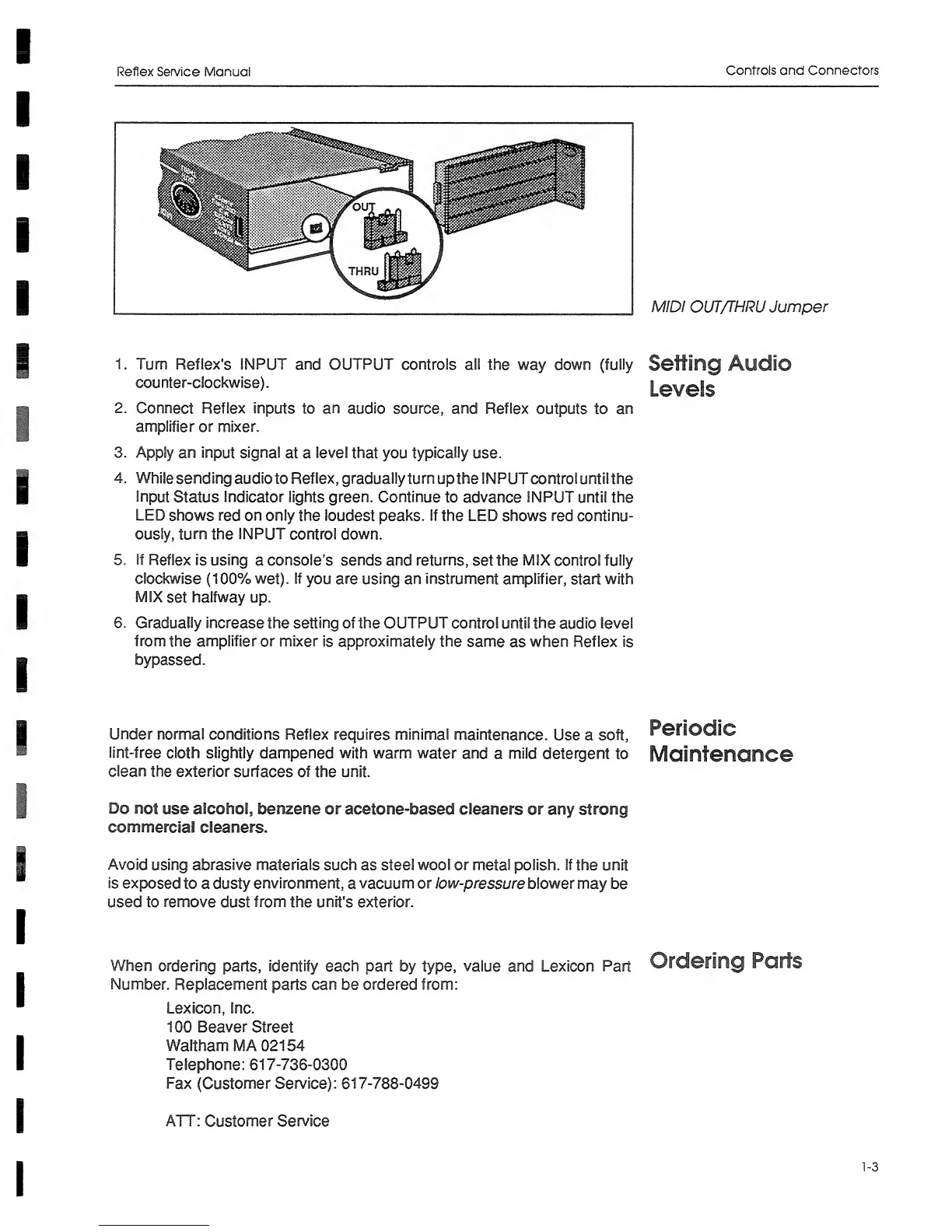
MIDI OUT/THRU Jumper
Setting Audio
Levels
Periodic
Maintenance
Ordering Parts
1-3