PASSWORD SETTING PAGE
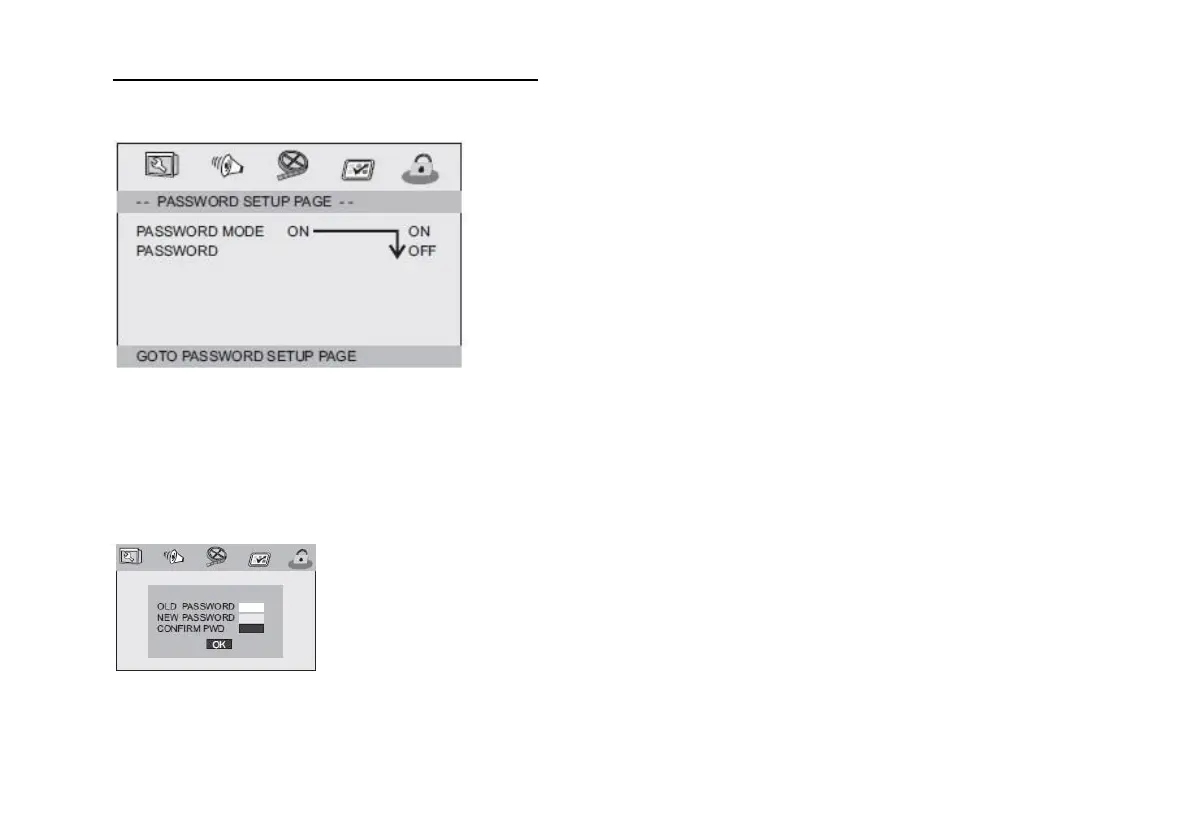
Password settings page
PASSWORD MODE
If OFF is selected, the parental control will ask for the password.
PASSWORD
Selects the page to change the password.
The default password is:
1369
OLD PASSWORD: Enter the old password.
NEW PASSWORD: Enter the new 4-digit password the
number buttons on the remote control.
CONFIRM PASSWORD: Enter the new password again. If the
entries match, the entry jumps to OK.
OK: Now press the ENTER button on the remote control to
confirm.
Note: If you change the password, the password mode is also
changed. The default password 1369 always works even if the
password has been changed.


 To Next Page