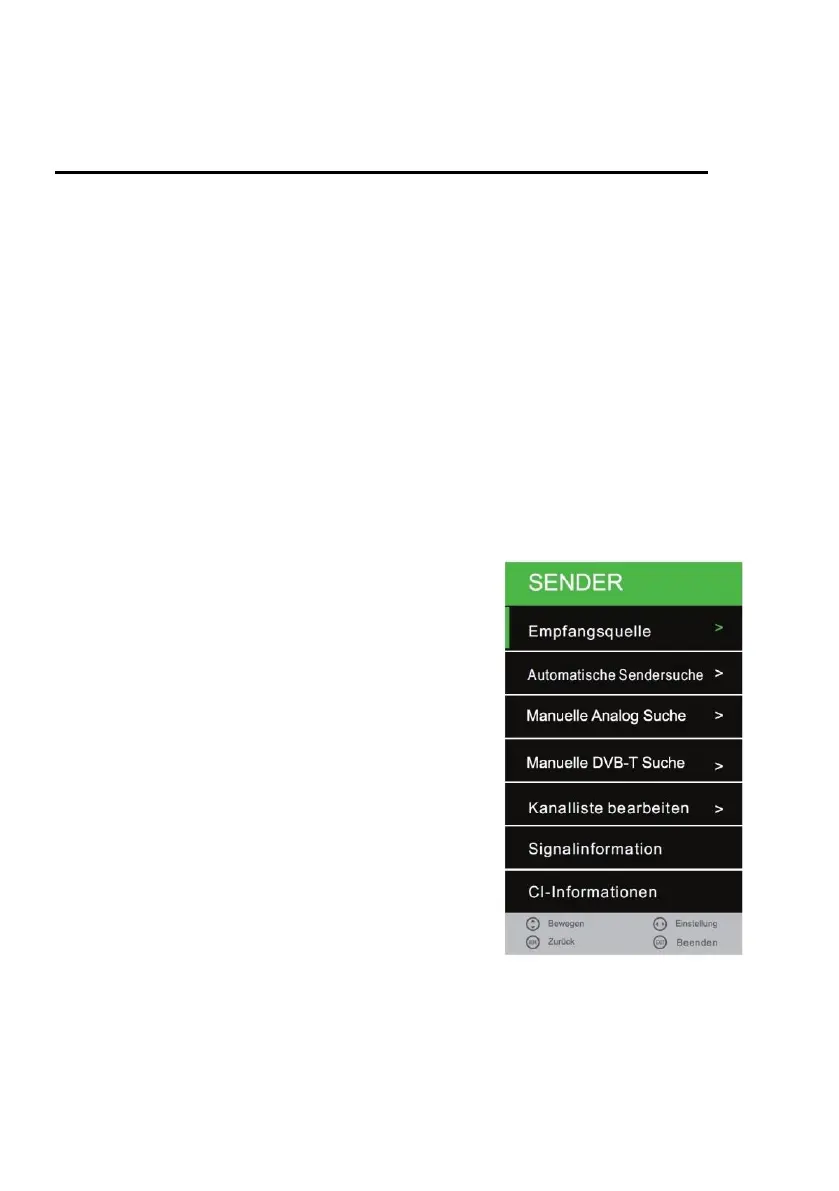
CHANNEL MENU (DVB-C / T / T2HD)
Channel Menu DVB-C/ T
1. Press the [INPUT] key.
2. Use the [▲ ▼] buttons to navigate in the menu.
3. Select "DTV" and confirm your entry with the [OK] key.
4. Press the [MENU] key and navigate to "Sender".
5. Confirm the entry with the [OK] key.
The following menu items are available in the "Channel" menu:
Antenna / Auto Tuning / ATV Manual Tuning / CADTV Manual Tuning /
Programme Edit / Signal Information / CI Information / 5V antenna power
1. In the station menu, navigate with the [▲ ▼] buttons
2. Some settings can be made using the [◄►] buttons.
3. Confirm the entry with the [OK] key and proceed to the next menu item.
4. Use the [MENU] key to return to the last menu item.
5. Press the [EXIT] key to exit the menu settings.
Note:
In the "Channel" menu, set the "5V antenna power" option to "On" when the supplied active antenna
or other active antenna is used.
Antenna:
Choose between: DVB-T / DVB-C
Auto Tuning:
Calls up the menu for the automatic station search.
ATV Manual Tuning:
Calls up the menu for the manual analogue search.
CADTV Manual Tuning:
Calls up the menu for Manual DVB-T / DVB-C Search.
Programme Edit:
Opens the menu to edit the channel list.
Signal Information:
Shows transmitter / transponder and signal information.
CI Information:
Displays information about the inserted CI module and the
smart card.
5V antenna power:
Turn the 5V Active Antenna output "On" or "Off".



 To Next Page