CHANNEL MENU (DVB-C / T / T2HD)
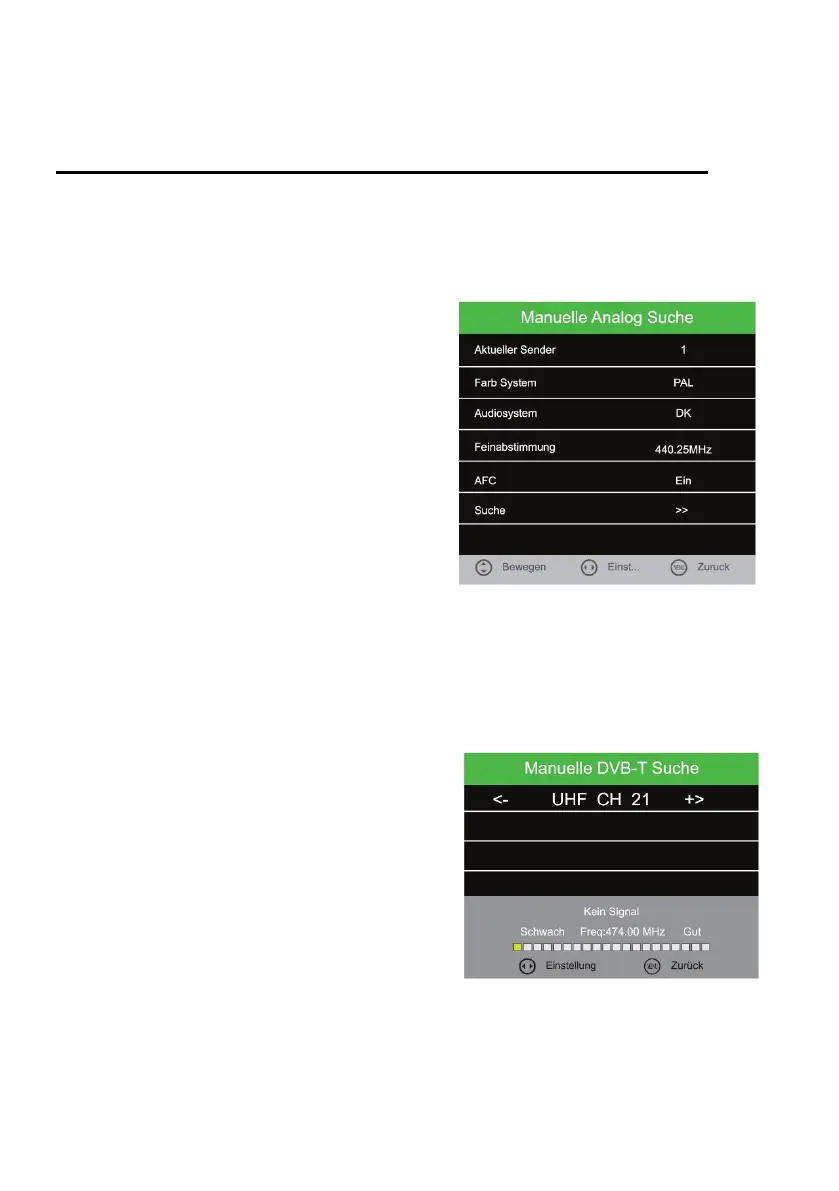
ATV Manual Tuning
1. Select the menu item "Manual Analogue Search" and press the [OK] key.
2. Use the [▲ ▼ ◄►] buttons to select the various setting options.
3. Go to "Search" and press the [OK] button to confirm the settings and start the search.
Current Channel:
Select the station to be adapted.
Colour System:
PAL / NTSC / SECAM / NTSC-44 / PAL-M / PAL-N /
PAL-60
Sound System:
DK / MN / I / BG
Fine-Tune:
Press the [◄ / ►] button to fine-tune.
AFC:
On / Off
Search:
Go to "Search" and press the [OK] key to start the
search.
CADTV Manual Tuning (DVB-C / T / T2HD)
1. Select the menu item "Manual DVB (T / C) Search" and press the [OK] key.
2. Use the [▲ ▼ ◄►] buttons to select the various setting options.
3. Confirm the entry with the [OK] key.
4. The search starts.
DVB-T Manual Search
1. Press the [◄►] buttons to select the different
frequency channels.
2. Once you have found the desired frequency,
press the OK button to start the search.
Note:
The signal bar shows you the strength of the selected
frequency.



 To Next Page