SETUP MENU
Reset:
Start the factory setting. All tuner / picture and sound settings are reset. The device turns off. After
the next switch on, the device starts with the first installation.
Software Update (USB):
Start a software update via USB stick.
VERSION:
Displays the "Model", the "Panel Type" and the "Software Version".
Sat Channel Import (USB):
Import a Satellite Channel List Exported to a USB Stick.
Sat Channel Export (USB):
Exportieren Sie eine von Ihnen bearbeitete Satelliten Senderliste auf einen USB Stick.
Import DefaultData:
Laden Sie die im Gerät hinterlegte Standardsenderliste für den Satelliten Modus.
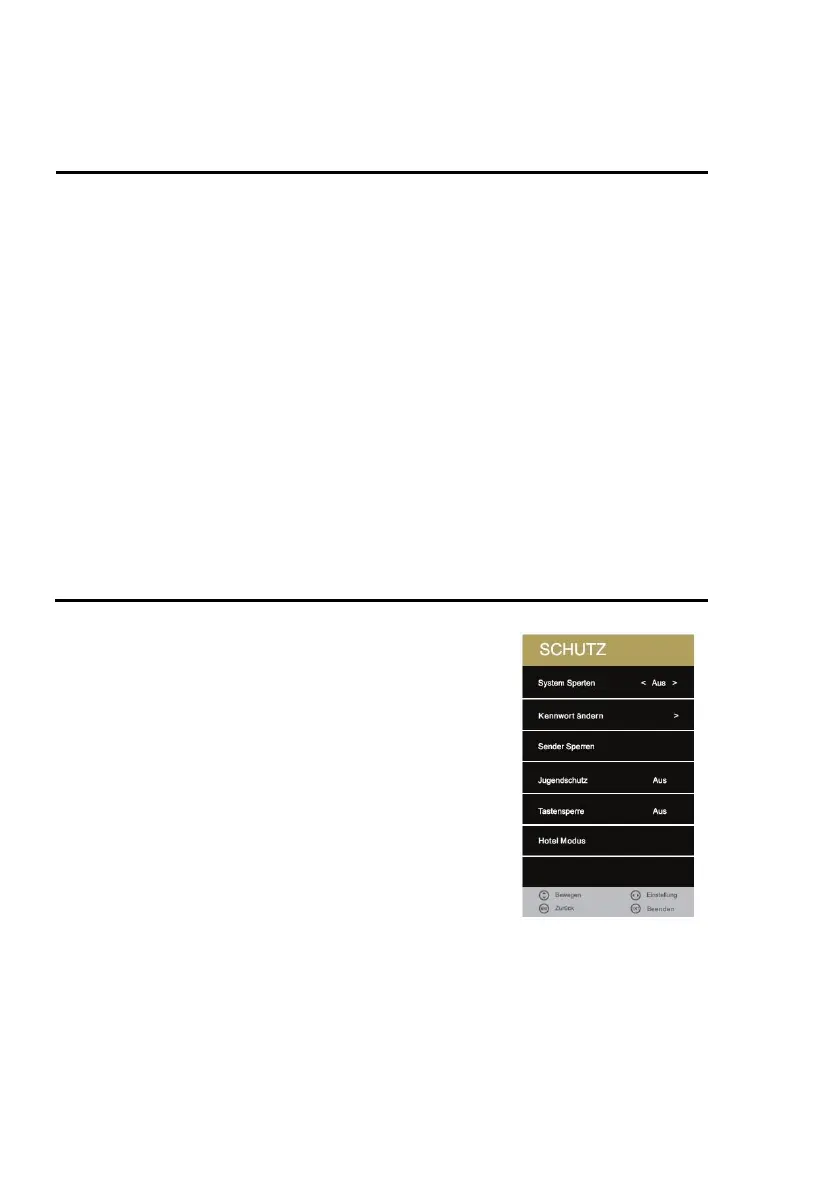
LOCK MENU
1. Press the [MENU] key on the remote control.
2. Press the [▲ ▼ ◄►] buttons to navigate in the menu.
3. Select the "PROTECTION" menu item and press the
[OK] key.
4. In the menu, use the [◄► ▲ ▼] buttons to navigate.
5. Confirm the entry with the [OK] key.
6. Press the [MENU] key to return to the previous menu.
7. Close the menu with the [EXIT] key.
The following selection and setting options are available in the
menu:
System Lock:
Select the menu item to change the password. There is a
password request.
Activate the "Lock System" menu item to access the following
menu items:
Parental Guidance / Key Lock / Hotel Mode



 To Next Page