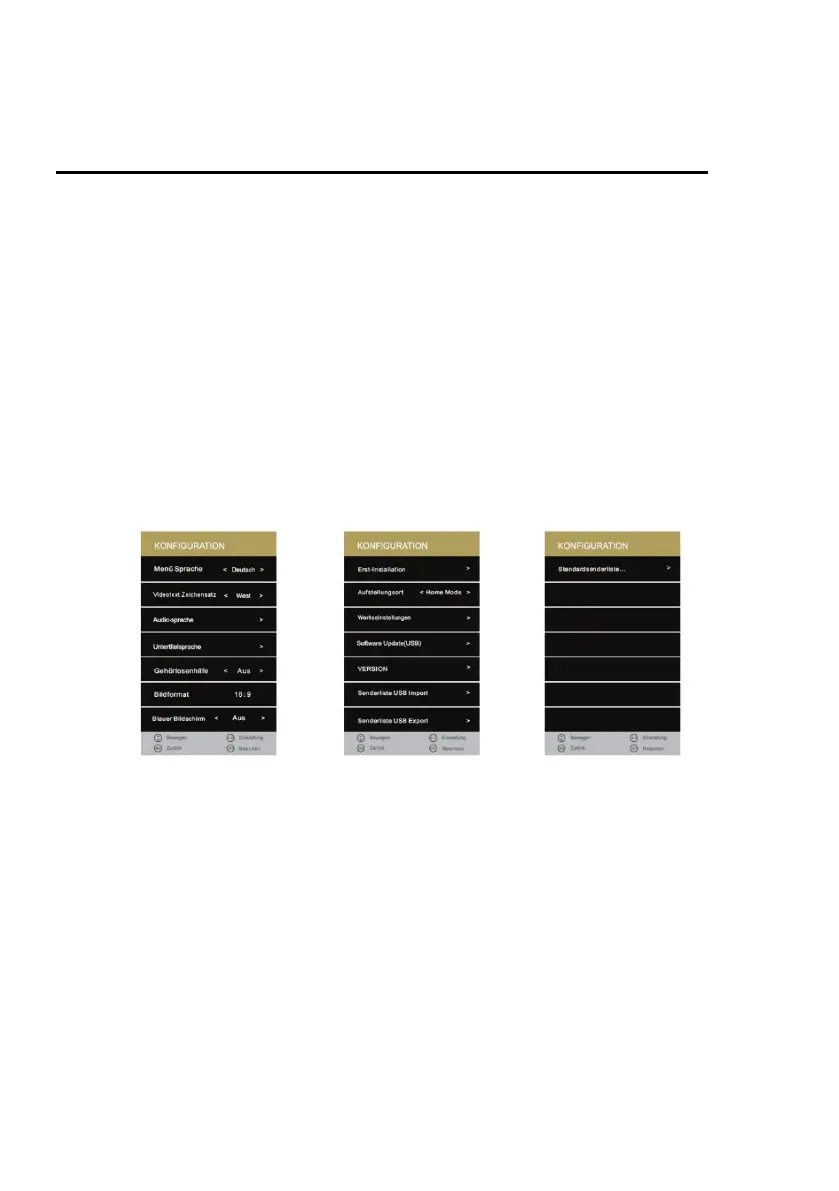
SETUP MENU
The following selection and setting options are available in the menu:
Language:
Set the menu language:
German / English / French / Dutch / Italian etc.
TT Language:
Select the character set for teletext.
Audio Language:
Select the audio language one and two.
Subtitle Language:
Select the subtitle language one and two.
Hearing Impaired:
Select Deafness Aid to turn On or Off auto subtitle. Only if supported by the channel.
Aspect Ratio:
Set the picture aspect ratio:
16:9 / Zoom2 / Zoom1 / Auto / 4:3
Blue Screen:
Enable this option if you want to display a blue image when there is no signal.
Turn off the option "On" or "Off".
First Time Installation:
Select the setting to go to the first installation menu.
Energy Mode:
Choose between the "Home Mode" (for the buyer)
and the "Store Mode" (for the dealer).



 To Next Page