EasyManua.ls Logo

Reflexion LDDW190 - Page 78

Reflexion LDDW190
Print Icon
To Next Page IconTo Next Page
To Previous Page IconTo Previous Page
Loading...
USB MEDIA PLAYER
Tastenbelegung für USB Medienwiedergabe
▲▼◄►
Navigation keys
OK
Confirm, Mark
(STOP) / EXIT
End playback / return to menu.
(PLAY / PAUSE)
Start / pause playback
/ FAST FORWARD
Multiple pressure to select forward speed
/ FAST BACKWARD
Multiple pressure to select return speed.
/ SKIP FORWARD
Next play file.
/ SKIP BACKWARD
Previous play file.
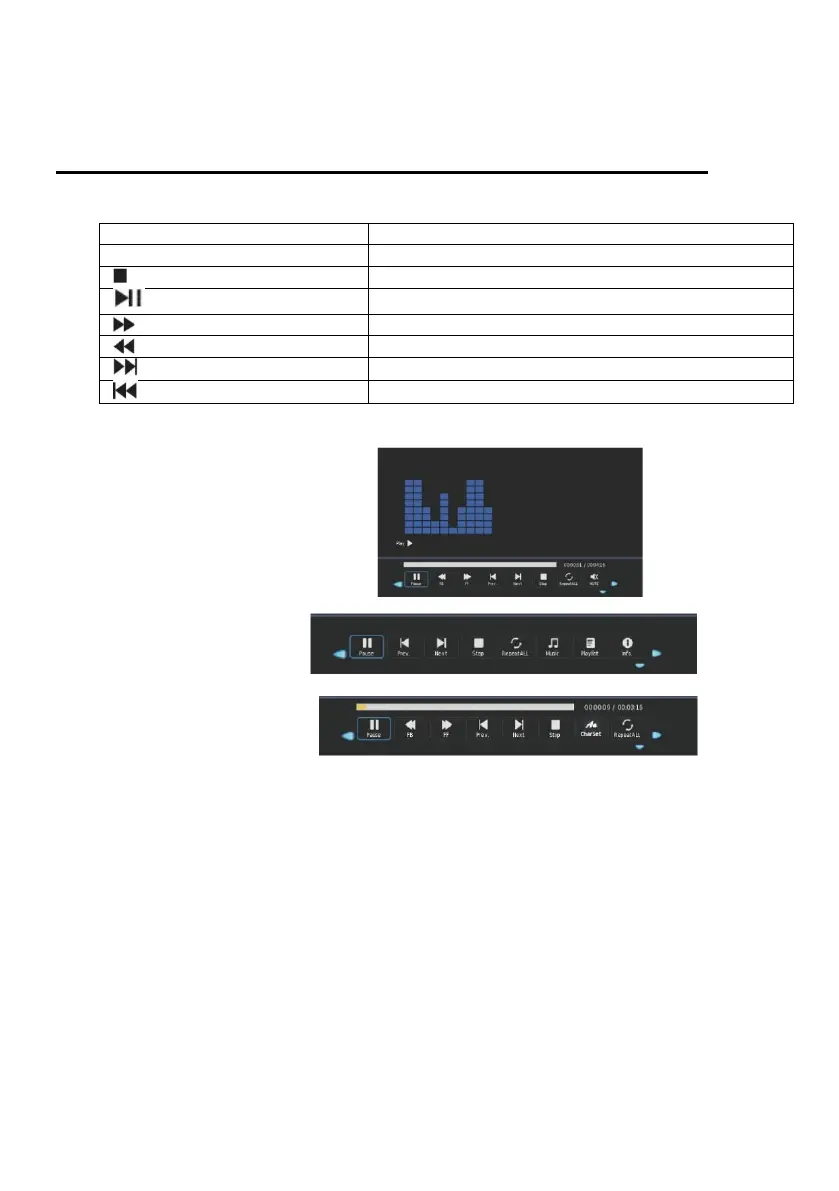
For USB playback, a menu bar is also displayed:
Example:
1. Music playback
2. Example photo playback:
3. Example movie playback:
NOTE:
Press the [OK] key to display the control bar.
Press the [EXIT] button to fade out the menu.
Press the [▲ ▼ ◄►] buttons to navigate in the menu.
Press the [OK] key to confirm the entry.


Related product manuals