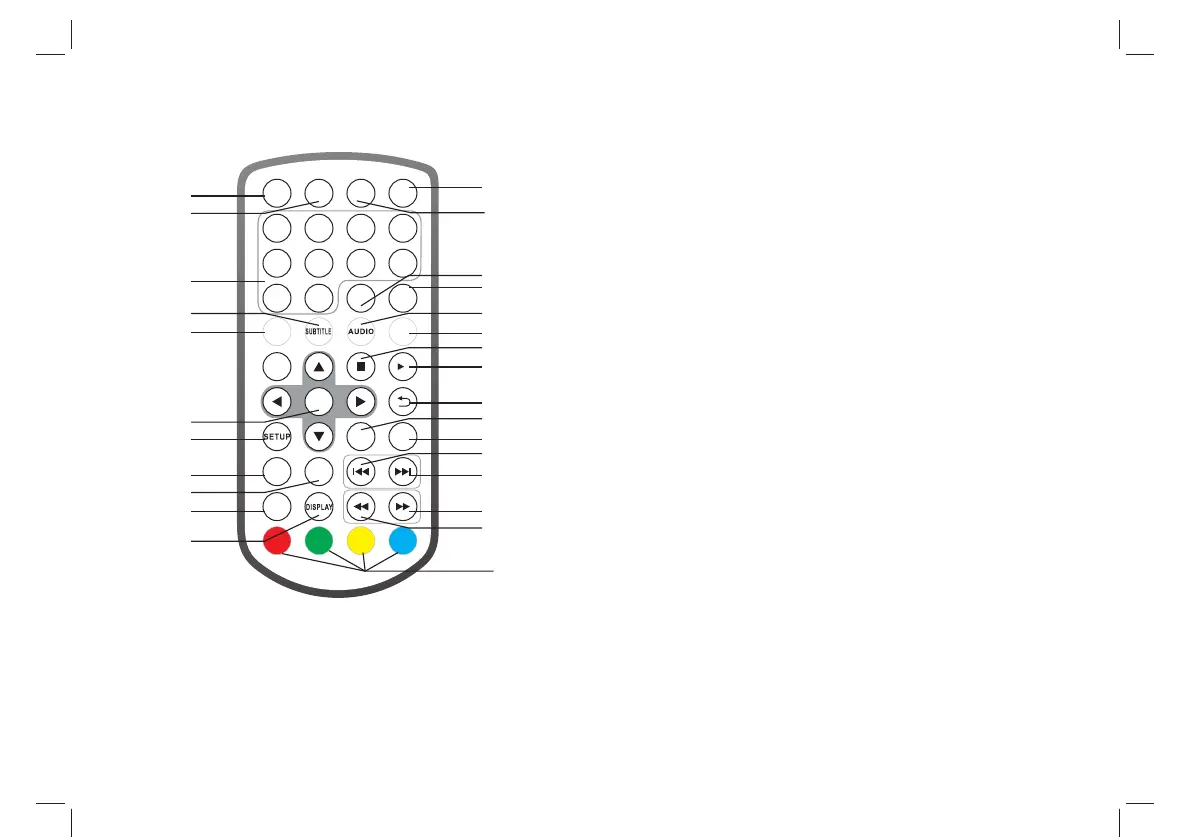
Identification of Controls
Remote control unit
1.POWER
On/off the power supply
2.VOL -
Adjust VOLUME.
3.0-9 NUMBER BUTTON
Selects numbered items in a menu.
4.SUBTITLE
Press SUBTITLE repeatedly during playback to viwe a different
subtitle languages , if avilable.
5.ZOOM
JPEG: Use ZOOM to enlarge or shrink the picture.
Each press of the ZOOM button change the TV screen
6.ENTER
Confirm and Enter
7.SETUP
Main Menu/Return
8.FAV
Open Favorite Programs List Menu
9.TV/RADIAO
Switch between TV and Radio source
10.EXIT
11.DISPLAY
Display the information of the current signal
12.SOURCE
DVD/USB
13.VOL +
Adjust VOLUME.
14.REPEAT
Repeat Play mp3 and video
3
1 2
3
4
5
6
7
8
9 0
ENTER
SOURCE
MODE
MUTE
REPEAT
FAV
TV/RADIO
EXIT
VOL- VOL+
POWER
TTX EPG
ZOOM
1
2
3
4
6
7
8
9
10
11
12
13
15
14
18
17
16
19
20
21
23
24
22
25
26
27
5



 To Next Page