UK
54
PREPARE THE DEVICE
Check that all required cables and connections are available.
1. Connect the car adapter included in the scope of delivery to the POWER INPUT of the TV
set. Connect the other side of the car adapter to the appropriate voltage source.
2. Insert two AAA batteries into the supplied remote control.
3. Connect your satellite antenna or cable system / DVB antenna to the TV1 / TV2
connection of the TV set.
4. Connect all other external devices (e.g. Blu Ray player etc.) to the appropriate
connections on the TV set.
Note:
Place the TV set on a level and stable surface.
BASIC OPERATION
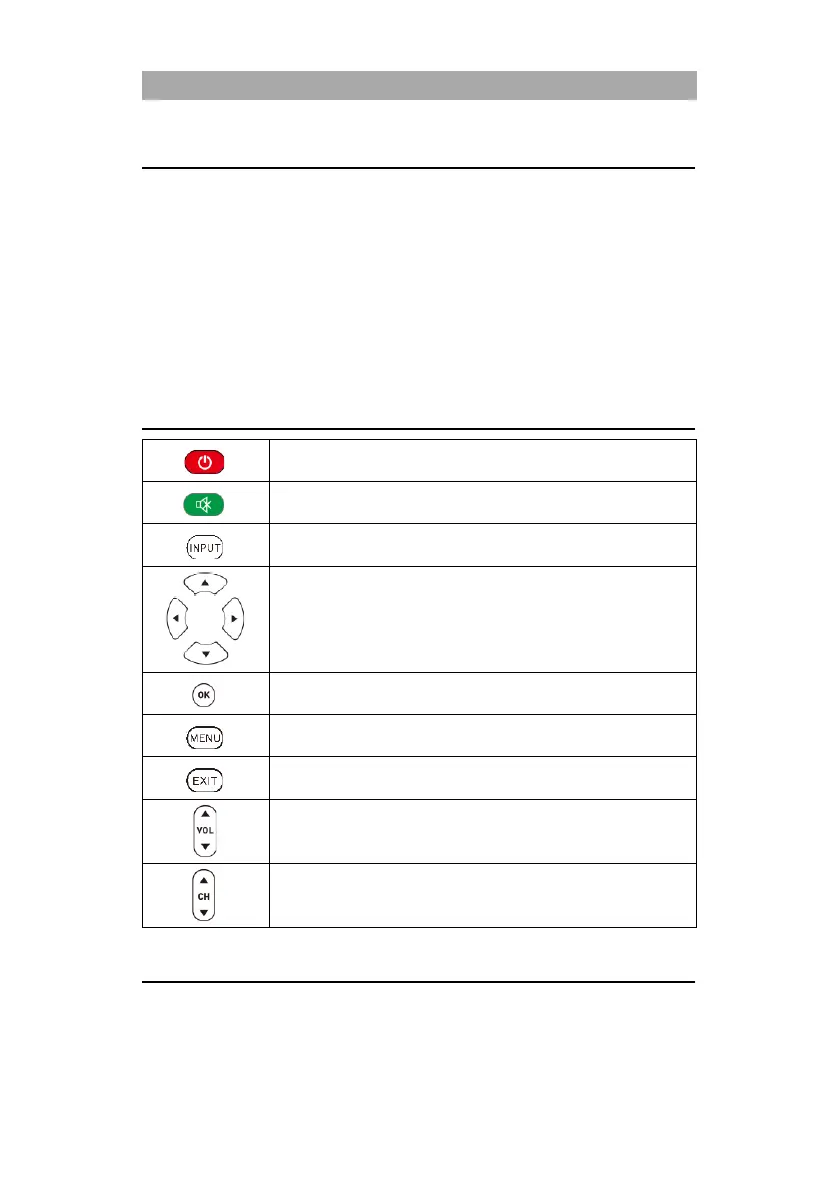
Device on / off (standby)
Input Sources Menu Open / Close.
Menu navigation (up / down / left / right).
Select or confirm a menu item. Open station list.
Open or close the main menu.
VOL: Adjust the volume (louder / quieter).
CH: Switch programs (up / down).
FIRST INSTALLATION
Once you have connected the device and all devices, follow the next steps to carry out the initial
installation of the device.
1. Press the toggle switch on the device so that it is on.



 To Next Page