EasyManua.ls Logo

Reflexion LEDW190 - Page 55

Reflexion LEDW190
Print Icon
To Next Page IconTo Next Page
To Previous Page IconTo Previous Page
Loading...
UK
55
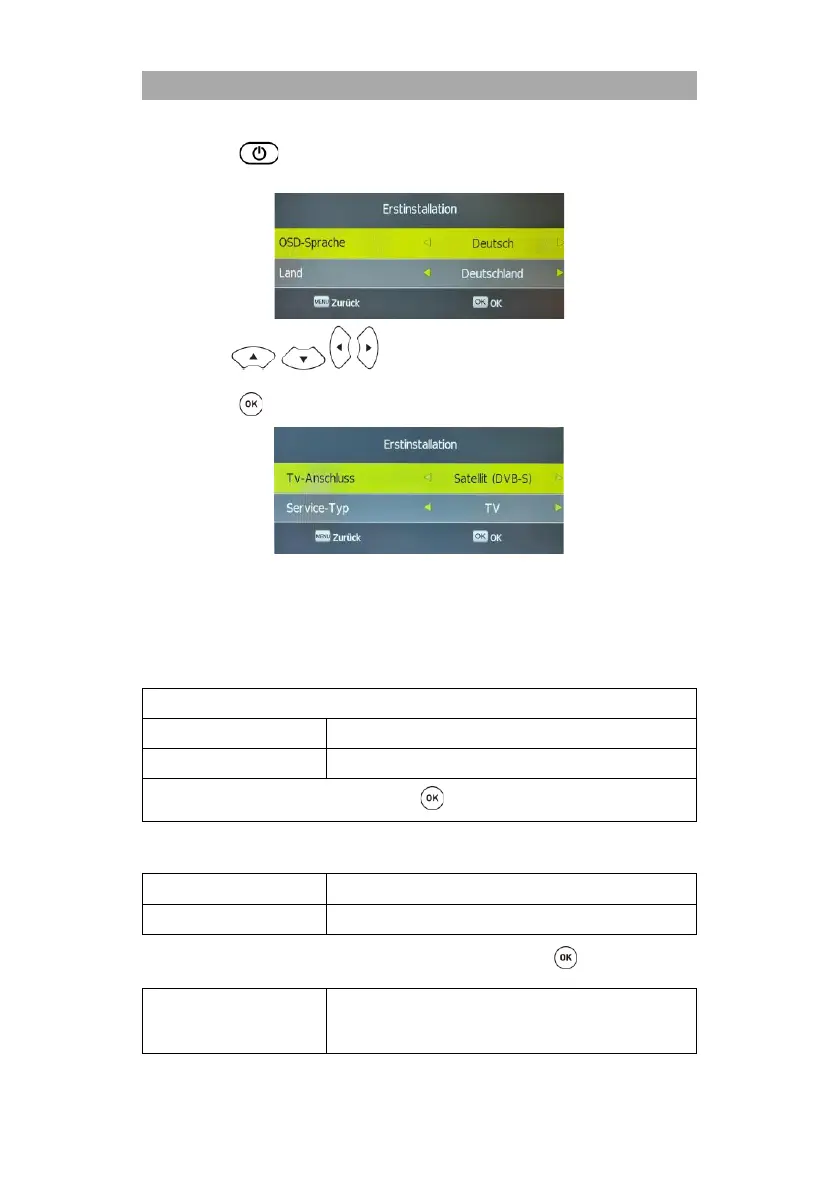
2. Press the button to switch on the device.
3. A setup menu will appear on the screen.
4. Use the buttons to set the menu language (OSD language) and
the installation location (country).
5. Press the button to confirm the entry.
6. Now select the TV connection. The following settings are available:
TV connection
DTV (DVB-T)
Cable (DVB-C)
Satellite (DVB-S)
First installation of DVB-T

First Time Installation
TV-Connection
DTV
Tune Type
TV, DTV+ATV, TV
Once you have made all the settings, press the button to start the search.
First installation of DVB-S
TV-Connection
Satellit (DVB-S)
Tune Type
TV
1) Select the TV connection and the satellite (DVB-S) and press the button.
Scan Mode
Normal Scan:
Perform a normal scan.
Fast Scan:

Related product manuals