EasyManua.ls Logo

Reflexion LEDW190+ - Page 73

Reflexion LEDW190+
Print Icon
To Next Page IconTo Next Page
To Previous Page IconTo Previous Page
Loading...
UK
73
Set B: set the end point.
Playlist
Displays the playlist.
Info
Displays information about the playback file.
▐►
Slow motion playback:
SF2X
SF4X
SF8X
SF16X
Normal playback
Step Forward
Frame-by-frame playback.
Goto Time
Jump to a specific playback point.
Zoom IN
Zoom into the picture
Zoom 1 (normal)
Zoom 2
Zoom 4
Zoom 8
Zoom OUT
Zoom out of the picture.
Zoom 1/2
Zoom 1/4
Aspect Ratio
Set the picture format.
Auto
16: 9
4: 3
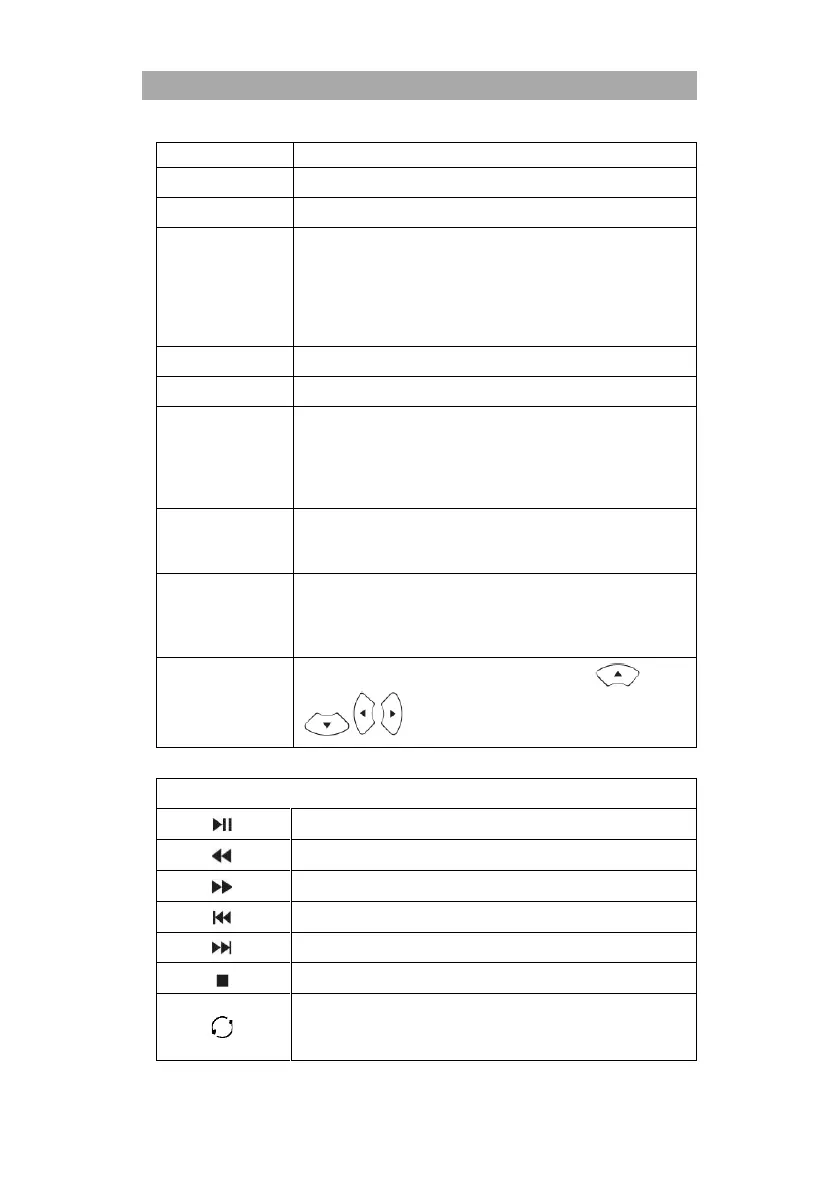
Move View
When you have zoomed in on the image, press the
button to control the image section.
Control bar: MUSIC
Play / pause
Rewind
Fast forward
Previous track
Next track
Stop playback
Repeat all
Repeat One
Repeat None

Related product manuals