
 Need help?
Do you have a question about the Rehan Looky 10 and is the answer not in the manual?
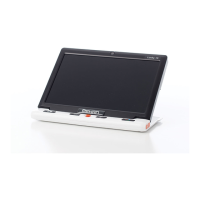
Introduction to the Looky 10, its features and capabilities.
Instructions for turning the unit on/off and checking device status.
Details on different beep sounds and how to enable/disable them.
How to switch between the front and rear cameras for different views.
How to adjust the zoom level using the dedicated buttons.
Explanation of available color modes and how to switch them.
Adjusting screen brightness and controlling the LED lighting.
How to freeze an image and save captured images to memory.
Navigating and managing stored images through the playback interface.
Using line and mask features for enhanced reading comfort.
Locating specific content and navigating the image in real-time.
Understanding how the device remembers recent settings.
Connecting to external displays and managing auto power saving.
Resetting the device to factory settings or performing a hard reset.
Steps to resolve issues where the unit fails to power on.
Solutions for black, white, or unchanged screen images.
Guidance on cleaning and resolving screen surface imperfections.
 General
| Brand | Rehan |
|---|---|
| Model | Looky 10 |
| Category | Magnifiers |
| Language | English |

 To Next Page