EasyManua.ls Logo

REI AW-10 - User Manual

REI AW-10
12 pages
Print Icon
To Next Page IconTo Next Page
Loading...
Heavy Duty Gauge-Style AM/FM Stereo Receiver, with built in USB,
Auxiliary Inputs, and Bluetooth® Audio Streaming
Installation/ Operation Manual
40W x 4 AW-10

Questions and Answers

  • D
    Dr. Tina LopezAug 1, 2025
    What to do if my REI AW-10 has no sound?
    • T
      Thomas KingAug 1, 2025
      If your REI Stereo Receiver is not producing any sound, ensure that the speakers are correctly connected to the harness and that all spliced wires are properly connected. Also, check that the speakers are not shorted to the chassis and that the total speaker impedance is within 4-8 ?. Finally, verify the volume level.
  • A
    allenjamesAug 7, 2025
    Why my REI Stereo Receiver unit will not power on?
    • R
      Robert SmithAug 7, 2025
      If your REI Stereo Receiver unit will not power on, the issue might be due to no power to the BATTERY wire or ACC wire, or a blown 10A main fuse or 1A accessory fuse. You should check for both ACC & BATTERY voltage with a multi-meter and inspect all fuses.
  • N
    Nancy PerezAug 13, 2025
    What to do if I cannot stream Bluetooth audio on my REI Stereo Receiver?
    • F
      frazierjohnAug 13, 2025
      If you are unable to stream Bluetooth audio on your REI Stereo Receiver, it is likely that your Bluetooth device was not successfully paired. To resolve this, pair the Bluetooth device and try again.
  • M
    Michelle TaylorAug 19, 2025
    Why does my REI AW-10 Stereo Receiver say 'NO SONG' when playing USB media?
    • X
      xterryAug 20, 2025
      If your USB media is not playing or displays 'NO SONG' on your REI Stereo Receiver, the media file type might be incorrect. Convert your files to a usable format; the unit only supports MP3 or WMA file extensions.
  • J
    jenniferlloydAug 25, 2025
    How to fix distorted AUX audio on REI AW-10 Stereo Receiver?
    • P
      Phyllis LittleAug 26, 2025
      If the AUX audio on your REI Stereo Receiver is distorted or low, the auxiliary source audio level may be too weak or overdriven. Adjust the audio level of the auxiliary source, and then adjust the radio volume.

Summary

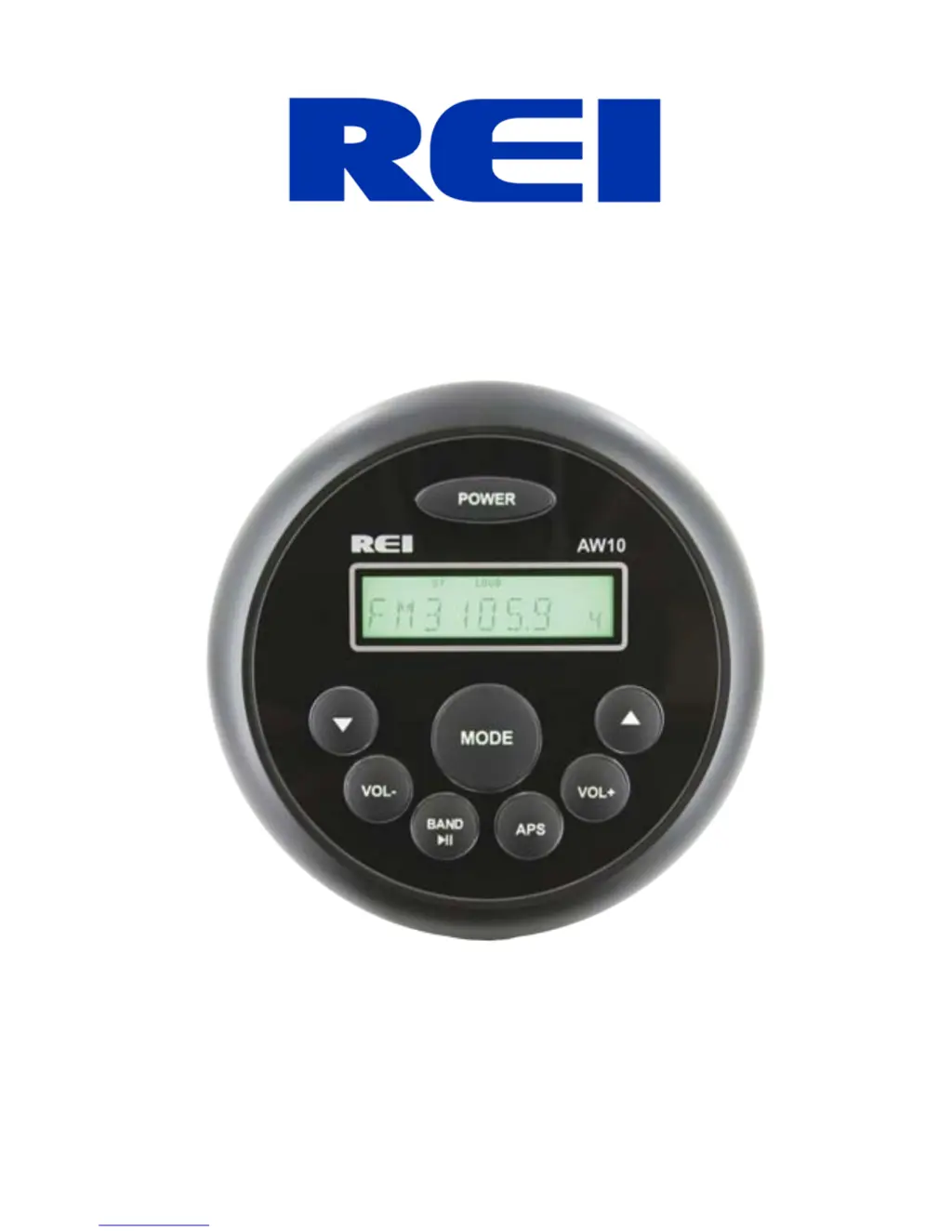
Controls and Indicators

Power ON;OFF;MUTE Button

Button to turn the unit ON/OFF and mute audio.

Radio Station Tune Buttons

Buttons used to tune AM/FM stations or select tracks.

Volume Up;Down Buttons

Buttons to increase or decrease the volume level.

Band Select;Clock Display;Play Pause Button

Button to change bands, display clock, or pause/resume playback.

Auto Store; Seek Button

Button for auto-storing stations or seeking the next station.

Mode Button

Button to navigate through different modes (TUNER, USB, BT, AUX).

Button Operation

Power Button Functionality

Press and hold to turn ON/OFF; quick press mutes audio.

Trouble Shooting

Installing the Radio

Electrical Connections

Wiring Diagram

Diagram showing connections for power, speakers, ANT, USB, AUX.

System Warnings

Designed for 12V DC Negative Ground Systems; shorting wires voids warranty.

Specifications

REI AW-10 Specifications

General IconGeneral
BrandREI
ModelAW-10
CategoryStereo Receiver
LanguageEnglish