6. Startup / Operation d
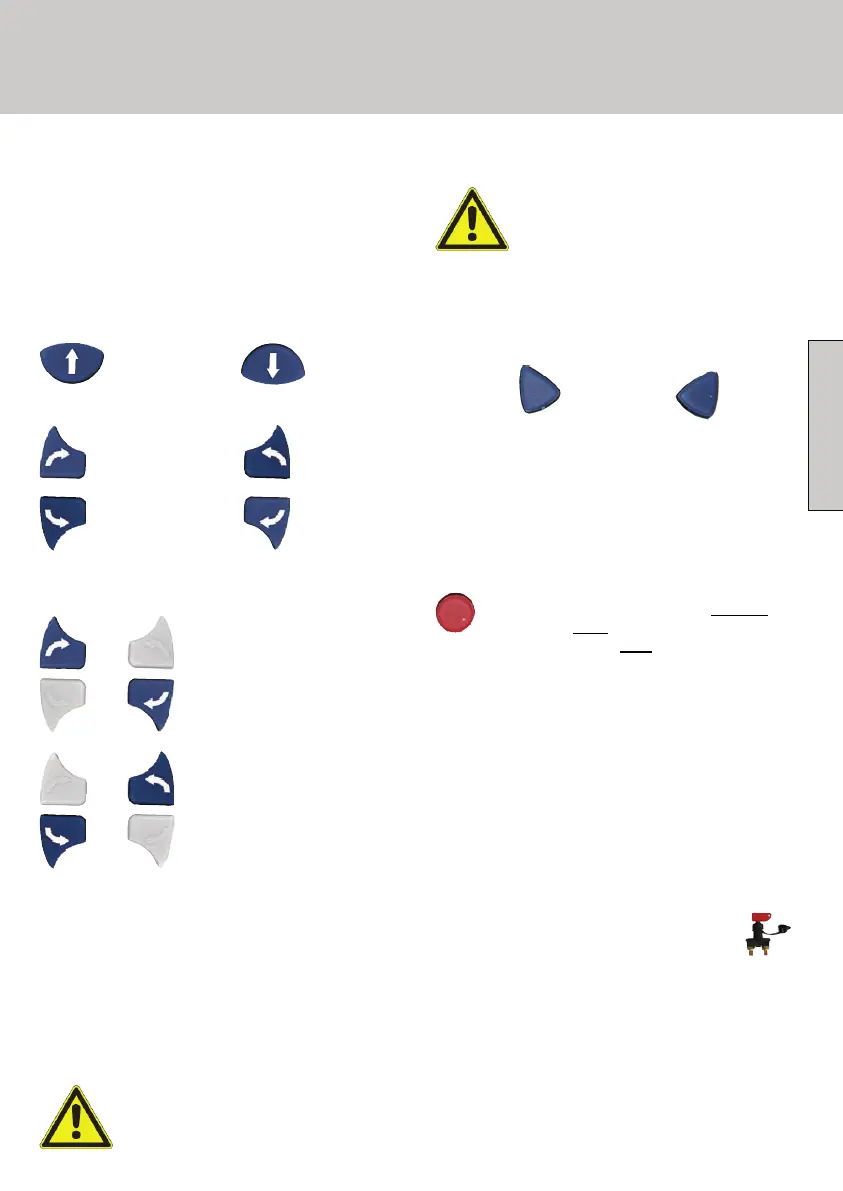
Forward Backward
Curve drive:
Left wheel
forward
Left wheel
backward
Right wheel
forward
Right wheel
backward
Rotation
(pushing 2 buttons simultaneously) :
If the movements do not correspond to the
symbols on the remote control, the cable
connections of the right and the left drive units
need to be checked and - if necessary -
exchanged (see wiring diagram l).
It is important that in such a case you turn the
isolating switch off and disconnect the Basic
Station from the electricity supply.
Make sure that you never exchange
the Positive (+) and Negative (-) of
the electricity supply.
Clockwise rotation
Anti clockwise rotation
+
+
+
When the shunting process is finished, the driving
rollers are removed from the tyres by
simultaneously pressing the two arrow keys:
B6 Disengaging the friction rollers:
In final position, the MotorDrive will be switched-
off automatically.
Before you release the friction
rollers, please ensure that your
brake is engaged to prevent your
caravan rolling away!
The integrated "Soft-Start" gives an acoustic
signal when starting to move which is meant as a
warning signal of a caravan or trailer starting to
move.
The movement buttons have to be pressed
respectively one by one. The arrows by the
buttons show the respective direction of motion.
B5 Direction keys:
GB9
Pull on the handbrake and/or secure your caravan
or trailer against rolling away with the help of
chocks.
Turn OFF the isolation switch.
Turn off the MoveControl by pushing
the
I/O button once
at the remote control. The
red LED will turn OFF
.
B7 Turn OFF MoveControl
The drive units must not be left connected to the
tyres for long periods of time, as this can result in
damage to the tyres. Movement with a motor
vehicle while the drive units are connected is not
allowed, as the caravan or trailer as well as the
motor vehicle can be damaged.
B8 Turn OFF System
English
327-130230S1 - 0902_MCC_MBA RC2_9 9 18.03.2009 14:36:37


 To Next Page