EasyManua.ls Logo

Rejuvenate Click n Clean User Manual

Rejuvenate Click n Clean
12 pages
To Next Page IconTo Next Page
Page #1 background imageLoading...
Page #1 background image
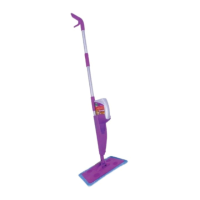
FLOOR CARE KITFLOOR CARE KIT
SPRAY MOP • DUST MOP • TILE & GROUT CLEANING
CARPET CLEANING • MULTI-SURFACE CARE
SPRAY MOP • DUST MOP • TILE & GROUT CLEANING
CARPET CLEANING • MULTI-SURFACE CARE
User GuideUser Guide
H
A
R
D
W
O
O
D
V
I
N
Y
L
C
A
R
P
E
T
T
I
L
E
G
R
O
U
T
H
A
R
D
W
O
O
D
V
I
N
Y
L
C
A
R
P
E
T
T
I
L
E
G
R
O
U
T
1 MOP for EVERY FLOOR SURFACE!1 MOP for EVERY FLOOR SURFACE!
CLICKCLICK
CLEANCLEAN
nn
Question and Answer IconNeed help?

Do you have a question about the Rejuvenate Click n Clean and is the answer not in the manual?

Rejuvenate Click n Clean Specifications

General IconGeneral
BrandRejuvenate
ModelClick n Clean
CategoryUltrasonic Jewelry Cleaner
LanguageEnglish

Summary

Safety Instructions

For Best Results

Click n Clean Floor Care Kit Components

Instant Assembly Guide

Adapters and Applicators

Cleaning and Speed Mopping Floors

Instructions for using the mop for general floor cleaning applications.

Dusting Procedures

Guidance on attaching and using the dusting pad for removing loose debris.

Grout Cleaning Method

Steps for attaching the grout brush and cleaning grout lines effectively.

Other Available Products

Frequently Asked Questions

Bottle Adapter Compatibility

Troubleshooting why the bottle adapter may not fit correctly on bottles.

Bottle Neck Size Identification

Guidance on identifying the correct bottle neck sizes for system compatibility.

Frequently Asked Questions (Continued)

Leaking Device Troubleshooting

Steps to diagnose and resolve leaks in the mop device.

Reservoir Liquid Explanation

Explanation for residual liquid remaining in the bottle reservoir.

Limited Warranty Information