EasyManua.ls Logo

Reka DB-1005 - User Manual

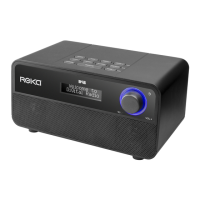
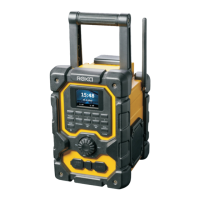
Reka DB-1005
72 pages
Print Icon
To Next Page IconTo Next Page
Loading...

Questions and Answers

  • C
    Carla MannAug 5, 2025
    What to do if my Reka Radio has no music?
    • S
      Stacey TrujilloAug 5, 2025
      If your Reka Radio isn't playing music, there are several potential reasons: * Ensure a compatible music app is in use. * Check that Bluetooth is enabled and the device is properly connected. * Verify the boombox is paired. * Confirm the power is on, and replace batteries if needed. * Adjust the volume to a suitable level.
  • T
    Tommy PetersonAug 13, 2025
    Why does my Reka DB-1005 Radio have stuttering/delay music?
    • N
      Nathan RojasAug 13, 2025
      Stuttering or delayed music on your Reka Radio can be due to several factors: * Too many processes running. Close unused apps to free up resources. * A corrupt Bluetooth profile. Unpair and delete the Bluetooth profile, then re-pair the device. * Interference. Move the radio away from high-powered devices or strong RF signals.
  • S
    Steven ClayAug 19, 2025
    Why does my Reka DB-1005 Bluetooth keep dropping out?
    • T
      Tyler KingAug 19, 2025
      If the Bluetooth connection on your Reka Radio drops frequently, it could be due to: * A full device cache. Manually clear the device’s cache and restart it. * Low power. Replace the batteries.
  • M
    Morgan SmithAug 27, 2025
    What to do if my Reka DB-1005 is not playing a track?
    • M
      Makayla GarrettAug 27, 2025
      If your Reka Radio won't play a track, it might be because: * The file is DRM protected. Use a non-DRM protected file instead. * The file format is invalid. Use .MP3 or .WAV file formats.

Summary

Safety

Explanations of instructions

Defines signal words and symbols used for safety warnings and important information.

General Safety Instructions

Provides critical warnings and precautions for preventing injury and product damage.

Product Description

Description

Identifies and labels all external parts and controls of the radio.

Setup

Connecting The Power Adaptor

Step-by-step instructions on how to connect the power adapter to the radio.

Installing Batteries

Guide on how to open the battery compartment and prepare for battery installation.

Turning On For The First Time

Instructions for initial power-up, including automatic scanning and time/date setting.

Use

Power On

Explains how to turn the radio on and what to expect during boot-up.

Power Off

Describes the procedure for turning the radio off completely.

Standby

Details how to enter and exit standby mode, and its relation to the alarm feature.

DAB Scan

How to perform a full scan to update the DAB station list and improve reception.

DAB Menu

Accessing and navigating the main DAB menu options.

DAB Menu - System Settings

Accessing various system configuration options for the DAB mode.

FM Menu

Accessing and navigating the main FM menu options.

Bluetooth

Instructions for pairing and connecting devices wirelessly via Bluetooth.

Alarm

Guide to setting up and configuring the radio's alarm functions.

Settings

Factory Reset

Restoring the radio to its original factory default settings.

Trouble Shooting

Trouble Shooting

Lists common problems with their causes and solutions for the radio.

Warranty Conditions

Warranty Conditions

Outlines the terms, duration, costs, and exclusions of the product warranty.

Reka DB-1005 Specifications

General IconGeneral
BrandReka
ModelDB-1005
CategoryRadio
LanguageEnglish

Related product manuals