5
1
2
4
7
6
3
5
8
10
9
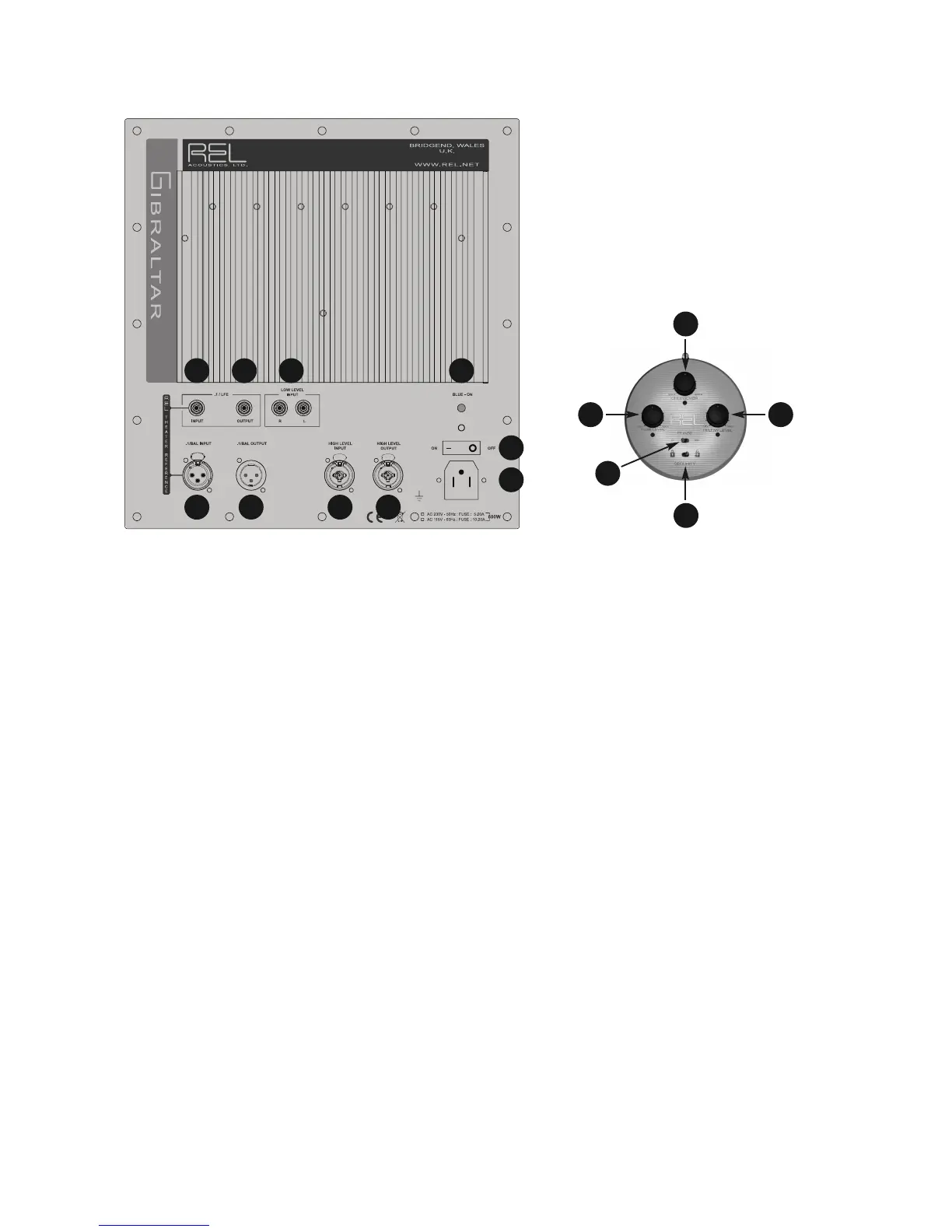
REL G1 Back Panel Connection Legend
1
2
3
5
4
1 .1/LFE Phono Input: Used to connect to the .1/LFE output of a surround-sound processor.
2 .1/LFE Phono Output: Used to connect or “daisy chain” another REL G-Series in tandem.
3 Left & Right Channel Low-Level Phono Input: Used to connect low-level signals to the sub-bass system from the
output of a preamplifier, integrated amplifier or receiver. (For home cinema use, use .1/LFE input).
4 Power Pilot Light: Power On/Off indicator.
5 .1/LFE Balanced Input: Balanced (XLR connector) version of .1/LFE Input. For use only with fully balanced cables.
6 .1/LFE Balanced Output: Balanced (XLR connector) version of .1/LFE Output. For use only with fully balanced cables.
7 High Level Input (Neutrik Speakon): Used to connect to the main front amplifier speaker terminals.
8 High Level Output (Neutrik Speakon): Used to connect or “daisy chain” another REL G-Series in tandem.
9 Power On/Off Switch: Use to turn unit on or off.
10 IEC Mains Socket: Fused mains (AC) input socket that accepts detachable power cord.
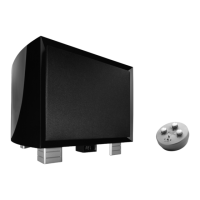
Remote Control
1 Crossover: Used to adjust crossover frequency. Variable between 20-90Hz.
2 .1/LFE Level: Used to adjust output level when using .1/LFE input from a surround-sound processor.
3 Hi/Lo Level: Volume control for HI/LO input. Use to adjust output when using either HI Level or LO Level input. Do
not use both simultaneously.
4 Phase: Used to set phase 0-180 degrees.
5 Security: Used to lock remote settings. To extend battery life of the remote, always leave the toggle switch in the
locked position when not in use.



 To Next Page